# AI Autocomplete β€” full documentation > AI Autocomplete is a drop-in SDK that helps users discover and complete actions in real time inside any text box. It guides users on what to type, turning a blank input into instant intent β€” 10X faster and 5X cheaper than traditional LLMs, with ~200ms responses. Integrate in minutes via a native SDK (React, Angular, Vanilla JS, Swift) or the HTTP API. This file is the complete public corpus in one document: every page below is also available on its own at the same URL with `.md` appended. The curated index lives at https://ai-autocomplete.com/llms.txt. ## Contents - [AI Autocomplete SDK | Real-time AI suggestions for any text box](https://ai-autocomplete.com/index.md) - [Privacy Policy | AI Autocomplete](https://ai-autocomplete.com/legal/privacy.md) - [Terms of Service | AI Autocomplete](https://ai-autocomplete.com/legal/terms.md) - [Pricing | AI Autocomplete](https://ai-autocomplete.com/other/pricing.md) - [FAQ | AI Autocomplete SDK](https://ai-autocomplete.com/other/faqs.md) - [Enterprise | AI Autocomplete](https://ai-autocomplete.com/other/enterprise.md) - [Blog | AI Autocomplete](https://ai-autocomplete.com/blog.md) - [AI Autocomplete for Shopify | Increase Conversions From Search](https://ai-autocomplete.com/ecommerce/shopify.md) - [AI Autocomplete for Magento | Increase Conversions From Search](https://ai-autocomplete.com/ecommerce/magento.md) - [AI Autocomplete for WooCommerce | Increase Conversions From Search](https://ai-autocomplete.com/ecommerce/woocommerce.md) - [AI Autocomplete for E-commerce | Increase Conversions From Search](https://ai-autocomplete.com/ecommerce/search.md) - [AI Autocomplete SDK: Give Every Text Box a Brain](https://ai-autocomplete.com/blog/ai-autocomplete-launch.md) - [AI Autocomplete Software: A Practical Buyer's Guide](https://ai-autocomplete.com/blog/ai-autocomplete-software-buyers-guide.md) - [AI Text Completion vs AI Autocomplete: Key Differences](https://ai-autocomplete.com/blog/ai-text-completion-vs-ai-autocomplete.md) - [What Is AI Autocomplete? The Intent Layer for AI](https://ai-autocomplete.com/blog/what-is-ai-autocomplete-intent-layer.md) - [Traditional Autocomplete vs AI Autocomplete: Key Differences](https://ai-autocomplete.com/blog/traditional-autocomplete-vs-ai-autocomplete.md) - [AI Autocomplete vs Algolia and Elasticsearch Autocomplete](https://ai-autocomplete.com/blog/ai-autocomplete-vs-algolia-elasticsearch-autocomplete.md) - [How AI Autocomplete Works with Algolia or Elasticsearch](https://ai-autocomplete.com/blog/how-ai-autocomplete-works-with-algolia-or-elasticsearch.md) - [AI Autocomplete Benefits: 7 Ways Better Input Wins](https://ai-autocomplete.com/blog/ai-autocomplete-benefits.md) - [AI Autocomplete for Ecommerce: Better Product Search](https://ai-autocomplete.com/blog/ai-autocomplete-for-ecommerce.md) - [AI Autocomplete for Site Search: Better Queries, Results](https://ai-autocomplete.com/blog/ai-autocomplete-for-site-search.md) - [AI Autocomplete for AI Agents: Build a Better First Brief](https://ai-autocomplete.com/blog/ai-autocomplete-for-ai-agents.md) - [AI Autocomplete for Customer Support: Better Intake](https://ai-autocomplete.com/blog/ai-autocomplete-for-customer-support.md) - [Search Suggestions vs Semantic Search vs AI Autocomplete](https://ai-autocomplete.com/blog/search-suggestions-vs-search-as-you-type-vs-semantic-search.md) - [AI Autocomplete vs Search Autocomplete Providers](https://ai-autocomplete.com/blog/ai-autocomplete-vs-search-autocomplete-providers.md) - [How to Add AI Autocomplete to React in 10 Minutes](https://ai-autocomplete.com/blog/how-to-install-ai-autocomplete-react.md) - [Autocomplete API vs SDK: Which Integration Is Right?](https://ai-autocomplete.com/blog/autocomplete-api-vs-sdk.md) - [Build vs Buy AI Autocomplete: The Real Engineering Cost](https://ai-autocomplete.com/blog/build-vs-buy-ai-autocomplete.md) - [Getting Started | React AI Autocomplete Docs](https://ai-autocomplete.com/docs/react/getting-started.md) - [Integration Tiers | React AI Autocomplete Docs](https://ai-autocomplete.com/docs/react/integration-tiers.md) - [API Reference | React AI Autocomplete Docs](https://ai-autocomplete.com/docs/react/api-reference.md) - [Authentication | React AI Autocomplete Docs](https://ai-autocomplete.com/docs/react/authentication.md) - [Styling | React AI Autocomplete Docs](https://ai-autocomplete.com/docs/react/styling.md) - [Advanced | React AI Autocomplete Docs](https://ai-autocomplete.com/docs/react/advanced.md) - [Getting Started | Angular AI Autocomplete Docs](https://ai-autocomplete.com/docs/angular/getting-started.md) - [Integration Tiers | Angular AI Autocomplete Docs](https://ai-autocomplete.com/docs/angular/integration-tiers.md) - [API Reference | Angular AI Autocomplete Docs](https://ai-autocomplete.com/docs/angular/api-reference.md) - [Authentication | Angular AI Autocomplete Docs](https://ai-autocomplete.com/docs/angular/authentication.md) - [Styling | Angular AI Autocomplete Docs](https://ai-autocomplete.com/docs/angular/styling.md) - [Advanced | Angular AI Autocomplete Docs](https://ai-autocomplete.com/docs/angular/advanced.md) - [Getting Started | JavaScript AI Autocomplete Docs](https://ai-autocomplete.com/docs/vanilla/getting-started.md) - [Integration Tiers | JavaScript AI Autocomplete Docs](https://ai-autocomplete.com/docs/vanilla/integration-tiers.md) - [API Reference | JavaScript AI Autocomplete Docs](https://ai-autocomplete.com/docs/vanilla/api-reference.md) - [Authentication | JavaScript AI Autocomplete Docs](https://ai-autocomplete.com/docs/vanilla/authentication.md) - [Styling | JavaScript AI Autocomplete Docs](https://ai-autocomplete.com/docs/vanilla/styling.md) - [Advanced | JavaScript AI Autocomplete Docs](https://ai-autocomplete.com/docs/vanilla/advanced.md) - [Getting Started | HTTP API AI Autocomplete Docs](https://ai-autocomplete.com/docs/http/getting-started.md) - [Authentication | HTTP API AI Autocomplete Docs](https://ai-autocomplete.com/docs/http/authentication.md) - [API Reference | HTTP API AI Autocomplete Docs](https://ai-autocomplete.com/docs/http/api-reference.md) - [Advanced | HTTP API AI Autocomplete Docs](https://ai-autocomplete.com/docs/http/advanced.md) - [Getting Started | Swift AI Autocomplete Docs](https://ai-autocomplete.com/docs/swift/getting-started.md) - [Integration Tiers | Swift AI Autocomplete Docs](https://ai-autocomplete.com/docs/swift/integration-tiers.md) - [API Reference | Swift AI Autocomplete Docs](https://ai-autocomplete.com/docs/swift/api-reference.md) - [Authentication | Swift AI Autocomplete Docs](https://ai-autocomplete.com/docs/swift/authentication.md) - [Styling | Swift AI Autocomplete Docs](https://ai-autocomplete.com/docs/swift/styling.md) - [Advanced | Swift AI Autocomplete Docs](https://ai-autocomplete.com/docs/swift/advanced.md) --- # AI Autocomplete SDK | Real-time AI suggestions for any text box > For the complete documentation index, see [llms.txt](https://ai-autocomplete.com/llms.txt). A markdown version of any page on this site is available by appending `.md` to its URL path β€” the homepage is at `/index.md`. Add real-time AI suggestions to any text box. AI Autocomplete guides users to what your product can do: search, commerce, agents, and more. 200ms responses, live in minutes. Source: https://ai-autocomplete.com/ --- The AI Autocomplete SDK ## Users convert when they know what to type. Add AI Autocomplete to any text box and increase conversions 50% or more. Instead of making people guess, it tells them exactly what your product can do, so they get what they want faster. Book a demo Try it live - Search - Commerce - Media Generation - Agents & Software - Customer service Compare the difference: - [![Instacart](https://ai-autocomplete.com/images/preview/instacart/logo.svg)](https://ai-autocomplete.com/preview/instacart-9e9f2f) - [![Replit](https://ai-autocomplete.com/images/preview/replit/logo.svg)](https://ai-autocomplete.com/preview/replit-959395) - [![Canva](https://ai-autocomplete.com/images/preview/canva/logo.svg)](https://ai-autocomplete.com/preview/canva-03bea3) - [![Snackpass](https://ai-autocomplete.com/images/preview/snackpass/logo.png)](https://ai-autocomplete.com/preview/snackpass-8d2635) - [![Suno](https://ai-autocomplete.com/images/preview/suno/suno-logo.svg)](https://ai-autocomplete.com/preview/suno-ec1ea3) - [![Cotopaxi](https://ai-autocomplete.com/images/preview/cotopaxi/logo.svg)](https://ai-autocomplete.com/preview/cotopaxi-503884) - [![Compass](https://ai-autocomplete.com/images/preview/compass/logo.svg)](https://ai-autocomplete.com/preview/compass-e1f384) - [![Cameo](https://ai-autocomplete.com/images/preview/cameo/logo.svg)](https://ai-autocomplete.com/preview/cameo-5165c9) - [![Kalshi](https://ai-autocomplete.com/images/preview/kalshi/logo.svg)](https://ai-autocomplete.com/preview/kalshi-f63be7) - [![Rippling](https://ai-autocomplete.com/images/preview/rippling/logo.svg)](https://ai-autocomplete.com/preview/rippling-bf6cb6) AI Autocomplete increases your conversions by guiding users with what your product can do. ![Still from the AI Autocomplete launch film](https://ai-autocomplete.com/media/ai-autocomplete-launch-poster.jpg) See announcement The problem ## The blank text box is where intent goes to die. You shipped a powerful product and put a blinking cursor in an empty box. Users hesitate, under-ask, and leave. 1. 01 ### Blank-box paralysis Users don't know what your product can do, so they type the bare minimum, or nothing at all. 2. 02 ### Endless back-and-forth Vague requests trigger follow-up questions. Every extra round trip costs you users, time, and tokens. 3. 03 ### Invisible features Your best capabilities sit one prompt away, and most users never find them. AI Autocomplete fixes it at the keystroke, completing every user's thought with things your product can actually do. Use cases ## Works for every text box. Wherever your users type, autocomplete turns hesitation into action. ### Search Read intent mid-keystroke and take users straight to the right result, not a page of maybes. Watch it in action ### Commerce Complete vague wishes into full carts: brand, variant, and checkout in a single suggestion. Watch it in action ### Media generation Guide users to the prompt that produces the image, video, or deck they pictured. Watch it in action ### Agents & software Capture a build-ready spec up front so your agent executes instead of interrogating. Watch it in action ### Customer service Get the whole problem in the first message, and resolve it without opening a ticket. Watch it in action How it works 01 ## Educate your users at the exact moment they type. The more your product can do, the less of it users discover on their own. Autocomplete turns every keystroke into a guided tour of your best features. How it works 02 ## Capture full intent. Act instantly. Your agent can only act when it has enough to go on. Autocomplete gathers the complete request up front. No interrogation, no drop-off. Ready to take action How it works 03 ## Your UI, your rules. SDK or API. Ship the fully customizable native SDK today and match your brand down to the pixel. Want to own the whole surface? Build your own UI straight on the API. The numbers ## Fast to ship. Faster to run. 10 min To go live From API key to live suggestions in your product with one drop-in component. 200 ms Response time Our proprietary action engine answers in 200ms, 10X faster than an LLM round trip. 5 X Cheaper A fraction of the cost of traditional LLM calls, at production scale. Ship it ## Drop it in this afternoon. A few lines in front of the text box you already have. Native SDKs for every major framework, or hit the API directly. 1. 01 ### Install the SDK One package for your framework: React, Vue, Angular, Swift, or plain JS. 2. 02 ### Drop it in front of your text box The component wraps the input you already ship. No rewrite, no redesign. 3. 03 ### Go live Point suggestions at your product's actions and watch intent complete. **Your text box, upgraded** ```tsx import { AIAutocomplete } from "@magicx-eng/ai-autocomplete-react"; export function SearchBox() { return ( ); } ``` ![](https://ai-autocomplete.com/assets/react-Dsz9o-ZK.svg) React ![](data:image/svg+xml,%3csvg%20xmlns='http://www.w3.org/2000/svg'%20aria-hidden='true'%20viewBox='0%200%20630%20630'%3e%3crect%20width='630'%20height='630'%20fill='%23fff'/%3e%3cpath%20fill='%23000'%20d='m423.2%20492.19c12.69%2020.72%2029.2%2035.95%2058.4%2035.95%2024.53%200%2040.2-12.26%2040.2-29.2%200-20.3-16.1-27.49-43.1-39.3l-14.8-6.35c-42.72-18.2-71.1-41-71.1-89.2%200-44.4%2033.83-78.2%2086.7-78.2%2037.64%200%2064.7%2013.1%2084.2%2047.4l-46.1%2029.6c-10.15-18.2-21.1-25.37-38.1-25.37-17.34%200-28.33%2011-28.33%2025.37%200%2017.76%2011%2024.95%2036.4%2035.95l14.8%206.34c50.3%2021.57%2078.7%2043.56%2078.7%2093%200%2053.3-41.87%2082.5-98.1%2082.5-54.98%200-90.5-26.2-107.88-60.54zm-209.13%205.13c9.3%2016.5%2017.76%2030.45%2038.1%2030.45%2019.45%200%2031.72-7.61%2031.72-37.2v-201.3h59.2v202.1c0%2061.3-35.94%2089.2-88.4%2089.2-47.4%200-74.85-24.53-88.81-54.075z'/%3e%3c/svg%3e) Javascript ![](data:image/svg+xml,%3csvg%20xmlns='http://www.w3.org/2000/svg'%20aria-hidden='true'%20viewBox='0%200%20261.76%20226.69'%3e%3cpath%20d='M161.096.001l-30.225%2052.351L100.647.001H-.005L130.872%20226.69%20261.749.001z'%20fill='%23fff'/%3e%3c/svg%3e) Vue.js ![](data:image/svg+xml,%3csvg%20xmlns='http://www.w3.org/2000/svg'%20aria-hidden='true'%20role='img'%20width='32'%20height='32'%20viewBox='0%200%20256%20270'%3e%3cpath%20fill='%23fff'%20d='M128%200L0%2045.701l19.529%20169.41L128%20270l108.471-54.889L256%2045.701L128%200zm0%2028.654L210.043%2060.83l-13.65%20116.464L128%20217.346l-68.394-40.052l-13.65-116.464L128%2028.654zM128%2065.486l-44.71%20100.225h16.65l8.99-22.4h37.99l8.99%2022.4H172.71L128%2065.486zm-12.39%2064.62L128%2099.36l12.39%2030.746h-24.78z'/%3e%3c/svg%3e) Angular ![](data:image/svg+xml,%3csvg%20xmlns='http://www.w3.org/2000/svg'%20aria-hidden='true'%20viewBox='0%200%2024%2024'%3e%3cpath%20fill='%23fff'%20d='M7.508%200c-.287%200-.573%200-.86.002-.241.002-.483.003-.724.01-.132.003-.263.009-.395.015A9.154%209.154%200%200%200%204.348.15%205.492%205.492%200%200%200%202.85.645%205.04%205.04%200%200%200%20.645%202.848c-.245.48-.4.972-.495%201.5-.093.52-.122%201.05-.136%201.576a35.2%2035.2%200%200%200-.012.724C0%206.935%200%207.221%200%207.508v8.984c0%20.287%200%20.575.002.862.002.24.005.481.012.722.014.526.043%201.057.136%201.576.095.528.25%201.02.495%201.5a5.03%205.03%200%200%200%202.205%202.203c.48.244.97.4%201.498.495.52.093%201.05.124%201.576.138.241.007.483.009.724.01.287.002.573.002.86.002h8.984c.287%200%20.573%200%20.86-.002.241-.001.483-.003.724-.01a10.523%2010.523%200%200%200%201.578-.138%205.322%205.322%200%200%200%201.498-.495%205.035%205.035%200%200%200%202.203-2.203c.245-.48.4-.972.495-1.5.093-.52.124-1.05.138-1.576.007-.241.009-.481.01-.722.002-.287.002-.575.002-.862V7.508c0-.287%200-.573-.002-.86a33.662%2033.662%200%200%200-.01-.724%2010.5%2010.5%200%200%200-.138-1.576%205.328%205.328%200%200%200-.495-1.5A5.039%205.039%200%200%200%2021.152.645%205.32%205.32%200%200%200%2019.654.15a10.493%2010.493%200%200%200-1.578-.138%2034.98%2034.98%200%200%200-.722-.01C17.067%200%2016.779%200%2016.492%200H7.508zm6.035%203.41c4.114%202.47%206.545%207.162%205.549%2011.131-.024.093-.05.181-.076.272l.002.001c2.062%202.538%201.5%205.258%201.236%204.745-1.072-2.086-3.066-1.568-4.088-1.043a6.803%206.803%200%200%201-.281.158l-.02.012-.002.002c-2.115%201.123-4.957%201.205-7.812-.022a12.568%2012.568%200%200%201-5.64-4.838c.649.48%201.35.902%202.097%201.252%203.019%201.414%206.051%201.311%208.197-.002C9.651%2012.73%207.101%209.67%205.146%207.191a10.628%2010.628%200%200%201-1.005-1.384c2.34%202.142%206.038%204.83%207.365%205.576C8.69%208.408%206.208%204.743%206.324%204.86c4.436%204.47%208.528%206.996%208.528%206.996.154.085.27.154.36.213.085-.215.16-.437.224-.668.708-2.588-.09-5.548-1.893-7.992z'/%3e%3c/svg%3e) Swift and more... Enterprise ## Enterprise grade, from day one. Private by default, wired into your product catalog and custom data, personalized to every user, and self-hosted when compliance demands it. Talk to an engineer - Complex logic - Connected to product catalog - Personalization - Fully private - Self-hosting ## Stop losing users at the keystroke. Add AI Autocomplete to one text box today. Watch your conversions move tomorrow. Try it now [AI Autocomplete](https://ai-autocomplete.com/) Add the AI Autocomplete engine to your text box in minutes Made in San Francisco πŸ‡ΊπŸ‡Έ Β© 2026 MagicX Inc. All rights reserved. [Terms of Service](https://ai-autocomplete.com/legal/terms) [Privacy Policy](https://ai-autocomplete.com/legal/privacy) --- # Privacy Policy | AI Autocomplete > For the complete documentation index, see [llms.txt](https://ai-autocomplete.com/llms.txt). A markdown version of any page on this site is available by appending `.md` to its URL path β€” the homepage is at `/index.md`. How AI Autocomplete collects, uses, and protects your data. Source: https://ai-autocomplete.com/legal/privacy --- ## Privacy Policy Last updated: August 7, 2026 ## Introduction Your privacy is important to us. It is MagicX Inc's policy to respect your privacy and comply with any applicable law and regulation regarding any personal information we may collect about you, including via AI Autocomplete, our website, and associated services. Personal information is any information about you which can be used to identify you. This includes information about you as a person (such as name and contact details), your devices, payment details, and information about how you use our services. If our services contain links to third-party sites, please be aware that those sites have their own privacy policies. After following a link to any third-party content, you should read their posted privacy policy information about how they collect and use personal information. **This Privacy Policy does not apply to any of your activities after you leave our services.** ## Information We Collect Information we collect falls into one of two categories: - **"Voluntarily provided"** – any information you knowingly and actively provide us when using AI Autocomplete and our website. - **"Automatically collected"** – any information automatically sent by your device or browser in the course of accessing AI Autocomplete and our website. ### Log Data When you use AI Autocomplete or visit our website, our servers may automatically log standard data provided by your browser, such as: - IP address - Browser type and version - Operating system - Pages visited and time spent - Referring site - Date and time of access ### Personal Information We may ask for personal informationβ€”for example, when you register an account or contact usβ€”which may include: - Name - Email ## Legitimate Reasons for Processing Your Personal Information We only collect and use your personal information when we have a legitimate reason for doing so, and only as reasonably necessary to provide our services. ## Collection and Use of Information We may collect personal information from you when you: - Register for an account - Use a web browser to access our content - Contact us via email, social media, or similar technologies - Mention us on social media We may collect, hold, use, and disclose information for purposes such as: - Providing AI Autocomplete's core features and services - Enabling you to customize or personalize your experience - Communicating with you regarding your account or our services We may combine voluntarily provided and automatically collected personal information with information from other trusted sources (e.g., if you connect a social-media profile). ## AI Autocomplete for Shopify When a merchant installs our Shopify app and connects their store, we receive and store the following information from Shopify: - The store's domain - An API access token that authorizes us to read the store's product catalog - Product catalog data, such as product titles, types, and attributes We use this information solely to provide search suggestions on the merchant's storefront. Our app requests read access to products only. We do not request or collect personal information about a store's customers from Shopify. Search terms entered by storefront visitors are processed by our services in order to generate suggestions. We do not use them to identify individual visitors. When a merchant uninstalls our app, or when Shopify sends us a deletion request on a merchant's behalf, we delete the store's access token and stored connection details within 30 days. We respond to data access and deletion requests submitted through Shopify's mandatory privacy webhooks. ## Security of Your Personal Information We protect personal information by commercially acceptable means to prevent loss, theft, unauthorized access, disclosure, copying, use, or modification. However, no electronic transmission or storage method is 100% secure. You are responsible for selecting and safeguarding any passwords and ensuring the security of your own information within our services. ## How Long We Keep Your Personal Information We keep your personal information only as long as necessary for the purposes described in this policy or as required by law. When no longer needed, we delete or anonymize it. ## Children's Privacy We do not target children under 13 and do not knowingly collect personal information about them. ## Disclosure of Personal Information to Third Parties We may disclose personal information to: - Parent, subsidiary, or affiliate companies - Third-party service providers (IT, hosting, analytics, etc.) - Employees, contractors, business partners, and agents - Courts, tribunals, regulatory and law-enforcement authorities - An acquirer of all or substantially all of our assets **Current third-party providers include:** - Google Analytics - Sentry - LinkedIn (advertising and analytics) - X (advertising and analytics) - Reddit (advertising and analytics) ## Your Rights and Controlling Your Personal Information **Your choices include:** - **Access** – Request details of personal information we hold about you. - **Correction** – Request correction of inaccurate, out-of-date, or incomplete information. - **Non-discrimination** – We will not discriminate against you for exercising your rights. - **Notification of data breaches** – We comply with applicable laws regarding data breaches. - **Complaints** – Contact us with any privacy complaints; you may also contact regulators. - **Unsubscribe** – Opt out of marketing communications at any time. ## Business Transfers If we are acquired, go out of business, or enter bankruptcy, your data may be transferred to the acquiring party under the same privacy commitments. ## Limits of Our Policy Our website may link to external sites we do not operate. We are not responsible for their content or privacy practices. ## Changes to This Policy We may update this policy to reflect changes in business processes, practices, or laws. Significant changes will be communicated to registered users when required. ## Additional Disclosures for U.S. States Privacy Law Compliance (This section applies to residents of California, Colorado, Delaware, Florida, Virginia, and Utah.) - **Do Not Track:** We currently do not respond to browser DNT signals. - **California Privacy Laws (CPPA/CCPA/CPRA):** Details on financial incentives, rights to know/delete, "Shine the Light," and notice of collection. ### California Notice of Collection (Past 12 Months) We have collected identifiers such as name, email, phone number, account name, IP address, and account IDs. ## Additional Disclosures for GDPR Compliance (EU) - **Data Controller:** MagicX Inc. - **Legal bases:** Consent, performance of a contract, legitimate interests, compliance with law. - **International transfers:** Protected by appropriate safeguards (e.g., SCCs). - **Data Subject Rights:** Restrict processing, object, data portability, etc. ## Additional Disclosures for PIPEDA Compliance (Canada) - Expanded definition of personal information (PII). - Valid consent and right to withdraw. - Rights of access and rectification; compliance with PIPEDA's ten privacy principles. - Anti-Spam Legislation compliance. ## Additional Disclosures for UK GDPR Compliance (UK) - Legal bases mirror EU GDPR (consent, contract, legitimate interest, legal compliance). - International transfers follow UK GDPR rules. - Data Subject Rights: restrict processing, object, be informed, access, erasure, portability, rectification. ## Enquiries, Reports, and Escalation If we do not resolve your concern, you may contact: - **Canada:** Office of the Privacy Commissioner of Canada, 30 Victoria St, Gatineau, QC K1A 1H3, Toll-Free 1-800-282-1376, www.priv.gc.ca - **UK:** Information Commissioner's Office, Wycliffe House, Water Lane, Wilmslow, Cheshire SK9 5AF, Tel 0303 123 1113, www.ico.org.uk ## Contact Us **MagicX Inc** 1209 N Orange St, Wilmington, DE 19801 --- # Terms of Service | AI Autocomplete > For the complete documentation index, see [llms.txt](https://ai-autocomplete.com/llms.txt). A markdown version of any page on this site is available by appending `.md` to its URL path β€” the homepage is at `/index.md`. The terms governing your use of AI Autocomplete. Source: https://ai-autocomplete.com/legal/terms --- ## Terms of Service Last updated: January 10, 2026 ## Acceptance of These Terms When you create an AI Autocomplete account or use AI Autocomplete, you agree to abide by these Terms of Service and comply with all applicable laws and regulations. If you do **not** agree, you must stop using the service, our website, and any other services provided by MagicX Inc. MagicX Inc reserves the right to review and amend these Terms at its sole discretion. We will update this page and notify you through the service or the email address linked to your account. Changes take effect immediately upon publication. ## Limitations of Use By using AI Autocomplete and our website, you warrantβ€”on behalf of yourself, any entity you represent, and your usersβ€”that you **will not**: 1. Modify, copy, prepare derivative works of, decompile, or reverse-engineer AI Autocomplete or any material/software contained in AI Autocomplete or on our website. 2. Remove any copyright or other proprietary notices from AI Autocomplete or related materials. 3. Transfer AI Autocomplete or its materials to another person, or "mirror" them on any other server. 4. Knowingly or negligently use AI Autocomplete so as to abuse or disrupt our networks or any other MagicX Inc service. 5. Transmit or publish any harassing, indecent, obscene, fraudulent, or unlawful material through AI Autocomplete. 6. Use AI Autocomplete in violation of any applicable laws or regulations. 7. Use AI Autocomplete to send unauthorized advertising or spam. 8. Harvest, collect, or gather user data without users' consent. 9. Use AI Autocomplete in a manner that infringes the privacy, intellectual-property rights, or other rights of third parties. ## Intellectual Property All intellectual property in AI Autocomplete and on our website is owned by, or licensed to, MagicX Inc. You receive a **licenseβ€”not a transfer of title**β€”to access and use AI Autocomplete for personal or internal business use only. This license terminates automatically if you violate these Terms, and may be terminated by MagicX Inc at any time. ## Liability AI Autocomplete and all related materials are provided **"as is."** To the fullest extent permitted by law, MagicX Inc disclaims all warrantiesβ€”express or impliedβ€”including merchantability, fitness for a particular purpose, non-infringement, and accuracy. In no event shall MagicX Inc or its suppliers be liable for any **consequential loss** (indirect, special, incidental, or punitive damages, real or anticipated loss of profit, revenue, business, data, or goodwill) arising from your use or inability to use AI Autocomplete, our website, or other servicesβ€”even if advised of the possibility of such damage. Some jurisdictions do not allow limitations on implied warranties or liability for consequential or incidental damages; in such locations, these limitations may not apply. ## Accuracy of Materials The materials in AI Autocomplete and on our website are provided for **general information** only and are **not comprehensive.** MagicX Inc makes no representations regarding the accuracy, likely results, or reliability of such materials. ## Links MagicX Inc has not reviewed, and is not responsible for, the content of external sites linked within AI Autocomplete or on our website. Inclusion of a link does **not** imply endorsement. Use external sites at your own risk and perform your own due diligence regarding their suitability. ## Right to Terminate MagicX Inc may suspend or terminate your AI Autocomplete accountβ€”and these Termsβ€”immediately upon written notice if you breach any provision herein. ## Severability If any part of these Terms is found to be void or unenforceable, that part shall be severed and the remainder will continue in force. ## Governing Law These Terms of Service are governed by the laws of the **United States**, and you irrevocably submit to the exclusive jurisdiction of its courts. --- # Pricing | AI Autocomplete > For the complete documentation index, see [llms.txt](https://ai-autocomplete.com/llms.txt). A markdown version of any page on this site is available by appending `.md` to its URL path β€” the homepage is at `/index.md`. Simple, usage-based pricing for the AI Autocomplete SDK. Start free, scale as you grow β€” no per-seat fees. Source: https://ai-autocomplete.com/other/pricing --- ## Pricing ## Basic 100,000 free predictions, then $0.0003 * (Far more powerful than old-school autocomplete, and 90% cheaper) Moderately complex logic Fully customizable Fast Current ## Enterprise πŸ’Ž Custom to needs (The most powerful, fastest, most secure version of AI Autocomplete possible) Any complex logic, highest accuracy SOC 2 Fastest Dedicated support Contact us \* One query may utilize multiple predictions, depending on how much a user types and your chosen debounce logic. --- # FAQ | AI Autocomplete SDK > For the complete documentation index, see [llms.txt](https://ai-autocomplete.com/llms.txt). A markdown version of any page on this site is available by appending `.md` to its URL path β€” the homepage is at `/index.md`. Answers about the AI Autocomplete SDK: how it works, integration, customization, privacy, security, pricing, and enterprise readiness. Source: https://ai-autocomplete.com/other/faqs --- ## FAQs ## What AI Autocomplete is What is AI Autocomplete? How is it different from old autocomplete? AI Autocomplete is the next evolution of autocomplete, that unlocks 10X faster, more powerful products by helping users discover and complete actions in real-time. Old autocomplete predicts the next keyword, based on historical data. AI Autocomplete predicts the action the user is trying to take, in real time. How does AI Autocomplete work? AI Autocomplete is a tightly integrated action engine: a proprietary backend system that understands context, intent, and product logic, then uses that to generate ultra-fast, accurate predictions in real time as users type. AI Autocomplete is designed to return suggestions up to 10X faster, and 5X cheaper than a standard LLM call. With continued improvements over time, our aim is for the vast majority of predictions to return in roughly 200–300 milliseconds. Does AI Autocomplete work inside any text box? Yes. AI Autocomplete is designed to work with any natural language input field where users type to complete an action, search for something, create content, or give instructions. How fast are suggestions returned? AI Autocomplete is designed to return suggestions up to 5X faster than a standard LLM call. With continued improvements over time, our aim is for the vast majority of predictions to return in roughly 200–300 milliseconds. What kinds of apps or products is AI Autocomplete built for? AI Autocomplete is built for any product with a natural language text box where users type to get something done. This includes search, commerce, media generation, software generation, customer service, productivity tools, internal enterprise workflows, and more. ## Customizable SDK vs. API Can we use just the API and build our own UI? Yes. You can use the API directly and build your own custom UI on top of it. We provide the SDK to make it easier to get set up quickly, with a ready-made UI that is fully customizable and easy to test instantly. Is the SDK flexible? Yes. The SDK is built to be 100% flexible: you can use the included UI, customize it, replace it entirely, or skip it and build your own experience directly on top of the API. The SDK will also become open source in the near future for even greater flexibility. ## Integration How long does integration usually take? The SDK is designed to be extremely easy to integrate and can often be added in minutes. More advanced enterprise integrations may take longer depending on the level of customization required. What platforms do you support? AI Autocomplete supports nearly all major platforms. If you do not see your platform listed on the website, reach out and we can help provide the right integration path. Can AI Autocomplete work in enterprise or internal tools? Yes. AI Autocomplete is designed to work across all types of products, including deep enterprise workflows and internal tools. Do you support custom integrations? Yes. For large enough products on the Enterprise plan, we support custom integrations such as product catalogs, custom hosting setups, private deployments, and other enterprise-specific requirements. Reach out to us if you need a custom setup. ## Use Cases What are common use cases for AI Autocomplete? Common use cases include search, product discovery, customer support, content creation, workflow creation, document editing, software generation, and internal tools. Any product where users type natural language to get something done can benefit. Can AI Autocomplete work in productivity apps, CRMs, support tools, or document editors? Yes. AI Autocomplete can work anywhere users type to create, search, edit, automate, or take action. Can AI Autocomplete help users write emails, messages, notes, or forms? Yes. AI Autocomplete can help users write more complete and useful inputs across emails, messages, notes, forms, workflows, and other text-based actions. ## Customization Can we control what types of suggestions appear? Yes. You can control what types of suggestions appear through the suggestion logic in the platform. Can we set rules or guardrails? Yes. You can define rules, guardrails, and specific behaviors for how AI Autocomplete should make suggestions in your product. Can AI Autocomplete use our app-specific context or metadata? Yes. AI Autocomplete can use app-specific context, metadata, and product logic to make suggestions more relevant to your users. ## Privacy & Security Is AI Autocomplete private, and what data does it process? 100%. AI Autocomplete is designed strictly with privacy and security in mind. It does not store the specific string that the client chooses to pass to AI Autocomplete, and for large enough products on the Enterprise plan, we can also support sensitive field masking, private cloud deployment, and custom privacy requirements; reach out to us if your product has specific needs. Do you support enterprise security requirements? Yes. AI Autocomplete is designed to support enterprise security requirements, including privacy controls, custom deployment options, and security review processes. For large enough products on the Enterprise plan, reach out to us and we can work through your requirements. Can AI Autocomplete run in a private cloud or our own environment? For large enough products on the Enterprise plan, we can support custom deployment models, including private cloud or customer-specific environments. Reach out to us if you need this type of setup. ## Pricing & Payment How is AI Autocomplete priced? AI Autocomplete is priced per prediction, at the same price as old autocomplete ($0.0003 / prediction). This pricing is intentionally cost effective, so there is no concern to upgrade to AI Autocomplete. When do predictions happen? You can adjust the debounce logic to determine how frequently the system calls a new prediction. However, please note: given longer debounce logic means a slower experience, we recommend that you prioritize the best possible product experience, which can mean ~10 predictions / query. ## Deployment Options Can AI Autocomplete run in a private cloud? Yes. For large enough products on the Enterprise plan, AI Autocomplete can support private cloud deployment options. Reach out to us if your team needs a private cloud setup. Do you support enterprise deployment models? Yes. For large enough products on the Enterprise plan, we support enterprise deployment models for customers that need custom hosting, security, privacy, or infrastructure requirements. Reach out to us to discuss your requirements. Can we start with a lightweight deployment before moving to a larger rollout? Yes. We recommend testing AI Autocomplete in production with a small percentage of users first so you can get real usage data quickly before expanding the rollout. ## Analytics & Measurement What metrics can we track? You can track any metric on your side by configuring SDK or custom UI logging. We provide metrics such as session count, latency, predictions per session, engagement rate, and word lift. What is word lift? Word lift measures whether users provide more complete inputs after AI Autocomplete is added. It helps show how AI Autocomplete improves input quality and user engagement. Can we A/B test AI Autocomplete? Yes. AI Autocomplete can be tested with a subset of users so you can compare engagement, input quality, conversion, or other product-specific metrics. ## Compliance & Enterprise Readiness Do you support SOC 2 requirements? Yes. AI Autocomplete is designed to support enterprise security and compliance requirements, including SOC 2 review processes. Can you support security reviews? Yes. For large enough products on the Enterprise plan, we can support security reviews as part of the evaluation process. Can legal and security teams review the architecture? Yes. For large enough products on the Enterprise plan, legal and security teams can review the architecture, deployment model, privacy controls, and security details as part of their evaluation. --- # Enterprise | AI Autocomplete > For the complete documentation index, see [llms.txt](https://ai-autocomplete.com/llms.txt). A markdown version of any page on this site is available by appending `.md` to its URL path β€” the homepage is at `/index.md`. AI Autocomplete for enterprise: SSO, deployment options, compliance, and dedicated support for teams shipping AI-powered experiences at scale. Source: https://ai-autocomplete.com/other/enterprise --- ## Enterprise ## Message us if you are a large product with additional needs. While we try to make as many features self-serve as possible, we know that larger customers often have more needs. More Complex Logic Higher Accuracy Increased Speed Product Integration API Access Self-Hosting Message us --- # Blog | AI Autocomplete > For the complete documentation index, see [llms.txt](https://ai-autocomplete.com/llms.txt). A markdown version of any page on this site is available by appending `.md` to its URL path β€” the homepage is at `/index.md`. Articles from the AI Autocomplete team on AI UX, autocomplete SDKs, and turning any text box into an intent-aware suggestion surface. Source: https://ai-autocomplete.com/blog --- ## [AI Autocomplete](https://ai-autocomplete.com/) Blog Notes from the team building the intent layer for AI: launches, integrations, and what we're learning about AI-powered text boxes. - [Announcement Β· 7 min read ## Introducing AI Autocomplete: solving the biggest UX problem for AI An SDK that gives every text box a brain, showing users what your product can do as they type and turning incomplete requests into structured actions. ![Still from the AI Autocomplete launch film: a shopper's text box reading Buy, Sports shoes, Black, Nike, above a list of Nike models with their prices](https://ai-autocomplete.com/media/ai-autocomplete-launch-poster.jpg)](https://ai-autocomplete.com/blog/ai-autocomplete-launch) - [Guide Β· 8 min read ## AI autocomplete software: a practical buyer's guide What AI autocomplete tools actually do, the capabilities that matter, and a scorecard for choosing software that improves the text boxes already in your product. ![A three-step diagram showing a short input becoming a complete, structured request through AI autocomplete guidance](data:image/svg+xml;base64,PHN2ZyB4bWxucz0iaHR0cDovL3d3dy53My5vcmcvMjAwMC9zdmciIHdpZHRoPSIxNDQwIiBoZWlnaHQ9IjgxMCIgdmlld0JveD0iMCAwIDE0NDAgODEwIiBmaWxsPSJub25lIj4KCTxyZWN0IHdpZHRoPSIxNDQwIiBoZWlnaHQ9IjgxMCIgcng9IjMyIiBmaWxsPSIjMEIwRTE0IiAvPgoJPHRleHQgeD0iOTYiIHk9IjExMiIgZmlsbD0iIzk0QTBCNSIgZm9udC1mYW1pbHk9IkludGVyLCBBcmlhbCwgc2Fucy1zZXJpZiIgZm9udC1zaXplPSIyMiIgZm9udC13ZWlnaHQ9IjYwMCIgbGV0dGVyLXNwYWNpbmc9IjMiPkFJIEFVVE9DT01QTEVURTwvdGV4dD4KCTx0ZXh0IHg9Ijk2IiB5PSIxNzQiIGZpbGw9IiNGNUY3RkIiIGZvbnQtZmFtaWx5PSJJbnRlciwgQXJpYWwsIHNhbnMtc2VyaWYiIGZvbnQtc2l6ZT0iNDIiIGZvbnQtd2VpZ2h0PSI2MDAiPkZyb20gdmFndWUgaW5wdXQgdG8gYSB1c2FibGUgcmVxdWVzdDwvdGV4dD4KCgk8cmVjdCB4PSI5NiIgeT0iMjU4IiB3aWR0aD0iMzQwIiBoZWlnaHQ9IjMxMCIgcng9IjI0IiBmaWxsPSIjMTQxOTIyIiBzdHJva2U9IiMzMDM5NDkiIHN0cm9rZS13aWR0aD0iMiIgLz4KCTx0ZXh0IHg9IjEzMiIgeT0iMzE0IiBmaWxsPSIjOTRBMEI1IiBmb250LWZhbWlseT0iSW50ZXIsIEFyaWFsLCBzYW5zLXNlcmlmIiBmb250LXNpemU9IjE4IiBmb250LXdlaWdodD0iNjAwIiBsZXR0ZXItc3BhY2luZz0iMiI+SU5QVVQ8L3RleHQ+Cgk8cmVjdCB4PSIxMzIiIHk9IjM1NiIgd2lkdGg9IjI2OCIgaGVpZ2h0PSI4MiIgcng9IjE2IiBmaWxsPSIjMEIwRTE0IiBzdHJva2U9IiMzQTQ2NUEiIHN0cm9rZS13aWR0aD0iMiIgLz4KCTx0ZXh0IHg9IjE2MCIgeT0iNDA4IiBmaWxsPSIjRjVGN0ZCIiBmb250LWZhbWlseT0iSW50ZXIsIEFyaWFsLCBzYW5zLXNlcmlmIiBmb250LXNpemU9IjI4Ij5zaG9lczwvdGV4dD4KCTx0ZXh0IHg9IjEzMiIgeT0iNTAwIiBmaWxsPSIjOTRBMEI1IiBmb250LWZhbWlseT0iSW50ZXIsIEFyaWFsLCBzYW5zLXNlcmlmIiBmb250LXNpemU9IjIxIj5TaG9ydCBhbmQgdW5kZXJzcGVjaWZpZWQ8L3RleHQ+CgoJPHBhdGggZD0iTSA0NjYgNDE0IEggNTEwIE0gNTAwIDQwNCBMIDUxMCA0MTQgTCA1MDAgNDI0IiBzdHJva2U9IiM3OEE4RkYiIHN0cm9rZS13aWR0aD0iMyIgc3Ryb2tlLWxpbmVjYXA9InJvdW5kIiBzdHJva2UtbGluZWpvaW49InJvdW5kIiAvPgoKCTxyZWN0IHg9IjUzNiIgeT0iMjU4IiB3aWR0aD0iMzY4IiBoZWlnaHQ9IjMxMCIgcng9IjI0IiBmaWxsPSIjMTQxOTIyIiBzdHJva2U9IiM3OEE4RkYiIHN0cm9rZS13aWR0aD0iMiIgLz4KCTx0ZXh0IHg9IjU3MiIgeT0iMzE0IiBmaWxsPSIjNzhBOEZGIiBmb250LWZhbWlseT0iSW50ZXIsIEFyaWFsLCBzYW5zLXNlcmlmIiBmb250LXNpemU9IjE4IiBmb250LXdlaWdodD0iNjAwIiBsZXR0ZXItc3BhY2luZz0iMiI+R1VJREFOQ0U8L3RleHQ+Cgk8cmVjdCB4PSI1NzIiIHk9IjM1NiIgd2lkdGg9IjExMiIgaGVpZ2h0PSI0OCIgcng9IjI0IiBmaWxsPSIjMjAyQjNEIiAvPgoJPHRleHQgeD0iNTk3IiB5PSIzODciIGZpbGw9IiNEQ0U4RkYiIGZvbnQtZmFtaWx5PSJJbnRlciwgQXJpYWwsIHNhbnMtc2VyaWYiIGZvbnQtc2l6ZT0iMTgiPnB1cnBvc2U8L3RleHQ+Cgk8cmVjdCB4PSI2OTYiIHk9IjM1NiIgd2lkdGg9IjgwIiBoZWlnaHQ9IjQ4IiByeD0iMjQiIGZpbGw9IiMyMDJCM0QiIC8+Cgk8dGV4dCB4PSI3MjEiIHk9IjM4NyIgZmlsbD0iI0RDRThGRiIgZm9udC1mYW1pbHk9IkludGVyLCBBcmlhbCwgc2Fucy1zZXJpZiIgZm9udC1zaXplPSIxOCI+c2l6ZTwvdGV4dD4KCTxyZWN0IHg9Ijc4OCIgeT0iMzU2IiB3aWR0aD0iODAiIGhlaWdodD0iNDgiIHJ4PSIyNCIgZmlsbD0iIzIwMkIzRCIgLz4KCTx0ZXh0IHg9IjgwNyIgeT0iMzg3IiBmaWxsPSIjRENFOEZGIiBmb250LWZhbWlseT0iSW50ZXIsIEFyaWFsLCBzYW5zLXNlcmlmIiBmb250LXNpemU9IjE4Ij5wcmljZTwvdGV4dD4KCTx0ZXh0IHg9IjU3MiIgeT0iNDYyIiBmaWxsPSIjRjVGN0ZCIiBmb250LWZhbWlseT0iSW50ZXIsIEFyaWFsLCBzYW5zLXNlcmlmIiBmb250LXNpemU9IjI1Ij5SZXZlYWwgdGhlIGNob2ljZXMgdGhhdCBtYXR0ZXI8L3RleHQ+Cgk8dGV4dCB4PSI1NzIiIHk9IjUwNSIgZmlsbD0iIzk0QTBCNSIgZm9udC1mYW1pbHk9IkludGVyLCBBcmlhbCwgc2Fucy1zZXJpZiIgZm9udC1zaXplPSIyMCI+R3JvdW5kZWQgaW4gdGhlIHJlYWwgcHJvZHVjdDwvdGV4dD4KCgk8cGF0aCBkPSJNIDkzNCA0MTQgSCA5NzggTSA5NjggNDA0IEwgOTc4IDQxNCBMIDk2OCA0MjQiIHN0cm9rZT0iIzc4QThGRiIgc3Ryb2tlLXdpZHRoPSIzIiBzdHJva2UtbGluZWNhcD0icm91bmQiIHN0cm9rZS1saW5lam9pbj0icm91bmQiIC8+CgoJPHJlY3QgeD0iMTAwNCIgeT0iMjU4IiB3aWR0aD0iMzQwIiBoZWlnaHQ9IjMxMCIgcng9IjI0IiBmaWxsPSIjMTQxOTIyIiBzdHJva2U9IiMzMDM5NDkiIHN0cm9rZS13aWR0aD0iMiIgLz4KCTx0ZXh0IHg9IjEwNDAiIHk9IjMxNCIgZmlsbD0iIzk0QTBCNSIgZm9udC1mYW1pbHk9IkludGVyLCBBcmlhbCwgc2Fucy1zZXJpZiIgZm9udC1zaXplPSIxOCIgZm9udC13ZWlnaHQ9IjYwMCIgbGV0dGVyLXNwYWNpbmc9IjIiPkNPTVBMRVRFIFJFUVVFU1Q8L3RleHQ+Cgk8dGV4dCB4PSIxMDQwIiB5PSIzODIiIGZpbGw9IiNGNUY3RkIiIGZvbnQtZmFtaWx5PSJJbnRlciwgQXJpYWwsIHNhbnMtc2VyaWYiIGZvbnQtc2l6ZT0iMjgiPnRyYWlsIHNob2VzPC90ZXh0PgoJPGxpbmUgeDE9IjEwNDAiIHkxPSI0MDYiIHgyPSIxMzA4IiB5Mj0iNDA2IiBzdHJva2U9IiMzMDM5NDkiIHN0cm9rZS13aWR0aD0iMiIgLz4KCTx0ZXh0IHg9IjEwNDAiIHk9IjQ1MiIgZmlsbD0iI0RDRThGRiIgZm9udC1mYW1pbHk9IkludGVyLCBBcmlhbCwgc2Fucy1zZXJpZiIgZm9udC1zaXplPSIyMSI+c2l6ZSA4PC90ZXh0PgoJPHRleHQgeD0iMTA0MCIgeT0iNDkyIiBmaWxsPSIjRENFOEZGIiBmb250LWZhbWlseT0iSW50ZXIsIEFyaWFsLCBzYW5zLXNlcmlmIiBmb250LXNpemU9IjIxIj51bmRlciAkMTUwPC90ZXh0PgoJPHRleHQgeD0iMTA0MCIgeT0iNTMyIiBmaWxsPSIjNzhBOEZGIiBmb250LWZhbWlseT0iSW50ZXIsIEFyaWFsLCBzYW5zLXNlcmlmIiBmb250LXNpemU9IjIxIj5yZWFkeSB0byBzdWJtaXQ8L3RleHQ+CgoJPGxpbmUgeDE9Ijk2IiB5MT0iNjQ2IiB4Mj0iMTM0NCIgeTI9IjY0NiIgc3Ryb2tlPSIjMjUyRDNBIiBzdHJva2Utd2lkdGg9IjIiIC8+Cgk8dGV4dCB4PSI5NiIgeT0iNzAyIiBmaWxsPSIjOTRBMEI1IiBmb250LWZhbWlseT0iSW50ZXIsIEFyaWFsLCBzYW5zLXNlcmlmIiBmb250LXNpemU9IjIxIj5PbmUgdGV4dCBib3g8L3RleHQ+Cgk8Y2lyY2xlIGN4PSIyNjQiIGN5PSI2OTUiIHI9IjQiIGZpbGw9IiM3OEE4RkYiIC8+Cgk8dGV4dCB4PSIyOTIiIHk9IjcwMiIgZmlsbD0iIzk0QTBCNSIgZm9udC1mYW1pbHk9IkludGVyLCBBcmlhbCwgc2Fucy1zZXJpZiIgZm9udC1zaXplPSIyMSI+dmFsaWQgY2hvaWNlczwvdGV4dD4KCTxjaXJjbGUgY3g9IjQ2NiIgY3k9IjY5NSIgcj0iNCIgZmlsbD0iIzc4QThGRiIgLz4KCTx0ZXh0IHg9IjQ5NCIgeT0iNzAyIiBmaWxsPSIjOTRBMEI1IiBmb250LWZhbWlseT0iSW50ZXIsIEFyaWFsLCBzYW5zLXNlcmlmIiBmb250LXNpemU9IjIxIj5zdHJ1Y3R1cmVkIG91dHB1dDwvdGV4dD4KPC9zdmc+Cg==)](https://ai-autocomplete.com/blog/ai-autocomplete-software-buyers-guide) - [Comparison Β· 7 min read ## AI text completion vs AI autocomplete: what's the difference? Text completion continues what someone is writing. AI autocomplete completes what someone is trying to do. Here's where each belongs and how to measure it. ![A two-row diagram comparing AI text completion continuing a sentence with AI autocomplete completing a structured request](data:image/svg+xml;base64,PHN2ZyB4bWxucz0iaHR0cDovL3d3dy53My5vcmcvMjAwMC9zdmciIHdpZHRoPSIxNDQwIiBoZWlnaHQ9IjgxMCIgdmlld0JveD0iMCAwIDE0NDAgODEwIiBmaWxsPSJub25lIj4KCTxyZWN0IHdpZHRoPSIxNDQwIiBoZWlnaHQ9IjgxMCIgcng9IjMyIiBmaWxsPSIjMEIwRTE0IiAvPgoJPHRleHQgeD0iOTYiIHk9IjExMiIgZmlsbD0iIzk0QTBCNSIgZm9udC1mYW1pbHk9IkludGVyLCBBcmlhbCwgc2Fucy1zZXJpZiIgZm9udC1zaXplPSIyMiIgZm9udC13ZWlnaHQ9IjYwMCIgbGV0dGVyLXNwYWNpbmc9IjMiPlRXTyBESUZGRVJFTlQgSk9CUzwvdGV4dD4KCTx0ZXh0IHg9Ijk2IiB5PSIxNzQiIGZpbGw9IiNGNUY3RkIiIGZvbnQtZmFtaWx5PSJJbnRlciwgQXJpYWwsIHNhbnMtc2VyaWYiIGZvbnQtc2l6ZT0iNDIiIGZvbnQtd2VpZ2h0PSI2MDAiPkNvbnRpbnVlIHRoZSB3cml0aW5nIG9yIGNvbXBsZXRlIHRoZSByZXF1ZXN0PzwvdGV4dD4KCgk8dGV4dCB4PSI5NiIgeT0iMzA0IiBmaWxsPSIjRjVGN0ZCIiBmb250LWZhbWlseT0iSW50ZXIsIEFyaWFsLCBzYW5zLXNlcmlmIiBmb250LXNpemU9IjI2IiBmb250LXdlaWdodD0iNjAwIj5BSSB0ZXh0IGNvbXBsZXRpb248L3RleHQ+Cgk8dGV4dCB4PSI5NiIgeT0iMzQwIiBmaWxsPSIjOTRBMEI1IiBmb250LWZhbWlseT0iSW50ZXIsIEFyaWFsLCBzYW5zLXNlcmlmIiBmb250LXNpemU9IjIwIj5QcmVkaWN0cyB3aGF0IGNvbWVzIG5leHQ8L3RleHQ+Cgk8cmVjdCB4PSIzOTAiIHk9IjI1MiIgd2lkdGg9IjM2MCIgaGVpZ2h0PSIxMjAiIHJ4PSIyMCIgZmlsbD0iIzE0MTkyMiIgc3Ryb2tlPSIjMzAzOTQ5IiBzdHJva2Utd2lkdGg9IjIiIC8+Cgk8dGV4dCB4PSI0MjYiIHk9IjMyNSIgZmlsbD0iI0Y1RjdGQiIgZm9udC1mYW1pbHk9IkludGVyLCBBcmlhbCwgc2Fucy1zZXJpZiIgZm9udC1zaXplPSIyNSI+SeKAmWxsIHNlbmQgdGhlPC90ZXh0PgoJPHBhdGggZD0iTSA3ODIgMzEyIEggODQ2IE0gODM2IDMwMiBMIDg0NiAzMTIgTCA4MzYgMzIyIiBzdHJva2U9IiM3OEE4RkYiIHN0cm9rZS13aWR0aD0iMyIgc3Ryb2tlLWxpbmVjYXA9InJvdW5kIiBzdHJva2UtbGluZWpvaW49InJvdW5kIiAvPgoJPHJlY3QgeD0iODc4IiB5PSIyNTIiIHdpZHRoPSI0NjYiIGhlaWdodD0iMTIwIiByeD0iMjAiIGZpbGw9IiMxNDE5MjIiIHN0cm9rZT0iIzMwMzk0OSIgc3Ryb2tlLXdpZHRoPSIyIiAvPgoJPHRleHQgeD0iOTE0IiB5PSIzMjUiIGZpbGw9IiNEQ0U4RkYiIGZvbnQtZmFtaWx5PSJJbnRlciwgQXJpYWwsIHNhbnMtc2VyaWYiIGZvbnQtc2l6ZT0iMjUiPnJlcG9ydCB0b21vcnJvdyBtb3JuaW5nLjwvdGV4dD4KCgk8bGluZSB4MT0iOTYiIHkxPSI0MjYiIHgyPSIxMzQ0IiB5Mj0iNDI2IiBzdHJva2U9IiMyNTJEM0EiIHN0cm9rZS13aWR0aD0iMiIgLz4KCgk8dGV4dCB4PSI5NiIgeT0iNTI2IiBmaWxsPSIjRjVGN0ZCIiBmb250LWZhbWlseT0iSW50ZXIsIEFyaWFsLCBzYW5zLXNlcmlmIiBmb250LXNpemU9IjI2IiBmb250LXdlaWdodD0iNjAwIj5BSSBhdXRvY29tcGxldGU8L3RleHQ+Cgk8dGV4dCB4PSI5NiIgeT0iNTYyIiBmaWxsPSIjOTRBMEI1IiBmb250LWZhbWlseT0iSW50ZXIsIEFyaWFsLCBzYW5zLXNlcmlmIiBmb250LXNpemU9IjIwIj5QcmVkaWN0cyB0aGUgY29tcGxldGUgcmVxdWVzdDwvdGV4dD4KCTxyZWN0IHg9IjM5MCIgeT0iNDc0IiB3aWR0aD0iMzYwIiBoZWlnaHQ9IjEyMCIgcng9IjIwIiBmaWxsPSIjMTQxOTIyIiBzdHJva2U9IiM3OEE4RkYiIHN0cm9rZS13aWR0aD0iMiIgLz4KCTx0ZXh0IHg9IjQyNiIgeT0iNTQ3IiBmaWxsPSIjRjVGN0ZCIiBmb250LWZhbWlseT0iSW50ZXIsIEFyaWFsLCBzYW5zLXNlcmlmIiBmb250LXNpemU9IjI1Ij5ydW5uaW5nIHNob2VzPC90ZXh0PgoJPHBhdGggZD0iTSA3ODIgNTM0IEggODQ2IE0gODM2IDUyNCBMIDg0NiA1MzQgTCA4MzYgNTQ0IiBzdHJva2U9IiM3OEE4RkYiIHN0cm9rZS13aWR0aD0iMyIgc3Ryb2tlLWxpbmVjYXA9InJvdW5kIiBzdHJva2UtbGluZWpvaW49InJvdW5kIiAvPgoJPHJlY3QgeD0iODc4IiB5PSI0NzQiIHdpZHRoPSI0NjYiIGhlaWdodD0iMTIwIiByeD0iMjAiIGZpbGw9IiMxNDE5MjIiIHN0cm9rZT0iIzc4QThGRiIgc3Ryb2tlLXdpZHRoPSIyIiAvPgoJPHJlY3QgeD0iOTE0IiB5PSI1MTAiIHdpZHRoPSI5MCIgaGVpZ2h0PSI0OCIgcng9IjI0IiBmaWxsPSIjMjAyQjNEIiAvPgoJPHRleHQgeD0iOTQwIiB5PSI1NDEiIGZpbGw9IiNEQ0U4RkYiIGZvbnQtZmFtaWx5PSJJbnRlciwgQXJpYWwsIHNhbnMtc2VyaWYiIGZvbnQtc2l6ZT0iMTgiPnRyYWlsPC90ZXh0PgoJPHJlY3QgeD0iMTAxNiIgeT0iNTEwIiB3aWR0aD0iOTYiIGhlaWdodD0iNDgiIHJ4PSIyNCIgZmlsbD0iIzIwMkIzRCIgLz4KCTx0ZXh0IHg9IjEwMzkiIHk9IjU0MSIgZmlsbD0iI0RDRThGRiIgZm9udC1mYW1pbHk9IkludGVyLCBBcmlhbCwgc2Fucy1zZXJpZiIgZm9udC1zaXplPSIxOCI+c2l6ZSA4PC90ZXh0PgoJPHJlY3QgeD0iMTEyNCIgeT0iNTEwIiB3aWR0aD0iMTQ2IiBoZWlnaHQ9IjQ4IiByeD0iMjQiIGZpbGw9IiMyMDJCM0QiIC8+Cgk8dGV4dCB4PSIxMTQ5IiB5PSI1NDEiIGZpbGw9IiNEQ0U4RkYiIGZvbnQtZmFtaWx5PSJJbnRlciwgQXJpYWwsIHNhbnMtc2VyaWYiIGZvbnQtc2l6ZT0iMTgiPnVuZGVyICQxNTA8L3RleHQ+CgoJPHRleHQgeD0iOTYiIHk9IjY4NiIgZmlsbD0iIzk0QTBCNSIgZm9udC1mYW1pbHk9IkludGVyLCBBcmlhbCwgc2Fucy1zZXJpZiIgZm9udC1zaXplPSIyMSI+V3JpdGluZyBxdWFsaXR5IG1lYXN1cmVzIHRoZSBmaXJzdC48L3RleHQ+Cgk8dGV4dCB4PSI5NiIgeT0iNzI0IiBmaWxsPSIjNzhBOEZGIiBmb250LWZhbWlseT0iSW50ZXIsIEFyaWFsLCBzYW5zLXNlcmlmIiBmb250LXNpemU9IjIxIj5SZXF1ZXN0IHF1YWxpdHkgbWVhc3VyZXMgdGhlIHNlY29uZC48L3RleHQ+Cjwvc3ZnPgo=)](https://ai-autocomplete.com/blog/ai-text-completion-vs-ai-autocomplete) - [Guide Β· 8 min read ## What is AI Autocomplete? The intent layer before search, chat, and agents AI Autocomplete predicts the full request, not the next word, solving the blank text box problem before your search engine, chatbot, or agent takes over. ![Diagram of AI Autocomplete's intent layer: the request is completed inside the text box before submit, then handed to search, chat, or an agent](https://ai-autocomplete.com/assets/algolia-es-two-layers-BRWPX1u4.webp)](https://ai-autocomplete.com/blog/what-is-ai-autocomplete-intent-layer) - [Comparison Β· 4 min read ## Traditional autocomplete vs AI Autocomplete: what's the difference? Traditional autocomplete predicts the next keyword. AI Autocomplete predicts the full request: richer searches, faster experiences, and lower costs. ![Diagram comparing traditional autocomplete predicting the next keyword with AI Autocomplete predicting the user's full request](https://ai-autocomplete.com/assets/traditional-vs-ai-start-Csu0rrcA.webp)](https://ai-autocomplete.com/blog/traditional-autocomplete-vs-ai-autocomplete) - [Comparison Β· 4 min read ## AI Autocomplete vs Algolia autocomplete or Elasticsearch autocomplete Algolia and Elasticsearch autocomplete predict the next keyword. AI Autocomplete completes the full request, and hands your search backend a richer query. ![Side-by-side result of a two-word keyword search next to the rich, structured request AI Autocomplete builds before submit](https://ai-autocomplete.com/assets/traditional-vs-ai-result-L8SZjNMN.webp)](https://ai-autocomplete.com/blog/ai-autocomplete-vs-algolia-elasticsearch-autocomplete) - [Guide Β· 5 min read ## How AI Autocomplete works with Algolia or Elasticsearch Algolia or Elasticsearch ranks and retrieves; AI Autocomplete captures intent while the user types. How the two layers fit together, and how to wire them up in minutes. ![Intent layer diagram: a glowing AI Autocomplete text box sitting between a box labeled Users and a box labeled Search Provider](https://ai-autocomplete.com/assets/intent-layer-search-T_HHRQnG.webp)](https://ai-autocomplete.com/blog/how-ai-autocomplete-works-with-algolia-or-elasticsearch) - [Guide Β· 7 min read ## The 7 benefits of AI Autocomplete: why better input changes everything Better input improves the whole product: richer queries, faster journeys, clearer discovery, higher conversion, and less work downstream. ![A short request flowing into a structured central brief connected to seven signals, illustrating the benefits of better input](https://ai-autocomplete.com/assets/ai-autocomplete-benefits-DVG9RHSN.webp)](https://ai-autocomplete.com/blog/ai-autocomplete-benefits) - [Guide Β· 7 min read ## AI Autocomplete for ecommerce: turn vague searches into buying intent A shopper rarely means only the two words they type. AI Autocomplete helps them express the product, constraints, and occasion in one search. ![A shopping search expanding into four product attributes and one precise product result](https://ai-autocomplete.com/assets/ai-autocomplete-ecommerce-dV8unbGR.webp)](https://ai-autocomplete.com/blog/ai-autocomplete-for-ecommerce) - [Guide Β· 7 min read ## AI Autocomplete for site search: relevance starts before retrieval Search engines rank the query they receive. AI Autocomplete makes that query specific enough to deserve a great result. ![A vague site search becoming a structured query with filters and then three ranked results](https://ai-autocomplete.com/assets/ai-autocomplete-site-search-B_-_5hMQ.webp)](https://ai-autocomplete.com/blog/ai-autocomplete-for-site-search) - [Guide Β· 7 min read ## AI Autocomplete for AI agents: give every agent a better first brief Agents do better work when users specify the goal, constraints, tools, and output before the first runβ€”not after the first mistake. ![A short prompt becoming a four-part brief before reaching an AI agent and its tools](https://ai-autocomplete.com/assets/ai-autocomplete-agents-Zv_P28Sx.webp)](https://ai-autocomplete.com/blog/ai-autocomplete-for-ai-agents) - [Guide Β· 7 min read ## AI Autocomplete for customer support: collect the facts before the ticket opens Guide customers to add the account, product, symptoms, and timing that support needs, without making them complete a rigid form. ![A support message gathering four facts before becoming a complete prioritized ticket](https://ai-autocomplete.com/assets/ai-autocomplete-support-CNh4QPTo.webp)](https://ai-autocomplete.com/blog/ai-autocomplete-for-customer-support) - [Guide Β· 8 min read ## Search suggestions, search-as-you-type, semantic search, and AI Autocomplete Four technologies can appear around the same text box, but they solve different problems. Here is the clean way to tell them apart. ![Four panels comparing text completion, live results, semantic retrieval, and structured intent capture](https://ai-autocomplete.com/assets/autocomplete-search-taxonomy-BJoNoqV9.webp)](https://ai-autocomplete.com/blog/search-suggestions-vs-search-as-you-type-vs-semantic-search) - [Comparison Β· 8 min read ## AI Autocomplete vs search autocomplete providers: what each layer actually does Algolia, Elasticsearch, Typesense, Meilisearch, and other providers retrieve or suggest. AI Autocomplete completes the request before they run. ![One intent layer feeding a structured request into five neutral search provider stacks](https://ai-autocomplete.com/assets/ai-autocomplete-search-providers-DiuLVtTR.webp)](https://ai-autocomplete.com/blog/ai-autocomplete-vs-search-autocomplete-providers) - [Guide Β· 7 min read ## How to add AI Autocomplete to React in 10 minutes Install the package, add one component, connect a key, and hand the completed query to the search or action you already use. ![A three-step React installation moving from a package to a component and a finished autocomplete interface](https://ai-autocomplete.com/assets/install-ai-autocomplete-react-D36hMsQJ.webp)](https://ai-autocomplete.com/blog/how-to-install-ai-autocomplete-react) - [Comparison Β· 7 min read ## Autocomplete API or SDK? How to choose the right integration Use the SDK when you want a complete, accessible interface. Use the API when you need to own the rendering and request loop. ![One autocomplete engine branching to a finished SDK interface and an API payload feeding a custom interface](https://ai-autocomplete.com/assets/autocomplete-api-vs-sdk-CCiT3_4R.webp)](https://ai-autocomplete.com/blog/autocomplete-api-vs-sdk) - [Comparison Β· 8 min read ## Build vs buy AI autocomplete: what the production system really requires The model call is the visible part. Production autocomplete also needs latency control, cancellation, caching, auth, accessibility, and analytics. ![A small autocomplete box above seven stacked engineering layers required for a production system](https://ai-autocomplete.com/assets/build-vs-buy-ai-autocomplete-YK2J1OE1.webp)](https://ai-autocomplete.com/blog/build-vs-buy-ai-autocomplete) --- # AI Autocomplete for Shopify | Increase Conversions From Search > For the complete documentation index, see [llms.txt](https://ai-autocomplete.com/llms.txt). A markdown version of any page on this site is available by appending `.md` to its URL path β€” the homepage is at `/index.md`. Turn your Shopify store search box into an AI-guided shopping experience. Help customers express what they want, find relevant products faster, and increase search conversion. Source: https://ai-autocomplete.com/ecommerce/shopify --- Turn your Shopify search box into an AI-guided shopping experience. See how it works β†’ ## Upgrade your search box with AI Autocomplete, and increase conversions 50% or more. AI Autocomplete enables far more powerful searches than legacy autocomplete, so shoppers reach the right products in your Shopify catalog faster. Just drop in the SDK to your existing search box. Book a demo Try it now - Your Shopify catalog - Your search provider - Your storefront design Northline Search with AI-guided choicesWhat are you looking for? Compare the difference: - [![Instacart](https://ai-autocomplete.com/images/preview/instacart/logo.svg)](https://ai-autocomplete.com/preview/instacart-9e9f2f) - [![Wayfair](https://ai-autocomplete.com/images/preview/wayfair/logo.svg)](https://ai-autocomplete.com/preview/wayfair-9edfa3) - [![eBay](https://ai-autocomplete.com/images/preview/ebay/ebay-logo.svg)](https://ai-autocomplete.com/preview/ebay-073cfd) - [![Depop](https://ai-autocomplete.com/images/preview/depop/depop-logo.svg)](https://ai-autocomplete.com/preview/depop-61ac79) - [![Cotopaxi](https://ai-autocomplete.com/images/preview/cotopaxi/logo.svg)](https://ai-autocomplete.com/preview/cotopaxi-503884) - [![Mejuri](https://ai-autocomplete.com/images/preview/mejuri/mejuri-logo.svg)](https://ai-autocomplete.com/preview/mejuri-b3f0a9) - [![Gopuff](https://ai-autocomplete.com/images/preview/gopuff/gopuff-logo.png)](https://ai-autocomplete.com/preview/gopuff-af2bab) - [![Away](https://ai-autocomplete.com/images/preview/away/logo.svg)](https://ai-autocomplete.com/preview/away-cf7d44) - [![Whatnot](https://ai-autocomplete.com/images/preview/whatnot/whatnot-logo.png)](https://ai-autocomplete.com/preview/whatnot-7c2f9a) - [![The Feed](https://ai-autocomplete.com/images/preview/thefeed/logo.svg)](https://ai-autocomplete.com/preview/thefeed-7b9e31) Built for your E-commerce platform The problem ## Upgrade your autocomplete with AI Autocomplete. Shoppers type two words and leave your search engine guessing at the size, style, budget and everything else they never said. AI Autocomplete collects those details as they type, with no filter panel and no chatbot. ### Old autocomplete 1. Type one, two words 2. Scroll through many search results The search engine has to guess what the shopper meant. ### AI Autocomplete 1. Allows deep search 2. Targeted results The shopper provides the details that create a better result. Connected to your store ## Better searches = 50% higher conversions from your Shopify catalog. A shopper who can say β€œwomen's black road-running shoes, size 8, under $150” converts better than one who typed β€œshoes.” AI Autocomplete gets them there using your own Shopify catalog β€” every choice is a real product attribute you actually stock. Your Shopify catalog AI Autocomplete choices Collection Road running Variant Women's size 8 Price Under $150 Inventory In stock Your product data becomes the vocabulary shoppers use to describe what they want. How it works ## Quick to implement. Works with your Shopify search box and catalog. 01 ### Connect your Shopify catalog Give AI Autocomplete access to the product attributes and business rules that should be available inside your search experience. 02 ### Guide shoppers as they type AI Autocomplete predicts the details that matter next and displays relevant choices directly inside the search box. 03 ### Send a richer query to your search Pass the shopper's text and selected attributes into Shopify Search & Discovery, Algolia, or your existing custom search backend. AI Autocomplete works with your search provider. It only takes five minutes to set up. - Shopify Search & Discovery - Algolia - Custom search backend [Read how it works β†’](https://ai-autocomplete.com/blog/how-ai-autocomplete-works-with-algolia-or-elasticsearch) ## Questions about AI Autocomplete and Shopify Does AI Autocomplete replace Shopify Search & Discovery? No. AI Autocomplete improves the shopper's input before it reaches your existing search system. Shopify or your current search provider can continue retrieving, ranking, filtering, and displaying the products. How does AI Autocomplete use our Shopify catalog? You choose which product information should be available as suggestions, including products, collections, variants, prices, inventory, tags, metafields, and custom attributes. Will it match our Shopify theme? Yes. The interface can be customized to match your typography, colors, spacing, product cards, and overall storefront design. Teams can use the SDK or build their own frontend with the API. Can we test it before using it across the store? Yes. AI Autocomplete can be introduced to a limited percentage of search traffic so you can compare search engagement and conversion against your existing experience. Does it work with Algolia? Yes. AI Autocomplete can capture the shopper's text and structured choices, then map them into the query, filters, and facets used by Algolia. Is customer data used to train public models? Our data handling, retention, and processing commitments are documented in full in our privacy policy. [Read the privacy policy β†’](https://ai-autocomplete.com/legal/privacy) How much does it cost? Pricing is based on usage. Contact us for an estimate based on your storefront traffic and implementation requirements. [See pricing β†’](https://ai-autocomplete.com/other/pricing) Is AI Autocomplete available in the Shopify App Store? AI Autocomplete currently integrates directly with Shopify storefronts. Book a demo to be notified when a Shopify App Store listing is available. See it with your products ## Turn your Shopify search box into your best salesperson. Send us your store URL and we'll show you how AIΒ Autocomplete could guideΒ shoppers using your own product catalog. Book a demo Try it now No search replacement. No generic chatbot. Just a better way for customers to find what they want. [AI Autocomplete](https://ai-autocomplete.com/) Add the AI Autocomplete engine to your text box in minutes Made in San Francisco πŸ‡ΊπŸ‡Έ Β© 2026 MagicX Inc. All rights reserved. [Terms of Service](https://ai-autocomplete.com/legal/terms) [Privacy Policy](https://ai-autocomplete.com/legal/privacy) --- # AI Autocomplete for Magento | Increase Conversions From Search > For the complete documentation index, see [llms.txt](https://ai-autocomplete.com/llms.txt). A markdown version of any page on this site is available by appending `.md` to its URL path β€” the homepage is at `/index.md`. Turn your Magento store search box into an AI-guided shopping experience. Help customers express what they want, find relevant products faster, and increase search conversion. Source: https://ai-autocomplete.com/ecommerce/magento --- Turn your Magento search box into an AI-guided shopping experience. See how it works β†’ ## Upgrade your search box with AI Autocomplete, and increase conversions 50% or more. AI Autocomplete enables far more powerful searches than legacy autocomplete, so shoppers reach the right products in your Magento catalog faster. Just drop in the SDK to your existing search box. Book a demo Try it now - Your Magento catalog - Your search provider - Your storefront design Northline Search with AI-guided choicesWhat are you looking for? Compare the difference: - [![Instacart](https://ai-autocomplete.com/images/preview/instacart/logo.svg)](https://ai-autocomplete.com/preview/instacart-9e9f2f) - [![Wayfair](https://ai-autocomplete.com/images/preview/wayfair/logo.svg)](https://ai-autocomplete.com/preview/wayfair-9edfa3) - [![eBay](https://ai-autocomplete.com/images/preview/ebay/ebay-logo.svg)](https://ai-autocomplete.com/preview/ebay-073cfd) - [![Depop](https://ai-autocomplete.com/images/preview/depop/depop-logo.svg)](https://ai-autocomplete.com/preview/depop-61ac79) - [![Cotopaxi](https://ai-autocomplete.com/images/preview/cotopaxi/logo.svg)](https://ai-autocomplete.com/preview/cotopaxi-503884) - [![Mejuri](https://ai-autocomplete.com/images/preview/mejuri/mejuri-logo.svg)](https://ai-autocomplete.com/preview/mejuri-b3f0a9) - [![Gopuff](https://ai-autocomplete.com/images/preview/gopuff/gopuff-logo.png)](https://ai-autocomplete.com/preview/gopuff-af2bab) - [![Away](https://ai-autocomplete.com/images/preview/away/logo.svg)](https://ai-autocomplete.com/preview/away-cf7d44) - [![Whatnot](https://ai-autocomplete.com/images/preview/whatnot/whatnot-logo.png)](https://ai-autocomplete.com/preview/whatnot-7c2f9a) - [![The Feed](https://ai-autocomplete.com/images/preview/thefeed/logo.svg)](https://ai-autocomplete.com/preview/thefeed-7b9e31) Built for your E-commerce platform The problem ## Upgrade your autocomplete with AI Autocomplete. Shoppers type two words and leave your search engine guessing at the size, style, budget and everything else they never said. AI Autocomplete collects those details as they type, with no filter panel and no chatbot. ### Old autocomplete 1. Type one, two words 2. Scroll through many search results The search engine has to guess what the shopper meant. ### AI Autocomplete 1. Allows deep search 2. Targeted results The shopper provides the details that create a better result. Connected to your store ## Better searches = 50% higher conversions from your Magento catalog. A shopper who can say β€œwomen's black road-running shoes, size 8, under $150” converts better than one who typed β€œshoes.” AI Autocomplete gets them there using your own Magento catalog β€” every choice is a real product attribute you actually stock. Your Magento catalog AI Autocomplete choices Collection Road running Variant Women's size 8 Price Under $150 Inventory In stock Your product data becomes the vocabulary shoppers use to describe what they want. How it works ## Quick to implement. Works with your Magento search box and catalog. 01 ### Connect your Magento catalog Give AI Autocomplete access to the product attributes and business rules that should be available inside your search experience. 02 ### Guide shoppers as they type AI Autocomplete predicts the details that matter next and displays relevant choices directly inside the search box. 03 ### Send a richer query to your search Pass the shopper's text and selected attributes into your existing Magento search, Algolia, or your existing custom search backend. AI Autocomplete works with your search provider. It only takes five minutes to set up. - Magento's built-in search - Algolia - Custom search backend [Read how it works β†’](https://ai-autocomplete.com/blog/how-ai-autocomplete-works-with-algolia-or-elasticsearch) ## Questions about AI Autocomplete and Magento Does AI Autocomplete replace your existing Magento search? No. AI Autocomplete improves the shopper's input before it reaches your existing search system. Magento or your current search provider can continue retrieving, ranking, filtering, and displaying the products. How does AI Autocomplete use our Magento catalog? You choose which product information should be available as suggestions, including products, collections, variants, prices, inventory, tags, metafields, and custom attributes. Will it match our Magento theme? Yes. The interface can be customized to match your typography, colors, spacing, product cards, and overall storefront design. Teams can use the SDK or build their own frontend with the API. Can we test it before using it across the store? Yes. AI Autocomplete can be introduced to a limited percentage of search traffic so you can compare search engagement and conversion against your existing experience. Does it work with Algolia? Yes. AI Autocomplete can capture the shopper's text and structured choices, then map them into the query, filters, and facets used by Algolia. Is customer data used to train public models? Our data handling, retention, and processing commitments are documented in full in our privacy policy. [Read the privacy policy β†’](https://ai-autocomplete.com/legal/privacy) How much does it cost? Pricing is based on usage. Contact us for an estimate based on your storefront traffic and implementation requirements. [See pricing β†’](https://ai-autocomplete.com/other/pricing) Is AI Autocomplete available in the Adobe Commerce Marketplace? AI Autocomplete currently integrates directly with Magento storefronts. Book a demo to be notified when a Adobe Commerce Marketplace listing is available. See it with your products ## Turn your Magento search box into your best salesperson. Send us your store URL and we'll show you how AIΒ Autocomplete could guideΒ shoppers using your own product catalog. Book a demo Try it now No search replacement. No generic chatbot. Just a better way for customers to find what they want. [AI Autocomplete](https://ai-autocomplete.com/) Add the AI Autocomplete engine to your text box in minutes Made in San Francisco πŸ‡ΊπŸ‡Έ Β© 2026 MagicX Inc. All rights reserved. [Terms of Service](https://ai-autocomplete.com/legal/terms) [Privacy Policy](https://ai-autocomplete.com/legal/privacy) --- # AI Autocomplete for WooCommerce | Increase Conversions From Search > For the complete documentation index, see [llms.txt](https://ai-autocomplete.com/llms.txt). A markdown version of any page on this site is available by appending `.md` to its URL path β€” the homepage is at `/index.md`. Turn your WooCommerce store search box into an AI-guided shopping experience. Help customers express what they want, find relevant products faster, and increase search conversion. Source: https://ai-autocomplete.com/ecommerce/woocommerce --- Turn your WooCommerce search box into an AI-guided shopping experience. See how it works β†’ ## Upgrade your search box with AI Autocomplete, and increase conversions 50% or more. AI Autocomplete enables far more powerful searches than legacy autocomplete, so shoppers reach the right products in your WooCommerce catalog faster. Just drop in the SDK to your existing search box. Book a demo Try it now - Your WooCommerce catalog - Your search provider - Your storefront design Northline Search with AI-guided choicesWhat are you looking for? Compare the difference: - [![Instacart](https://ai-autocomplete.com/images/preview/instacart/logo.svg)](https://ai-autocomplete.com/preview/instacart-9e9f2f) - [![Wayfair](https://ai-autocomplete.com/images/preview/wayfair/logo.svg)](https://ai-autocomplete.com/preview/wayfair-9edfa3) - [![eBay](https://ai-autocomplete.com/images/preview/ebay/ebay-logo.svg)](https://ai-autocomplete.com/preview/ebay-073cfd) - [![Depop](https://ai-autocomplete.com/images/preview/depop/depop-logo.svg)](https://ai-autocomplete.com/preview/depop-61ac79) - [![Cotopaxi](https://ai-autocomplete.com/images/preview/cotopaxi/logo.svg)](https://ai-autocomplete.com/preview/cotopaxi-503884) - [![Mejuri](https://ai-autocomplete.com/images/preview/mejuri/mejuri-logo.svg)](https://ai-autocomplete.com/preview/mejuri-b3f0a9) - [![Gopuff](https://ai-autocomplete.com/images/preview/gopuff/gopuff-logo.png)](https://ai-autocomplete.com/preview/gopuff-af2bab) - [![Away](https://ai-autocomplete.com/images/preview/away/logo.svg)](https://ai-autocomplete.com/preview/away-cf7d44) - [![Whatnot](https://ai-autocomplete.com/images/preview/whatnot/whatnot-logo.png)](https://ai-autocomplete.com/preview/whatnot-7c2f9a) - [![The Feed](https://ai-autocomplete.com/images/preview/thefeed/logo.svg)](https://ai-autocomplete.com/preview/thefeed-7b9e31) Built for your E-commerce platform The problem ## Upgrade your autocomplete with AI Autocomplete. Shoppers type two words and leave your search engine guessing at the size, style, budget and everything else they never said. AI Autocomplete collects those details as they type, with no filter panel and no chatbot. ### Old autocomplete 1. Type one, two words 2. Scroll through many search results The search engine has to guess what the shopper meant. ### AI Autocomplete 1. Allows deep search 2. Targeted results The shopper provides the details that create a better result. Connected to your store ## Better searches = 50% higher conversions from your WooCommerce catalog. A shopper who can say β€œwomen's black road-running shoes, size 8, under $150” converts better than one who typed β€œshoes.” AI Autocomplete gets them there using your own WooCommerce catalog β€” every choice is a real product attribute you actually stock. Your WooCommerce catalog AI Autocomplete choices Collection Road running Variant Women's size 8 Price Under $150 Inventory In stock Your product data becomes the vocabulary shoppers use to describe what they want. How it works ## Quick to implement. Works with your WooCommerce search box and catalog. 01 ### Connect your WooCommerce catalog Give AI Autocomplete access to the product attributes and business rules that should be available inside your search experience. 02 ### Guide shoppers as they type AI Autocomplete predicts the details that matter next and displays relevant choices directly inside the search box. 03 ### Send a richer query to your search Pass the shopper's text and selected attributes into your existing WooCommerce search, Algolia, or your existing custom search backend. AI Autocomplete works with your search provider. It only takes five minutes to set up. - WooCommerce's built-in search - Algolia - Custom search backend [Read how it works β†’](https://ai-autocomplete.com/blog/how-ai-autocomplete-works-with-algolia-or-elasticsearch) ## Questions about AI Autocomplete and WooCommerce Does AI Autocomplete replace your existing WooCommerce search? No. AI Autocomplete improves the shopper's input before it reaches your existing search system. WooCommerce or your current search provider can continue retrieving, ranking, filtering, and displaying the products. How does AI Autocomplete use our WooCommerce catalog? You choose which product information should be available as suggestions, including products, collections, variants, prices, inventory, tags, metafields, and custom attributes. Will it match our WooCommerce theme? Yes. The interface can be customized to match your typography, colors, spacing, product cards, and overall storefront design. Teams can use the SDK or build their own frontend with the API. Can we test it before using it across the store? Yes. AI Autocomplete can be introduced to a limited percentage of search traffic so you can compare search engagement and conversion against your existing experience. Does it work with Algolia? Yes. AI Autocomplete can capture the shopper's text and structured choices, then map them into the query, filters, and facets used by Algolia. Is customer data used to train public models? Our data handling, retention, and processing commitments are documented in full in our privacy policy. [Read the privacy policy β†’](https://ai-autocomplete.com/legal/privacy) How much does it cost? Pricing is based on usage. Contact us for an estimate based on your storefront traffic and implementation requirements. [See pricing β†’](https://ai-autocomplete.com/other/pricing) Is AI Autocomplete available in the WooCommerce Marketplace? AI Autocomplete currently integrates directly with WooCommerce storefronts. Book a demo to be notified when a WooCommerce Marketplace listing is available. See it with your products ## Turn your WooCommerce search box into your best salesperson. Send us your store URL and we'll show you how AIΒ Autocomplete could guideΒ shoppers using your own product catalog. Book a demo Try it now No search replacement. No generic chatbot. Just a better way for customers to find what they want. [AI Autocomplete](https://ai-autocomplete.com/) Add the AI Autocomplete engine to your text box in minutes Made in San Francisco πŸ‡ΊπŸ‡Έ Β© 2026 MagicX Inc. All rights reserved. [Terms of Service](https://ai-autocomplete.com/legal/terms) [Privacy Policy](https://ai-autocomplete.com/legal/privacy) --- # AI Autocomplete for E-commerce | Increase Conversions From Search > For the complete documentation index, see [llms.txt](https://ai-autocomplete.com/llms.txt). A markdown version of any page on this site is available by appending `.md` to its URL path β€” the homepage is at `/index.md`. Turn your online store search box into an AI-guided shopping experience. Help customers express what they want, find relevant products faster, and increase search conversion. Source: https://ai-autocomplete.com/ecommerce/search --- Turn your E-commerce search box into an AI-guided shopping experience. See how it works β†’ ## Upgrade your search box with AI Autocomplete, and increase conversions 50% or more. AI Autocomplete enables far more powerful searches than legacy autocomplete, so shoppers reach the right products in your product catalog faster. Just drop in the SDK to your existing search box. Book a demo Try it now - Your product catalog - Your search provider - Your storefront design Northline Search with AI-guided choicesWhat are you looking for? Compare the difference: - [![Instacart](https://ai-autocomplete.com/images/preview/instacart/logo.svg)](https://ai-autocomplete.com/preview/instacart-9e9f2f) - [![Wayfair](https://ai-autocomplete.com/images/preview/wayfair/logo.svg)](https://ai-autocomplete.com/preview/wayfair-9edfa3) - [![eBay](https://ai-autocomplete.com/images/preview/ebay/ebay-logo.svg)](https://ai-autocomplete.com/preview/ebay-073cfd) - [![Depop](https://ai-autocomplete.com/images/preview/depop/depop-logo.svg)](https://ai-autocomplete.com/preview/depop-61ac79) - [![Cotopaxi](https://ai-autocomplete.com/images/preview/cotopaxi/logo.svg)](https://ai-autocomplete.com/preview/cotopaxi-503884) - [![Mejuri](https://ai-autocomplete.com/images/preview/mejuri/mejuri-logo.svg)](https://ai-autocomplete.com/preview/mejuri-b3f0a9) - [![Gopuff](https://ai-autocomplete.com/images/preview/gopuff/gopuff-logo.png)](https://ai-autocomplete.com/preview/gopuff-af2bab) - [![Away](https://ai-autocomplete.com/images/preview/away/logo.svg)](https://ai-autocomplete.com/preview/away-cf7d44) - [![Whatnot](https://ai-autocomplete.com/images/preview/whatnot/whatnot-logo.png)](https://ai-autocomplete.com/preview/whatnot-7c2f9a) - [![The Feed](https://ai-autocomplete.com/images/preview/thefeed/logo.svg)](https://ai-autocomplete.com/preview/thefeed-7b9e31) Select your E-commerce platform The problem ## Upgrade your autocomplete with AI Autocomplete. Shoppers type two words and leave your search engine guessing at the size, style, budget and everything else they never said. AI Autocomplete collects those details as they type, with no filter panel and no chatbot. ### Old autocomplete 1. Type one, two words 2. Scroll through many search results The search engine has to guess what the shopper meant. ### AI Autocomplete 1. Allows deep search 2. Targeted results The shopper provides the details that create a better result. Connected to your store ## Better searches = 50% higher conversions from your product catalog. A shopper who can say β€œwomen's black road-running shoes, size 8, under $150” converts better than one who typed β€œshoes.” AI Autocomplete gets them there using your own product catalog β€” every choice is a real product attribute you actually stock. Your product catalog AI Autocomplete choices Collection Road running Variant Women's size 8 Price Under $150 Inventory In stock Your product data becomes the vocabulary shoppers use to describe what they want. How it works ## Quick to implement. Works with your E-commerce search box and catalog. 01 ### Connect your product catalog Give AI Autocomplete access to the product attributes and business rules that should be available inside your search experience. 02 ### Guide shoppers as they type AI Autocomplete predicts the details that matter next and displays relevant choices directly inside the search box. 03 ### Send a richer query to your search Pass the shopper's text and selected attributes into your existing search engine, Algolia, or your existing custom search backend. AI Autocomplete works with your search provider. It only takes five minutes to set up. - Your existing search engine - Algolia - Custom search backend [Read how it works β†’](https://ai-autocomplete.com/blog/how-ai-autocomplete-works-with-algolia-or-elasticsearch) ## Questions about AI Autocomplete and E-commerce Does AI Autocomplete replace your existing search engine? No. AI Autocomplete improves the shopper's input before it reaches your existing search system. E-commerce or your current search provider can continue retrieving, ranking, filtering, and displaying the products. How does AI Autocomplete use our product catalog? You choose which product information should be available as suggestions, including products, collections, variants, prices, inventory, tags, metafields, and custom attributes. Will it match our E-commerce theme? Yes. The interface can be customized to match your typography, colors, spacing, product cards, and overall storefront design. Teams can use the SDK or build their own frontend with the API. Can we test it before using it across the store? Yes. AI Autocomplete can be introduced to a limited percentage of search traffic so you can compare search engagement and conversion against your existing experience. Does it work with Algolia? Yes. AI Autocomplete can capture the shopper's text and structured choices, then map them into the query, filters, and facets used by Algolia. Is customer data used to train public models? Our data handling, retention, and processing commitments are documented in full in our privacy policy. [Read the privacy policy β†’](https://ai-autocomplete.com/legal/privacy) How much does it cost? Pricing is based on usage. Contact us for an estimate based on your storefront traffic and implementation requirements. [See pricing β†’](https://ai-autocomplete.com/other/pricing) See it with your products ## Turn your E-commerce search box into your best salesperson. Send us your store URL and we'll show you how AIΒ Autocomplete could guideΒ shoppers using your own product catalog. Book a demo Try it now No search replacement. No generic chatbot. Just a better way for customers to find what they want. [AI Autocomplete](https://ai-autocomplete.com/) Add the AI Autocomplete engine to your text box in minutes Made in San Francisco πŸ‡ΊπŸ‡Έ Β© 2026 MagicX Inc. All rights reserved. [Terms of Service](https://ai-autocomplete.com/legal/terms) [Privacy Policy](https://ai-autocomplete.com/legal/privacy) --- # AI Autocomplete SDK: Give Every Text Box a Brain > For the complete documentation index, see [llms.txt](https://ai-autocomplete.com/llms.txt). A markdown version of any page on this site is available by appending `.md` to its URL path β€” the homepage is at `/index.md`. AI Autocomplete shows users what your product can do as they type, turning incomplete requests into structured actions and increasing conversions. Source: https://ai-autocomplete.com/blog/ai-autocomplete-launch --- ![Still from the AI Autocomplete launch film](https://ai-autocomplete.com/media/ai-autocomplete-launch-poster.jpg) See announcement ## Introducing AI Autocomplete: solving the biggest UX problem for AI, by supercharging every text box Announcement Β· By Brad Kowalk, Saharsh Vedi, Jinwoo Park, Seongik Kim, and Wooyoung Jang Β· 7 min read Today, we're launching AI Autocomplete: an SDK that gives every text box a brain. It shows users what your product can do as they type, helps them express exactly what they want, and turns incomplete requests into structured actions your product can execute. For most of software's history, interfaces were designed to make capabilities visible. Buttons showed people what they could click. Menus showed them where they could go. Forms made clear what information a product needed. AI changed that. Search, commerce, copilots, assistants, and agents are all converging on the same interface: a single empty text box that can theoretically do almost anything. That text box is extraordinarily powerful. But it has a fundamental problem: **it doesn't show the user anything.** A blank box cannot explain everything the product is capable of doing. It cannot tell someone which details matter, what information is required, or what they should say next. It gives people access to an enormously capable system while hiding almost all of that capability behind a blinking cursor. We call this the **blank text box problem**. ![A lone search box containing the words blank text box problem beneath a glowing question mark on a dark background](https://ai-autocomplete.com/assets/launch-blank-box-CGe-Cqez.webp) AI Autocomplete solves it in real time. As someone types, it reveals what the product can do, surfaces the most useful next choices, and gathers the information required to complete the action. The result is a faster experience, dramatically better input, and conversion increases of 50% or more. More than 500 companies signed up ahead of launch. If your product has a search box, assistant, or agent, you can add AI Autocomplete in minutes at [AI-Autocomplete.com](https://ai-autocomplete.com/). ## Every product is becoming a text box **The product may know how to do almost anything. The user still has to know what to ask.** A shopping product can help someone find and buy nearly anything. A coding agent can build an application. A travel assistant can organize an entire trip. A search product can understand questions that would once have required a complex set of filters. But the interface still begins by asking the user to supply a perfect prompt. Most people do not. A shopper types β€œshoes” when they actually mean black Nike running shoes, under $150, available in their size, and deliverable before Friday. A user asks an agent to β€œbuild a running app,” leaving out authentication, notifications, habit tracking, integrations, and design preferences. The product is capable of producing a great result. The request simply does not contain enough information. Users then receive a mediocre result and assume that is the limit of the technology. Assistants compensate by asking round after round of follow-up questions, turning what should feel instant into an interrogation. Teams often treat this as a model problem. Frequently, it is an input problem. > Every AI product we studied had the same gap: the model was brilliant, but the text box told the user nothing. Closing that gap is the whole product. Saharsh Vedi ## AI Autocomplete doesn't complete sentences. It completes intent. **As the user types, the text box reveals the choices that matter next.** Consider a purchase from start to finish. Someone begins with β€œBuy.” AI Autocomplete can immediately surface product categories. After they choose sports shoes, it can suggest color, brand, model, price, delivery, and payment options, all drawn from the product's real data. ![A text box reading Buy with selected suggestion chips for Sports shoes, Black, and Nike, and a dropdown suggesting shoe models Pegasus at $130, Structure at $140, and Vomero at $160](https://ai-autocomplete.com/assets/launch-buy-flow-BI5cjjiU.webp) The text box gradually becomes more precise: > Buy β†’ sports shoes β†’ black β†’ Nike β†’ Pegasus β†’ under $150 β†’ pay with PayPal. The user does not have to study a complicated filter panel or know which information will improve the result. The interface reveals the right choices at exactly the moment they become relevant. Every selection is also captured as structured data: category, color, brand, model, budget, size, payment method, and any other parameter the product needs. The experience feels natural to the user, while the backend receives clean, actionable input. The user feels guided. The product no longer has to guess. ![A shopper at a laptop with an Order Placed confirmation overlay showing the chosen running shoe and the note Arriving by Friday 5pm](https://ai-autocomplete.com/assets/launch-structured-DkIaqMiI.webp) ## Better input changes the economics of search Most search products spend enormous effort trying to infer intent from tiny amounts of information. A user types β€œshoes,” and the search system has to determine whether they want running shoes or formal shoes, men's or women's, black or white, inexpensive or premium. Ranking systems, recommendation models, and retrieval infrastructure are then asked to compensate for everything the user did not say. AI Autocomplete reverses that process. Instead of forcing the search engine to guess every missing detail, it helps the user provide those details naturally while typing. A three-word search becomes a rich, structured query without requiring the user to complete a traditional form. Richer queries produce more relevant results. More relevant results make it easier for users to find what they want. And when people can see the available options before submitting, they are far less likely to reach a dead end. That is why improving the input layer can produce such a large conversion lift without changing the underlying search engine or model. ## Agents should get the complete brief before they begin The same problem is even more pronounced for assistants and agents. Agents can now perform remarkably complex work, but their output is only as good as the request they receive. An under-specified instruction forces the agent either to make assumptions or to stop and ask questions. AI Autocomplete gathers those decisions while the user is still composing the request. ![A text box composing the request Create an app to track my running with suggestion chips for habits, authentication, and notifications, and a style dropdown offering Dark mode, Glassmorphic, and Minimalist](https://ai-autocomplete.com/assets/launch-agent-brief-BpyCiQ4W.webp) A person typing β€œCreate an app to track my running” can be prompted to add habits, authentication, notifications, integrations, and a visual style. By the time they press Enter, the agent is no longer working from a one-sentence idea. It has a complete brief. What previously required five or ten exchanges can happen in one pass. This makes agents feel dramatically faster even when the underlying model has not changed. The agent spends less time gathering requirements, the user spends less time answering follow-up questions, and the first result is much closer to what the user actually wanted. ## This is the missing intent layer AI Autocomplete is not another chatbot. It is an intent layer that sits between the user and the product. ![Diagram labeled Intent Layer: a glowing autocomplete text box connecting a box labeled Users to a box labeled Your Product](https://ai-autocomplete.com/assets/launch-intent-layer-Di5qqc9Q.webp) On one side is a person expressing an incomplete idea in ordinary language. On the other is a product that needs specific, structured information before it can search, recommend, create, or act. AI Autocomplete translates between the two in real time. It helps users discover everything the product can do. It helps them communicate their needs without learning the product's internal language. And it gives the product a precise representation of the user's intent before the action begins. In many ways, it combines the best parts of a form and a conversation. Forms collect structured information, but they are rigid and force every user through the same sequence. Conversations are flexible, but they can be slow and require repeated clarification. AI Autocomplete creates a form dynamically inside the text box, based on what the user is trying to accomplish. The interface unfolds as the intent becomes clearer. That is what AI interfaces have been missing. ## Built to run inside real products A feature like this only works if it feels immediate and native. AI Autocomplete is purpose-built for real-time suggestions rather than general-purpose conversation. It can respond up to 10 times faster and at roughly one-fifth the cost of a traditional LLM call, making continuous, per-keystroke guidance practical at scale. > Per-keystroke guidance only works if it feels instant. We rebuilt the serving path until suggestions came back up to ten times faster than a standard LLM call, at a fifth of the cost. Jinwoo Park Developers can configure their product logic and add the SDK to a text box in minutes, and the [documentation](https://ai-autocomplete.com/docs) walks through the setup. Teams can connect their own data, including product catalogs, prices, inventory, available actions, and custom fields, so every suggestion reflects what the product can actually offer at that moment. > The SDK had one design goal: drop it into a text box you already have and watch suggestions show up the same afternoon. Seongik Kim ![A browser window titled your product where typing Help me book an appointment today opens location suggestions for Main Office, Downtown, Virtual, and Home Visit](https://ai-autocomplete.com/assets/launch-configure-HpkgqcFE.webp) The interface is fully customizable, so the experience can look and feel native to any product. Teams that prefer to build their own interface can use the API directly. The frontend component layer is also being open sourced. > Suggestions have to feel native to your product, down to the pixel. Most users should never realize an SDK is involved at all. Wooyoung Jang AI Autocomplete is designed for [enterprise requirements](https://ai-autocomplete.com/other/enterprise) as well, including custom logic, privacy controls, private deployments, and self-hosting options. ## More than 500 companies signed up before launch Before we publicly released AI Autocomplete, more than 500 companies had already signed up to use it. The interest spans commerce, productivity, media, search, software development, customer service, and AI agents. The products are different, but the problem is the same: a text box stands between the user and the outcome, and too much of the product's value remains invisible inside it. The interface for AI cannot remain an empty rectangle that asks users to figure everything out themselves. As AI products become more powerful, helping people communicate with them becomes more, not less, important. The next generation of products will not simply wait for users to provide perfect prompts. They will help people form better requests, expose the choices available to them, and gather the information required to take action. That is the future we are building with AI Autocomplete. ## Give your text box a brain AI Autocomplete is available today. Add it to your search box, assistant, or agent in under five minutes, and start showing users everything your product can do, as they type. Try it at [AI-Autocomplete.com](https://ai-autocomplete.com/) Keep exploring: [Documentation](https://ai-autocomplete.com/docs) Β· [Pricing](https://ai-autocomplete.com/other/pricing) Β· [Enterprise](https://ai-autocomplete.com/other/enterprise) Β· [FAQs](https://ai-autocomplete.com/other/faqs) --- # AI Autocomplete Software: A Practical Buyer's Guide > For the complete documentation index, see [llms.txt](https://ai-autocomplete.com/llms.txt). A markdown version of any page on this site is available by appending `.md` to its URL path β€” the homepage is at `/index.md`. Learn what AI autocomplete software does, which capabilities matter, how to compare tools, and which metrics prove it improves your product experience. Source: https://ai-autocomplete.com/blog/ai-autocomplete-software-buyers-guide --- ![A three-step diagram showing a short input becoming a complete, structured request through AI autocomplete guidance](data:image/svg+xml;base64,PHN2ZyB4bWxucz0iaHR0cDovL3d3dy53My5vcmcvMjAwMC9zdmciIHdpZHRoPSIxNDQwIiBoZWlnaHQ9IjgxMCIgdmlld0JveD0iMCAwIDE0NDAgODEwIiBmaWxsPSJub25lIj4KCTxyZWN0IHdpZHRoPSIxNDQwIiBoZWlnaHQ9IjgxMCIgcng9IjMyIiBmaWxsPSIjMEIwRTE0IiAvPgoJPHRleHQgeD0iOTYiIHk9IjExMiIgZmlsbD0iIzk0QTBCNSIgZm9udC1mYW1pbHk9IkludGVyLCBBcmlhbCwgc2Fucy1zZXJpZiIgZm9udC1zaXplPSIyMiIgZm9udC13ZWlnaHQ9IjYwMCIgbGV0dGVyLXNwYWNpbmc9IjMiPkFJIEFVVE9DT01QTEVURTwvdGV4dD4KCTx0ZXh0IHg9Ijk2IiB5PSIxNzQiIGZpbGw9IiNGNUY3RkIiIGZvbnQtZmFtaWx5PSJJbnRlciwgQXJpYWwsIHNhbnMtc2VyaWYiIGZvbnQtc2l6ZT0iNDIiIGZvbnQtd2VpZ2h0PSI2MDAiPkZyb20gdmFndWUgaW5wdXQgdG8gYSB1c2FibGUgcmVxdWVzdDwvdGV4dD4KCgk8cmVjdCB4PSI5NiIgeT0iMjU4IiB3aWR0aD0iMzQwIiBoZWlnaHQ9IjMxMCIgcng9IjI0IiBmaWxsPSIjMTQxOTIyIiBzdHJva2U9IiMzMDM5NDkiIHN0cm9rZS13aWR0aD0iMiIgLz4KCTx0ZXh0IHg9IjEzMiIgeT0iMzE0IiBmaWxsPSIjOTRBMEI1IiBmb250LWZhbWlseT0iSW50ZXIsIEFyaWFsLCBzYW5zLXNlcmlmIiBmb250LXNpemU9IjE4IiBmb250LXdlaWdodD0iNjAwIiBsZXR0ZXItc3BhY2luZz0iMiI+SU5QVVQ8L3RleHQ+Cgk8cmVjdCB4PSIxMzIiIHk9IjM1NiIgd2lkdGg9IjI2OCIgaGVpZ2h0PSI4MiIgcng9IjE2IiBmaWxsPSIjMEIwRTE0IiBzdHJva2U9IiMzQTQ2NUEiIHN0cm9rZS13aWR0aD0iMiIgLz4KCTx0ZXh0IHg9IjE2MCIgeT0iNDA4IiBmaWxsPSIjRjVGN0ZCIiBmb250LWZhbWlseT0iSW50ZXIsIEFyaWFsLCBzYW5zLXNlcmlmIiBmb250LXNpemU9IjI4Ij5zaG9lczwvdGV4dD4KCTx0ZXh0IHg9IjEzMiIgeT0iNTAwIiBmaWxsPSIjOTRBMEI1IiBmb250LWZhbWlseT0iSW50ZXIsIEFyaWFsLCBzYW5zLXNlcmlmIiBmb250LXNpemU9IjIxIj5TaG9ydCBhbmQgdW5kZXJzcGVjaWZpZWQ8L3RleHQ+CgoJPHBhdGggZD0iTSA0NjYgNDE0IEggNTEwIE0gNTAwIDQwNCBMIDUxMCA0MTQgTCA1MDAgNDI0IiBzdHJva2U9IiM3OEE4RkYiIHN0cm9rZS13aWR0aD0iMyIgc3Ryb2tlLWxpbmVjYXA9InJvdW5kIiBzdHJva2UtbGluZWpvaW49InJvdW5kIiAvPgoKCTxyZWN0IHg9IjUzNiIgeT0iMjU4IiB3aWR0aD0iMzY4IiBoZWlnaHQ9IjMxMCIgcng9IjI0IiBmaWxsPSIjMTQxOTIyIiBzdHJva2U9IiM3OEE4RkYiIHN0cm9rZS13aWR0aD0iMiIgLz4KCTx0ZXh0IHg9IjU3MiIgeT0iMzE0IiBmaWxsPSIjNzhBOEZGIiBmb250LWZhbWlseT0iSW50ZXIsIEFyaWFsLCBzYW5zLXNlcmlmIiBmb250LXNpemU9IjE4IiBmb250LXdlaWdodD0iNjAwIiBsZXR0ZXItc3BhY2luZz0iMiI+R1VJREFOQ0U8L3RleHQ+Cgk8cmVjdCB4PSI1NzIiIHk9IjM1NiIgd2lkdGg9IjExMiIgaGVpZ2h0PSI0OCIgcng9IjI0IiBmaWxsPSIjMjAyQjNEIiAvPgoJPHRleHQgeD0iNTk3IiB5PSIzODciIGZpbGw9IiNEQ0U4RkYiIGZvbnQtZmFtaWx5PSJJbnRlciwgQXJpYWwsIHNhbnMtc2VyaWYiIGZvbnQtc2l6ZT0iMTgiPnB1cnBvc2U8L3RleHQ+Cgk8cmVjdCB4PSI2OTYiIHk9IjM1NiIgd2lkdGg9IjgwIiBoZWlnaHQ9IjQ4IiByeD0iMjQiIGZpbGw9IiMyMDJCM0QiIC8+Cgk8dGV4dCB4PSI3MjEiIHk9IjM4NyIgZmlsbD0iI0RDRThGRiIgZm9udC1mYW1pbHk9IkludGVyLCBBcmlhbCwgc2Fucy1zZXJpZiIgZm9udC1zaXplPSIxOCI+c2l6ZTwvdGV4dD4KCTxyZWN0IHg9Ijc4OCIgeT0iMzU2IiB3aWR0aD0iODAiIGhlaWdodD0iNDgiIHJ4PSIyNCIgZmlsbD0iIzIwMkIzRCIgLz4KCTx0ZXh0IHg9IjgwNyIgeT0iMzg3IiBmaWxsPSIjRENFOEZGIiBmb250LWZhbWlseT0iSW50ZXIsIEFyaWFsLCBzYW5zLXNlcmlmIiBmb250LXNpemU9IjE4Ij5wcmljZTwvdGV4dD4KCTx0ZXh0IHg9IjU3MiIgeT0iNDYyIiBmaWxsPSIjRjVGN0ZCIiBmb250LWZhbWlseT0iSW50ZXIsIEFyaWFsLCBzYW5zLXNlcmlmIiBmb250LXNpemU9IjI1Ij5SZXZlYWwgdGhlIGNob2ljZXMgdGhhdCBtYXR0ZXI8L3RleHQ+Cgk8dGV4dCB4PSI1NzIiIHk9IjUwNSIgZmlsbD0iIzk0QTBCNSIgZm9udC1mYW1pbHk9IkludGVyLCBBcmlhbCwgc2Fucy1zZXJpZiIgZm9udC1zaXplPSIyMCI+R3JvdW5kZWQgaW4gdGhlIHJlYWwgcHJvZHVjdDwvdGV4dD4KCgk8cGF0aCBkPSJNIDkzNCA0MTQgSCA5NzggTSA5NjggNDA0IEwgOTc4IDQxNCBMIDk2OCA0MjQiIHN0cm9rZT0iIzc4QThGRiIgc3Ryb2tlLXdpZHRoPSIzIiBzdHJva2UtbGluZWNhcD0icm91bmQiIHN0cm9rZS1saW5lam9pbj0icm91bmQiIC8+CgoJPHJlY3QgeD0iMTAwNCIgeT0iMjU4IiB3aWR0aD0iMzQwIiBoZWlnaHQ9IjMxMCIgcng9IjI0IiBmaWxsPSIjMTQxOTIyIiBzdHJva2U9IiMzMDM5NDkiIHN0cm9rZS13aWR0aD0iMiIgLz4KCTx0ZXh0IHg9IjEwNDAiIHk9IjMxNCIgZmlsbD0iIzk0QTBCNSIgZm9udC1mYW1pbHk9IkludGVyLCBBcmlhbCwgc2Fucy1zZXJpZiIgZm9udC1zaXplPSIxOCIgZm9udC13ZWlnaHQ9IjYwMCIgbGV0dGVyLXNwYWNpbmc9IjIiPkNPTVBMRVRFIFJFUVVFU1Q8L3RleHQ+Cgk8dGV4dCB4PSIxMDQwIiB5PSIzODIiIGZpbGw9IiNGNUY3RkIiIGZvbnQtZmFtaWx5PSJJbnRlciwgQXJpYWwsIHNhbnMtc2VyaWYiIGZvbnQtc2l6ZT0iMjgiPnRyYWlsIHNob2VzPC90ZXh0PgoJPGxpbmUgeDE9IjEwNDAiIHkxPSI0MDYiIHgyPSIxMzA4IiB5Mj0iNDA2IiBzdHJva2U9IiMzMDM5NDkiIHN0cm9rZS13aWR0aD0iMiIgLz4KCTx0ZXh0IHg9IjEwNDAiIHk9IjQ1MiIgZmlsbD0iI0RDRThGRiIgZm9udC1mYW1pbHk9IkludGVyLCBBcmlhbCwgc2Fucy1zZXJpZiIgZm9udC1zaXplPSIyMSI+c2l6ZSA4PC90ZXh0PgoJPHRleHQgeD0iMTA0MCIgeT0iNDkyIiBmaWxsPSIjRENFOEZGIiBmb250LWZhbWlseT0iSW50ZXIsIEFyaWFsLCBzYW5zLXNlcmlmIiBmb250LXNpemU9IjIxIj51bmRlciAkMTUwPC90ZXh0PgoJPHRleHQgeD0iMTA0MCIgeT0iNTMyIiBmaWxsPSIjNzhBOEZGIiBmb250LWZhbWlseT0iSW50ZXIsIEFyaWFsLCBzYW5zLXNlcmlmIiBmb250LXNpemU9IjIxIj5yZWFkeSB0byBzdWJtaXQ8L3RleHQ+CgoJPGxpbmUgeDE9Ijk2IiB5MT0iNjQ2IiB4Mj0iMTM0NCIgeTI9IjY0NiIgc3Ryb2tlPSIjMjUyRDNBIiBzdHJva2Utd2lkdGg9IjIiIC8+Cgk8dGV4dCB4PSI5NiIgeT0iNzAyIiBmaWxsPSIjOTRBMEI1IiBmb250LWZhbWlseT0iSW50ZXIsIEFyaWFsLCBzYW5zLXNlcmlmIiBmb250LXNpemU9IjIxIj5PbmUgdGV4dCBib3g8L3RleHQ+Cgk8Y2lyY2xlIGN4PSIyNjQiIGN5PSI2OTUiIHI9IjQiIGZpbGw9IiM3OEE4RkYiIC8+Cgk8dGV4dCB4PSIyOTIiIHk9IjcwMiIgZmlsbD0iIzk0QTBCNSIgZm9udC1mYW1pbHk9IkludGVyLCBBcmlhbCwgc2Fucy1zZXJpZiIgZm9udC1zaXplPSIyMSI+dmFsaWQgY2hvaWNlczwvdGV4dD4KCTxjaXJjbGUgY3g9IjQ2NiIgY3k9IjY5NSIgcj0iNCIgZmlsbD0iIzc4QThGRiIgLz4KCTx0ZXh0IHg9IjQ5NCIgeT0iNzAyIiBmaWxsPSIjOTRBMEI1IiBmb250LWZhbWlseT0iSW50ZXIsIEFyaWFsLCBzYW5zLXNlcmlmIiBmb250LXNpemU9IjIxIj5zdHJ1Y3R1cmVkIG91dHB1dDwvdGV4dD4KPC9zdmc+Cg==) ## AI autocomplete software: a practical buyer's guide Guide Β· By the AI Autocomplete team Β· 8 min read The right AI autocomplete tool does more than finish a phrase. It helps users form a complete request, fits the product you already have, and makes the downstream result measurably better. Searching for an autocomplete app or tool produces a confusing mix of keyboard utilities, writing assistants, search plugins, and developer libraries. They all complete something, but they solve very different product problems. This guide focuses on **AI autocomplete software for product text boxes**: software that understands an incomplete request while the user types, reveals useful options, and hands a richer request to search, chat, or an agent. If that is the outcome you need, the questions below will help you compare products without being distracted by a long feature list. ## What counts as AI autocomplete software? AI autocomplete software is an input layer that predicts and shapes a user's request before submit. Unlike [traditional autocomplete](https://ai-autocomplete.com/blog/traditional-autocomplete-vs-ai-autocomplete), which usually matches a prefix to popular keywords, it can use intent, product context, and available actions to suggest the details that would make the request useful. For a retail search, that might mean turning β€œshoes” into a request with purpose, size, brand, color, budget, and delivery constraints. In a support box, it might surface the product, symptoms, urgency, and preferred resolution. The final request can remain natural language, become structured fields, or include both. ![A three-step diagram showing shoes becoming a complete trail-shoe request through purpose, size, and price guidance](data:image/svg+xml;base64,PHN2ZyB4bWxucz0iaHR0cDovL3d3dy53My5vcmcvMjAwMC9zdmciIHdpZHRoPSIxNDQwIiBoZWlnaHQ9IjgxMCIgdmlld0JveD0iMCAwIDE0NDAgODEwIiBmaWxsPSJub25lIj4KCTxyZWN0IHdpZHRoPSIxNDQwIiBoZWlnaHQ9IjgxMCIgcng9IjMyIiBmaWxsPSIjMEIwRTE0IiAvPgoJPHRleHQgeD0iOTYiIHk9IjExMiIgZmlsbD0iIzk0QTBCNSIgZm9udC1mYW1pbHk9IkludGVyLCBBcmlhbCwgc2Fucy1zZXJpZiIgZm9udC1zaXplPSIyMiIgZm9udC13ZWlnaHQ9IjYwMCIgbGV0dGVyLXNwYWNpbmc9IjMiPkFJIEFVVE9DT01QTEVURTwvdGV4dD4KCTx0ZXh0IHg9Ijk2IiB5PSIxNzQiIGZpbGw9IiNGNUY3RkIiIGZvbnQtZmFtaWx5PSJJbnRlciwgQXJpYWwsIHNhbnMtc2VyaWYiIGZvbnQtc2l6ZT0iNDIiIGZvbnQtd2VpZ2h0PSI2MDAiPkZyb20gdmFndWUgaW5wdXQgdG8gYSB1c2FibGUgcmVxdWVzdDwvdGV4dD4KCgk8cmVjdCB4PSI5NiIgeT0iMjU4IiB3aWR0aD0iMzQwIiBoZWlnaHQ9IjMxMCIgcng9IjI0IiBmaWxsPSIjMTQxOTIyIiBzdHJva2U9IiMzMDM5NDkiIHN0cm9rZS13aWR0aD0iMiIgLz4KCTx0ZXh0IHg9IjEzMiIgeT0iMzE0IiBmaWxsPSIjOTRBMEI1IiBmb250LWZhbWlseT0iSW50ZXIsIEFyaWFsLCBzYW5zLXNlcmlmIiBmb250LXNpemU9IjE4IiBmb250LXdlaWdodD0iNjAwIiBsZXR0ZXItc3BhY2luZz0iMiI+SU5QVVQ8L3RleHQ+Cgk8cmVjdCB4PSIxMzIiIHk9IjM1NiIgd2lkdGg9IjI2OCIgaGVpZ2h0PSI4MiIgcng9IjE2IiBmaWxsPSIjMEIwRTE0IiBzdHJva2U9IiMzQTQ2NUEiIHN0cm9rZS13aWR0aD0iMiIgLz4KCTx0ZXh0IHg9IjE2MCIgeT0iNDA4IiBmaWxsPSIjRjVGN0ZCIiBmb250LWZhbWlseT0iSW50ZXIsIEFyaWFsLCBzYW5zLXNlcmlmIiBmb250LXNpemU9IjI4Ij5zaG9lczwvdGV4dD4KCTx0ZXh0IHg9IjEzMiIgeT0iNTAwIiBmaWxsPSIjOTRBMEI1IiBmb250LWZhbWlseT0iSW50ZXIsIEFyaWFsLCBzYW5zLXNlcmlmIiBmb250LXNpemU9IjIxIj5TaG9ydCBhbmQgdW5kZXJzcGVjaWZpZWQ8L3RleHQ+CgoJPHBhdGggZD0iTSA0NjYgNDE0IEggNTEwIE0gNTAwIDQwNCBMIDUxMCA0MTQgTCA1MDAgNDI0IiBzdHJva2U9IiM3OEE4RkYiIHN0cm9rZS13aWR0aD0iMyIgc3Ryb2tlLWxpbmVjYXA9InJvdW5kIiBzdHJva2UtbGluZWpvaW49InJvdW5kIiAvPgoKCTxyZWN0IHg9IjUzNiIgeT0iMjU4IiB3aWR0aD0iMzY4IiBoZWlnaHQ9IjMxMCIgcng9IjI0IiBmaWxsPSIjMTQxOTIyIiBzdHJva2U9IiM3OEE4RkYiIHN0cm9rZS13aWR0aD0iMiIgLz4KCTx0ZXh0IHg9IjU3MiIgeT0iMzE0IiBmaWxsPSIjNzhBOEZGIiBmb250LWZhbWlseT0iSW50ZXIsIEFyaWFsLCBzYW5zLXNlcmlmIiBmb250LXNpemU9IjE4IiBmb250LXdlaWdodD0iNjAwIiBsZXR0ZXItc3BhY2luZz0iMiI+R1VJREFOQ0U8L3RleHQ+Cgk8cmVjdCB4PSI1NzIiIHk9IjM1NiIgd2lkdGg9IjExMiIgaGVpZ2h0PSI0OCIgcng9IjI0IiBmaWxsPSIjMjAyQjNEIiAvPgoJPHRleHQgeD0iNTk3IiB5PSIzODciIGZpbGw9IiNEQ0U4RkYiIGZvbnQtZmFtaWx5PSJJbnRlciwgQXJpYWwsIHNhbnMtc2VyaWYiIGZvbnQtc2l6ZT0iMTgiPnB1cnBvc2U8L3RleHQ+Cgk8cmVjdCB4PSI2OTYiIHk9IjM1NiIgd2lkdGg9IjgwIiBoZWlnaHQ9IjQ4IiByeD0iMjQiIGZpbGw9IiMyMDJCM0QiIC8+Cgk8dGV4dCB4PSI3MjEiIHk9IjM4NyIgZmlsbD0iI0RDRThGRiIgZm9udC1mYW1pbHk9IkludGVyLCBBcmlhbCwgc2Fucy1zZXJpZiIgZm9udC1zaXplPSIxOCI+c2l6ZTwvdGV4dD4KCTxyZWN0IHg9Ijc4OCIgeT0iMzU2IiB3aWR0aD0iODAiIGhlaWdodD0iNDgiIHJ4PSIyNCIgZmlsbD0iIzIwMkIzRCIgLz4KCTx0ZXh0IHg9IjgwNyIgeT0iMzg3IiBmaWxsPSIjRENFOEZGIiBmb250LWZhbWlseT0iSW50ZXIsIEFyaWFsLCBzYW5zLXNlcmlmIiBmb250LXNpemU9IjE4Ij5wcmljZTwvdGV4dD4KCTx0ZXh0IHg9IjU3MiIgeT0iNDYyIiBmaWxsPSIjRjVGN0ZCIiBmb250LWZhbWlseT0iSW50ZXIsIEFyaWFsLCBzYW5zLXNlcmlmIiBmb250LXNpemU9IjI1Ij5SZXZlYWwgdGhlIGNob2ljZXMgdGhhdCBtYXR0ZXI8L3RleHQ+Cgk8dGV4dCB4PSI1NzIiIHk9IjUwNSIgZmlsbD0iIzk0QTBCNSIgZm9udC1mYW1pbHk9IkludGVyLCBBcmlhbCwgc2Fucy1zZXJpZiIgZm9udC1zaXplPSIyMCI+R3JvdW5kZWQgaW4gdGhlIHJlYWwgcHJvZHVjdDwvdGV4dD4KCgk8cGF0aCBkPSJNIDkzNCA0MTQgSCA5NzggTSA5NjggNDA0IEwgOTc4IDQxNCBMIDk2OCA0MjQiIHN0cm9rZT0iIzc4QThGRiIgc3Ryb2tlLXdpZHRoPSIzIiBzdHJva2UtbGluZWNhcD0icm91bmQiIHN0cm9rZS1saW5lam9pbj0icm91bmQiIC8+CgoJPHJlY3QgeD0iMTAwNCIgeT0iMjU4IiB3aWR0aD0iMzQwIiBoZWlnaHQ9IjMxMCIgcng9IjI0IiBmaWxsPSIjMTQxOTIyIiBzdHJva2U9IiMzMDM5NDkiIHN0cm9rZS13aWR0aD0iMiIgLz4KCTx0ZXh0IHg9IjEwNDAiIHk9IjMxNCIgZmlsbD0iIzk0QTBCNSIgZm9udC1mYW1pbHk9IkludGVyLCBBcmlhbCwgc2Fucy1zZXJpZiIgZm9udC1zaXplPSIxOCIgZm9udC13ZWlnaHQ9IjYwMCIgbGV0dGVyLXNwYWNpbmc9IjIiPkNPTVBMRVRFIFJFUVVFU1Q8L3RleHQ+Cgk8dGV4dCB4PSIxMDQwIiB5PSIzODIiIGZpbGw9IiNGNUY3RkIiIGZvbnQtZmFtaWx5PSJJbnRlciwgQXJpYWwsIHNhbnMtc2VyaWYiIGZvbnQtc2l6ZT0iMjgiPnRyYWlsIHNob2VzPC90ZXh0PgoJPGxpbmUgeDE9IjEwNDAiIHkxPSI0MDYiIHgyPSIxMzA4IiB5Mj0iNDA2IiBzdHJva2U9IiMzMDM5NDkiIHN0cm9rZS13aWR0aD0iMiIgLz4KCTx0ZXh0IHg9IjEwNDAiIHk9IjQ1MiIgZmlsbD0iI0RDRThGRiIgZm9udC1mYW1pbHk9IkludGVyLCBBcmlhbCwgc2Fucy1zZXJpZiIgZm9udC1zaXplPSIyMSI+c2l6ZSA4PC90ZXh0PgoJPHRleHQgeD0iMTA0MCIgeT0iNDkyIiBmaWxsPSIjRENFOEZGIiBmb250LWZhbWlseT0iSW50ZXIsIEFyaWFsLCBzYW5zLXNlcmlmIiBmb250LXNpemU9IjIxIj51bmRlciAkMTUwPC90ZXh0PgoJPHRleHQgeD0iMTA0MCIgeT0iNTMyIiBmaWxsPSIjNzhBOEZGIiBmb250LWZhbWlseT0iSW50ZXIsIEFyaWFsLCBzYW5zLXNlcmlmIiBmb250LXNpemU9IjIxIj5yZWFkeSB0byBzdWJtaXQ8L3RleHQ+CgoJPGxpbmUgeDE9Ijk2IiB5MT0iNjQ2IiB4Mj0iMTM0NCIgeTI9IjY0NiIgc3Ryb2tlPSIjMjUyRDNBIiBzdHJva2Utd2lkdGg9IjIiIC8+Cgk8dGV4dCB4PSI5NiIgeT0iNzAyIiBmaWxsPSIjOTRBMEI1IiBmb250LWZhbWlseT0iSW50ZXIsIEFyaWFsLCBzYW5zLXNlcmlmIiBmb250LXNpemU9IjIxIj5PbmUgdGV4dCBib3g8L3RleHQ+Cgk8Y2lyY2xlIGN4PSIyNjQiIGN5PSI2OTUiIHI9IjQiIGZpbGw9IiM3OEE4RkYiIC8+Cgk8dGV4dCB4PSIyOTIiIHk9IjcwMiIgZmlsbD0iIzk0QTBCNSIgZm9udC1mYW1pbHk9IkludGVyLCBBcmlhbCwgc2Fucy1zZXJpZiIgZm9udC1zaXplPSIyMSI+dmFsaWQgY2hvaWNlczwvdGV4dD4KCTxjaXJjbGUgY3g9IjQ2NiIgY3k9IjY5NSIgcj0iNCIgZmlsbD0iIzc4QThGRiIgLz4KCTx0ZXh0IHg9IjQ5NCIgeT0iNzAyIiBmaWxsPSIjOTRBMEI1IiBmb250LWZhbWlseT0iSW50ZXIsIEFyaWFsLCBzYW5zLXNlcmlmIiBmb250LXNpemU9IjIxIj5zdHJ1Y3R1cmVkIG91dHB1dDwvdGV4dD4KPC9zdmc+Cg==) ## Six capabilities that matter A useful evaluation starts with the behavior users experience, then works backward to the technology required to produce it. 1. ### It completes intent, not just text Ask each tool what it is predicting. Next-word and next-query prediction can make typing faster, but it does not necessarily make the request better. Intent-aware software should identify the action the user is trying to take and surface the missing choices needed to complete it. See [how the intent layer works](https://ai-autocomplete.com/blog/what-is-ai-autocomplete-intent-layer). 2. ### Suggestions reflect your real product Generic suggestions become a liability when they mention products, actions, prices, or capabilities you do not offer. The autocomplete layer should be configurable around your product logic and able to use the data that defines valid choices. The best demo is not a polished sample catalog; it is your own text box, terminology, and constraints. 3. ### The output is usable downstream A fluent sentence is not enough if your application then has to parse it back into filters and parameters. Look for structured output that can map cleanly to the system that will act on the request. If you already use a search provider, the autocomplete layer should pass a richer query and filters into it rather than force a replacement. That is the model described in our [Algolia and Elasticsearch integration guide](https://ai-autocomplete.com/blog/how-ai-autocomplete-works-with-algolia-or-elasticsearch). 4. ### It feels native to the interface Autocomplete lives in the most timing-sensitive part of the product. Suggestions must appear quickly, update without visual jumping, work with keyboards and touch, and match the surrounding design. Evaluate the empty state, loading state, error state, long values, mobile width, keyboard navigation, and screen-reader behaviorβ€”not only the ideal desktop screenshot. 5. ### Your team controls the behavior Product teams need to define what the tool should help with, what it should never suggest, and which choices take priority. Check whether those rules require vendor intervention or can be changed by your team. Also ask how the system behaves when it is uncertain. A safe fallback to the normal input is better than a confident but irrelevant suggestion. 6. ### It can be measured as a product feature A serious autocomplete tool should support evaluation beyond total suggestion requests. You need to know whether people accept suggestions, submit more complete requests, reach successful outcomes faster, and abandon less often. Instrument the whole path from first keystroke to downstream result so local improvements do not hide a worse overall experience. ## A simple evaluation scorecard Use the same representative inputs for every vendor or prototype. Score what happens, not what the sales deck says is possible. | Dimension | Question to test | | --- | --- | | Relevance | Do suggestions move the user toward a valid, complete request? | | Grounding | Are options constrained to products and actions that actually exist? | | Integration | Can the output flow into the current search, chat, or agent stack? | | Responsiveness | Does the interface still feel immediate under realistic network conditions? | | Control | Can product teams change logic, appearance, and fallback behavior safely? | | Evidence | Can you connect suggestions to completed tasks, not just clicks? | ## Build or buy? Choose where you want to own complexity Building a basic prefix matcher is straightforward. Building an AI autocomplete experience that stays relevant at typing speed is a continuing product and infrastructure commitment. Your team owns prompting or model logic, context assembly, latency control, caching, streaming, safety rules, evaluation, UI states, accessibility, analytics, and the edge cases introduced by every new use case. Building can be the right choice when autocomplete is a core differentiator, your interaction model is highly specialized, or you already have the team and infrastructure to operate it. Buying is usually attractive when the goal is to improve an existing input quickly while keeping your engineering team focused on the product's downstream experience. Do not decide from an architecture diagram alone. Put one representative flow behind a feature flag, connect it to real product data, and run it through the same scorecard. A small working integration tells you more than weeks of abstract comparison. The [AI Autocomplete documentation](https://ai-autocomplete.com/docs) shows the available SDK and API integration paths. ## How to prove the tool is working Autocomplete is successful only when it improves the outcome after the suggestion. Establish a baseline, run a controlled rollout, and compare at least these measures: - **Suggestion acceptance:** the share of sessions where a user chooses or keeps a suggested detail. - **Request completeness:** whether submitted requests contain more of the fields required for a useful result. - **Time to successful submit:** how long it takes to form a request that the product can act on. - **Downstream success:** conversion, task completion, useful answers, or another outcome tied to the product's job. - **Recovery signals:** reformulations, no-result pages, repeated searches, follow-up questions, and abandonment. Segment the results by device, input length, use case, and new versus experienced users. A single average can hide a tool that helps vague mobile queries while slowing down expert users who already know exactly what to enter. ## Frequently asked questions ### What is an AI autocomplete tool? It is software that helps complete an input while a person types. Product-focused AI autocomplete goes beyond predicting the next word: it uses intent and product context to help form a complete request before search, chat, or an agent handles it. ### Is an autocomplete app the same as a writing assistant? Not necessarily. A writing assistant generally continues prose, messages, or code. Product autocomplete helps a user specify an action or request inside an application. The [AI text completion comparison](https://ai-autocomplete.com/blog/ai-text-completion-vs-ai-autocomplete) explains the distinction in detail. ### Does AI autocomplete replace my search engine? No. It improves the request before submit. Your existing search engine can still retrieve and rank results, now using a more specific query and any structured filters captured in the input. ### What is the most important feature to compare? Start with intent relevance on your own use cases. A fast, customizable interface still fails if its suggestions do not move users toward valid and complete requests. Test representative inputs against real product constraints before comparing secondary features. ### How should I trial AI autocomplete software? Choose one high-value text box, define a baseline and success metric, connect representative product context, and release to a controlled group. Review suggestion quality and downstream outcomes together before expanding the rollout. ## Test AI autocomplete in your own product Start with the text box where vague requests cost users the most time, then judge the experience by the outcome it creates. See how [AI Autocomplete](https://ai-autocomplete.com/) completes the full request, or start with the [integration documentation](https://ai-autocomplete.com/docs). Keep exploring: [Documentation](https://ai-autocomplete.com/docs) Β· [Pricing](https://ai-autocomplete.com/other/pricing) Β· [Enterprise](https://ai-autocomplete.com/other/enterprise) Β· [FAQs](https://ai-autocomplete.com/other/faqs) --- # AI Text Completion vs AI Autocomplete: Key Differences > For the complete documentation index, see [llms.txt](https://ai-autocomplete.com/llms.txt). A markdown version of any page on this site is available by appending `.md` to its URL path β€” the homepage is at `/index.md`. AI text completion continues writing. AI autocomplete completes user intent before submit. See the differences, use cases, interfaces, and success metrics. Source: https://ai-autocomplete.com/blog/ai-text-completion-vs-ai-autocomplete --- ![A two-row diagram comparing AI text completion continuing a sentence with AI autocomplete completing a structured request](data:image/svg+xml;base64,PHN2ZyB4bWxucz0iaHR0cDovL3d3dy53My5vcmcvMjAwMC9zdmciIHdpZHRoPSIxNDQwIiBoZWlnaHQ9IjgxMCIgdmlld0JveD0iMCAwIDE0NDAgODEwIiBmaWxsPSJub25lIj4KCTxyZWN0IHdpZHRoPSIxNDQwIiBoZWlnaHQ9IjgxMCIgcng9IjMyIiBmaWxsPSIjMEIwRTE0IiAvPgoJPHRleHQgeD0iOTYiIHk9IjExMiIgZmlsbD0iIzk0QTBCNSIgZm9udC1mYW1pbHk9IkludGVyLCBBcmlhbCwgc2Fucy1zZXJpZiIgZm9udC1zaXplPSIyMiIgZm9udC13ZWlnaHQ9IjYwMCIgbGV0dGVyLXNwYWNpbmc9IjMiPlRXTyBESUZGRVJFTlQgSk9CUzwvdGV4dD4KCTx0ZXh0IHg9Ijk2IiB5PSIxNzQiIGZpbGw9IiNGNUY3RkIiIGZvbnQtZmFtaWx5PSJJbnRlciwgQXJpYWwsIHNhbnMtc2VyaWYiIGZvbnQtc2l6ZT0iNDIiIGZvbnQtd2VpZ2h0PSI2MDAiPkNvbnRpbnVlIHRoZSB3cml0aW5nIG9yIGNvbXBsZXRlIHRoZSByZXF1ZXN0PzwvdGV4dD4KCgk8dGV4dCB4PSI5NiIgeT0iMzA0IiBmaWxsPSIjRjVGN0ZCIiBmb250LWZhbWlseT0iSW50ZXIsIEFyaWFsLCBzYW5zLXNlcmlmIiBmb250LXNpemU9IjI2IiBmb250LXdlaWdodD0iNjAwIj5BSSB0ZXh0IGNvbXBsZXRpb248L3RleHQ+Cgk8dGV4dCB4PSI5NiIgeT0iMzQwIiBmaWxsPSIjOTRBMEI1IiBmb250LWZhbWlseT0iSW50ZXIsIEFyaWFsLCBzYW5zLXNlcmlmIiBmb250LXNpemU9IjIwIj5QcmVkaWN0cyB3aGF0IGNvbWVzIG5leHQ8L3RleHQ+Cgk8cmVjdCB4PSIzOTAiIHk9IjI1MiIgd2lkdGg9IjM2MCIgaGVpZ2h0PSIxMjAiIHJ4PSIyMCIgZmlsbD0iIzE0MTkyMiIgc3Ryb2tlPSIjMzAzOTQ5IiBzdHJva2Utd2lkdGg9IjIiIC8+Cgk8dGV4dCB4PSI0MjYiIHk9IjMyNSIgZmlsbD0iI0Y1RjdGQiIgZm9udC1mYW1pbHk9IkludGVyLCBBcmlhbCwgc2Fucy1zZXJpZiIgZm9udC1zaXplPSIyNSI+SeKAmWxsIHNlbmQgdGhlPC90ZXh0PgoJPHBhdGggZD0iTSA3ODIgMzEyIEggODQ2IE0gODM2IDMwMiBMIDg0NiAzMTIgTCA4MzYgMzIyIiBzdHJva2U9IiM3OEE4RkYiIHN0cm9rZS13aWR0aD0iMyIgc3Ryb2tlLWxpbmVjYXA9InJvdW5kIiBzdHJva2UtbGluZWpvaW49InJvdW5kIiAvPgoJPHJlY3QgeD0iODc4IiB5PSIyNTIiIHdpZHRoPSI0NjYiIGhlaWdodD0iMTIwIiByeD0iMjAiIGZpbGw9IiMxNDE5MjIiIHN0cm9rZT0iIzMwMzk0OSIgc3Ryb2tlLXdpZHRoPSIyIiAvPgoJPHRleHQgeD0iOTE0IiB5PSIzMjUiIGZpbGw9IiNEQ0U4RkYiIGZvbnQtZmFtaWx5PSJJbnRlciwgQXJpYWwsIHNhbnMtc2VyaWYiIGZvbnQtc2l6ZT0iMjUiPnJlcG9ydCB0b21vcnJvdyBtb3JuaW5nLjwvdGV4dD4KCgk8bGluZSB4MT0iOTYiIHkxPSI0MjYiIHgyPSIxMzQ0IiB5Mj0iNDI2IiBzdHJva2U9IiMyNTJEM0EiIHN0cm9rZS13aWR0aD0iMiIgLz4KCgk8dGV4dCB4PSI5NiIgeT0iNTI2IiBmaWxsPSIjRjVGN0ZCIiBmb250LWZhbWlseT0iSW50ZXIsIEFyaWFsLCBzYW5zLXNlcmlmIiBmb250LXNpemU9IjI2IiBmb250LXdlaWdodD0iNjAwIj5BSSBhdXRvY29tcGxldGU8L3RleHQ+Cgk8dGV4dCB4PSI5NiIgeT0iNTYyIiBmaWxsPSIjOTRBMEI1IiBmb250LWZhbWlseT0iSW50ZXIsIEFyaWFsLCBzYW5zLXNlcmlmIiBmb250LXNpemU9IjIwIj5QcmVkaWN0cyB0aGUgY29tcGxldGUgcmVxdWVzdDwvdGV4dD4KCTxyZWN0IHg9IjM5MCIgeT0iNDc0IiB3aWR0aD0iMzYwIiBoZWlnaHQ9IjEyMCIgcng9IjIwIiBmaWxsPSIjMTQxOTIyIiBzdHJva2U9IiM3OEE4RkYiIHN0cm9rZS13aWR0aD0iMiIgLz4KCTx0ZXh0IHg9IjQyNiIgeT0iNTQ3IiBmaWxsPSIjRjVGN0ZCIiBmb250LWZhbWlseT0iSW50ZXIsIEFyaWFsLCBzYW5zLXNlcmlmIiBmb250LXNpemU9IjI1Ij5ydW5uaW5nIHNob2VzPC90ZXh0PgoJPHBhdGggZD0iTSA3ODIgNTM0IEggODQ2IE0gODM2IDUyNCBMIDg0NiA1MzQgTCA4MzYgNTQ0IiBzdHJva2U9IiM3OEE4RkYiIHN0cm9rZS13aWR0aD0iMyIgc3Ryb2tlLWxpbmVjYXA9InJvdW5kIiBzdHJva2UtbGluZWpvaW49InJvdW5kIiAvPgoJPHJlY3QgeD0iODc4IiB5PSI0NzQiIHdpZHRoPSI0NjYiIGhlaWdodD0iMTIwIiByeD0iMjAiIGZpbGw9IiMxNDE5MjIiIHN0cm9rZT0iIzc4QThGRiIgc3Ryb2tlLXdpZHRoPSIyIiAvPgoJPHJlY3QgeD0iOTE0IiB5PSI1MTAiIHdpZHRoPSI5MCIgaGVpZ2h0PSI0OCIgcng9IjI0IiBmaWxsPSIjMjAyQjNEIiAvPgoJPHRleHQgeD0iOTQwIiB5PSI1NDEiIGZpbGw9IiNEQ0U4RkYiIGZvbnQtZmFtaWx5PSJJbnRlciwgQXJpYWwsIHNhbnMtc2VyaWYiIGZvbnQtc2l6ZT0iMTgiPnRyYWlsPC90ZXh0PgoJPHJlY3QgeD0iMTAxNiIgeT0iNTEwIiB3aWR0aD0iOTYiIGhlaWdodD0iNDgiIHJ4PSIyNCIgZmlsbD0iIzIwMkIzRCIgLz4KCTx0ZXh0IHg9IjEwMzkiIHk9IjU0MSIgZmlsbD0iI0RDRThGRiIgZm9udC1mYW1pbHk9IkludGVyLCBBcmlhbCwgc2Fucy1zZXJpZiIgZm9udC1zaXplPSIxOCI+c2l6ZSA4PC90ZXh0PgoJPHJlY3QgeD0iMTEyNCIgeT0iNTEwIiB3aWR0aD0iMTQ2IiBoZWlnaHQ9IjQ4IiByeD0iMjQiIGZpbGw9IiMyMDJCM0QiIC8+Cgk8dGV4dCB4PSIxMTQ5IiB5PSI1NDEiIGZpbGw9IiNEQ0U4RkYiIGZvbnQtZmFtaWx5PSJJbnRlciwgQXJpYWwsIHNhbnMtc2VyaWYiIGZvbnQtc2l6ZT0iMTgiPnVuZGVyICQxNTA8L3RleHQ+CgoJPHRleHQgeD0iOTYiIHk9IjY4NiIgZmlsbD0iIzk0QTBCNSIgZm9udC1mYW1pbHk9IkludGVyLCBBcmlhbCwgc2Fucy1zZXJpZiIgZm9udC1zaXplPSIyMSI+V3JpdGluZyBxdWFsaXR5IG1lYXN1cmVzIHRoZSBmaXJzdC48L3RleHQ+Cgk8dGV4dCB4PSI5NiIgeT0iNzI0IiBmaWxsPSIjNzhBOEZGIiBmb250LWZhbWlseT0iSW50ZXIsIEFyaWFsLCBzYW5zLXNlcmlmIiBmb250LXNpemU9IjIxIj5SZXF1ZXN0IHF1YWxpdHkgbWVhc3VyZXMgdGhlIHNlY29uZC48L3RleHQ+Cjwvc3ZnPgo=) ## AI text completion vs AI autocomplete: what's the difference? Comparison Β· By the AI Autocomplete team Β· 7 min read AI text completion continues what a person is writing. AI autocomplete helps complete what a person is trying to do. The distinction changes the interface, the output, and the metric that matters. The names sound interchangeable because both systems make predictions while someone types. In practice, they sit in different products and optimize for different outcomes. A writing assistant that predicts the rest of a sentence is AI text completion. A product input that turns a vague phrase into a complete, actionable request is [AI autocomplete](https://ai-autocomplete.com/blog/what-is-ai-autocomplete-intent-layer). Traditional search suggestions are a third category: they usually match the current prefix to known queries. Knowing which problem you have prevents you from choosing the wrong tool and measuring the wrong behavior. ## The short definition ### AI text completion predicts what comes next AI text completion generates a likely continuation from the text already present. It might finish a sentence in an email, complete a line of code, extend a document, or suggest the next few words in a message. The model's immediate job is continuation: produce text that fits the preceding text. The user is usually the author. They evaluate the proposed wording, accept or reject it, and continue editing. A good result sounds appropriate, preserves meaning, and reduces the effort of composing the final text. ### AI autocomplete predicts the complete request AI autocomplete is an **intent interface**. It asks what the user is trying to accomplish, which details are missing, and which valid options the product can offer. It works before submit and passes the completed request to the system that will search, answer, or act. The output may include natural language, structured fields, or selectable options. The important part is not how many words were added. It is whether the product now has enough accurate information to deliver a useful result. ![A two-row diagram comparing text completion continuing a sentence with AI autocomplete adding trail, size, and price choices to a product request](data:image/svg+xml;base64,PHN2ZyB4bWxucz0iaHR0cDovL3d3dy53My5vcmcvMjAwMC9zdmciIHdpZHRoPSIxNDQwIiBoZWlnaHQ9IjgxMCIgdmlld0JveD0iMCAwIDE0NDAgODEwIiBmaWxsPSJub25lIj4KCTxyZWN0IHdpZHRoPSIxNDQwIiBoZWlnaHQ9IjgxMCIgcng9IjMyIiBmaWxsPSIjMEIwRTE0IiAvPgoJPHRleHQgeD0iOTYiIHk9IjExMiIgZmlsbD0iIzk0QTBCNSIgZm9udC1mYW1pbHk9IkludGVyLCBBcmlhbCwgc2Fucy1zZXJpZiIgZm9udC1zaXplPSIyMiIgZm9udC13ZWlnaHQ9IjYwMCIgbGV0dGVyLXNwYWNpbmc9IjMiPlRXTyBESUZGRVJFTlQgSk9CUzwvdGV4dD4KCTx0ZXh0IHg9Ijk2IiB5PSIxNzQiIGZpbGw9IiNGNUY3RkIiIGZvbnQtZmFtaWx5PSJJbnRlciwgQXJpYWwsIHNhbnMtc2VyaWYiIGZvbnQtc2l6ZT0iNDIiIGZvbnQtd2VpZ2h0PSI2MDAiPkNvbnRpbnVlIHRoZSB3cml0aW5nIG9yIGNvbXBsZXRlIHRoZSByZXF1ZXN0PzwvdGV4dD4KCgk8dGV4dCB4PSI5NiIgeT0iMzA0IiBmaWxsPSIjRjVGN0ZCIiBmb250LWZhbWlseT0iSW50ZXIsIEFyaWFsLCBzYW5zLXNlcmlmIiBmb250LXNpemU9IjI2IiBmb250LXdlaWdodD0iNjAwIj5BSSB0ZXh0IGNvbXBsZXRpb248L3RleHQ+Cgk8dGV4dCB4PSI5NiIgeT0iMzQwIiBmaWxsPSIjOTRBMEI1IiBmb250LWZhbWlseT0iSW50ZXIsIEFyaWFsLCBzYW5zLXNlcmlmIiBmb250LXNpemU9IjIwIj5QcmVkaWN0cyB3aGF0IGNvbWVzIG5leHQ8L3RleHQ+Cgk8cmVjdCB4PSIzOTAiIHk9IjI1MiIgd2lkdGg9IjM2MCIgaGVpZ2h0PSIxMjAiIHJ4PSIyMCIgZmlsbD0iIzE0MTkyMiIgc3Ryb2tlPSIjMzAzOTQ5IiBzdHJva2Utd2lkdGg9IjIiIC8+Cgk8dGV4dCB4PSI0MjYiIHk9IjMyNSIgZmlsbD0iI0Y1RjdGQiIgZm9udC1mYW1pbHk9IkludGVyLCBBcmlhbCwgc2Fucy1zZXJpZiIgZm9udC1zaXplPSIyNSI+SeKAmWxsIHNlbmQgdGhlPC90ZXh0PgoJPHBhdGggZD0iTSA3ODIgMzEyIEggODQ2IE0gODM2IDMwMiBMIDg0NiAzMTIgTCA4MzYgMzIyIiBzdHJva2U9IiM3OEE4RkYiIHN0cm9rZS13aWR0aD0iMyIgc3Ryb2tlLWxpbmVjYXA9InJvdW5kIiBzdHJva2UtbGluZWpvaW49InJvdW5kIiAvPgoJPHJlY3QgeD0iODc4IiB5PSIyNTIiIHdpZHRoPSI0NjYiIGhlaWdodD0iMTIwIiByeD0iMjAiIGZpbGw9IiMxNDE5MjIiIHN0cm9rZT0iIzMwMzk0OSIgc3Ryb2tlLXdpZHRoPSIyIiAvPgoJPHRleHQgeD0iOTE0IiB5PSIzMjUiIGZpbGw9IiNEQ0U4RkYiIGZvbnQtZmFtaWx5PSJJbnRlciwgQXJpYWwsIHNhbnMtc2VyaWYiIGZvbnQtc2l6ZT0iMjUiPnJlcG9ydCB0b21vcnJvdyBtb3JuaW5nLjwvdGV4dD4KCgk8bGluZSB4MT0iOTYiIHkxPSI0MjYiIHgyPSIxMzQ0IiB5Mj0iNDI2IiBzdHJva2U9IiMyNTJEM0EiIHN0cm9rZS13aWR0aD0iMiIgLz4KCgk8dGV4dCB4PSI5NiIgeT0iNTI2IiBmaWxsPSIjRjVGN0ZCIiBmb250LWZhbWlseT0iSW50ZXIsIEFyaWFsLCBzYW5zLXNlcmlmIiBmb250LXNpemU9IjI2IiBmb250LXdlaWdodD0iNjAwIj5BSSBhdXRvY29tcGxldGU8L3RleHQ+Cgk8dGV4dCB4PSI5NiIgeT0iNTYyIiBmaWxsPSIjOTRBMEI1IiBmb250LWZhbWlseT0iSW50ZXIsIEFyaWFsLCBzYW5zLXNlcmlmIiBmb250LXNpemU9IjIwIj5QcmVkaWN0cyB0aGUgY29tcGxldGUgcmVxdWVzdDwvdGV4dD4KCTxyZWN0IHg9IjM5MCIgeT0iNDc0IiB3aWR0aD0iMzYwIiBoZWlnaHQ9IjEyMCIgcng9IjIwIiBmaWxsPSIjMTQxOTIyIiBzdHJva2U9IiM3OEE4RkYiIHN0cm9rZS13aWR0aD0iMiIgLz4KCTx0ZXh0IHg9IjQyNiIgeT0iNTQ3IiBmaWxsPSIjRjVGN0ZCIiBmb250LWZhbWlseT0iSW50ZXIsIEFyaWFsLCBzYW5zLXNlcmlmIiBmb250LXNpemU9IjI1Ij5ydW5uaW5nIHNob2VzPC90ZXh0PgoJPHBhdGggZD0iTSA3ODIgNTM0IEggODQ2IE0gODM2IDUyNCBMIDg0NiA1MzQgTCA4MzYgNTQ0IiBzdHJva2U9IiM3OEE4RkYiIHN0cm9rZS13aWR0aD0iMyIgc3Ryb2tlLWxpbmVjYXA9InJvdW5kIiBzdHJva2UtbGluZWpvaW49InJvdW5kIiAvPgoJPHJlY3QgeD0iODc4IiB5PSI0NzQiIHdpZHRoPSI0NjYiIGhlaWdodD0iMTIwIiByeD0iMjAiIGZpbGw9IiMxNDE5MjIiIHN0cm9rZT0iIzc4QThGRiIgc3Ryb2tlLXdpZHRoPSIyIiAvPgoJPHJlY3QgeD0iOTE0IiB5PSI1MTAiIHdpZHRoPSI5MCIgaGVpZ2h0PSI0OCIgcng9IjI0IiBmaWxsPSIjMjAyQjNEIiAvPgoJPHRleHQgeD0iOTQwIiB5PSI1NDEiIGZpbGw9IiNEQ0U4RkYiIGZvbnQtZmFtaWx5PSJJbnRlciwgQXJpYWwsIHNhbnMtc2VyaWYiIGZvbnQtc2l6ZT0iMTgiPnRyYWlsPC90ZXh0PgoJPHJlY3QgeD0iMTAxNiIgeT0iNTEwIiB3aWR0aD0iOTYiIGhlaWdodD0iNDgiIHJ4PSIyNCIgZmlsbD0iIzIwMkIzRCIgLz4KCTx0ZXh0IHg9IjEwMzkiIHk9IjU0MSIgZmlsbD0iI0RDRThGRiIgZm9udC1mYW1pbHk9IkludGVyLCBBcmlhbCwgc2Fucy1zZXJpZiIgZm9udC1zaXplPSIxOCI+c2l6ZSA4PC90ZXh0PgoJPHJlY3QgeD0iMTEyNCIgeT0iNTEwIiB3aWR0aD0iMTQ2IiBoZWlnaHQ9IjQ4IiByeD0iMjQiIGZpbGw9IiMyMDJCM0QiIC8+Cgk8dGV4dCB4PSIxMTQ5IiB5PSI1NDEiIGZpbGw9IiNEQ0U4RkYiIGZvbnQtZmFtaWx5PSJJbnRlciwgQXJpYWwsIHNhbnMtc2VyaWYiIGZvbnQtc2l6ZT0iMTgiPnVuZGVyICQxNTA8L3RleHQ+CgoJPHRleHQgeD0iOTYiIHk9IjY4NiIgZmlsbD0iIzk0QTBCNSIgZm9udC1mYW1pbHk9IkludGVyLCBBcmlhbCwgc2Fucy1zZXJpZiIgZm9udC1zaXplPSIyMSI+V3JpdGluZyBxdWFsaXR5IG1lYXN1cmVzIHRoZSBmaXJzdC48L3RleHQ+Cgk8dGV4dCB4PSI5NiIgeT0iNzI0IiBmaWxsPSIjNzhBOEZGIiBmb250LWZhbWlseT0iSW50ZXIsIEFyaWFsLCBzYW5zLXNlcmlmIiBmb250LXNpemU9IjIxIj5SZXF1ZXN0IHF1YWxpdHkgbWVhc3VyZXMgdGhlIHNlY29uZC48L3RleHQ+Cjwvc3ZnPgo=) ## AI text completion and AI autocomplete compared | Dimension | AI text completion | AI autocomplete | | --- | --- | --- | | Primary goal | Help the user write more text | Help the user form a complete request | | Prediction target | The next tokens, sentence, or code block | Intent, relevant choices, and missing details | | Typical surface | Editor, email composer, IDE, or chat draft | Search box, command bar, intake field, or agent prompt | | Best output | Fluent text the user wants to keep | A valid request the product can act on | | Product context | Tone, document history, and nearby text | Available actions, catalog, rules, and current user context | | Core metric | Accepted text and writing time saved | Request quality and downstream task success | ## Which one should you use? Start with the job of the text box. The visual shape of the control matters less than what should happen after the user finishes typing. 1. ### Use text completion when the output is the writing Choose text completion for email, documents, notes, messages, and code when the user is creating content and wants help expressing it. The suggestion should read naturally in the surrounding material and remain easy to review or undo. 2. ### Use AI autocomplete when the output triggers an action Choose AI autocomplete for search, shopping, booking, support intake, command bars, or agent prompts when the text is an instruction to another system. The suggestion should make that instruction more specific, valid, and useful before it is submitted. 3. ### Use traditional autocomplete for known-item lookup A prefix matcher remains a good fit when users are selecting from a stable, finite list such as airports, customers, filenames, or SKUs. It is deterministic, inexpensive, and easy to understand. AI becomes useful when the space of valid requests is broader than a list of known labels. 4. ### Use both when people compose and act Some products need both layers. A support agent may use text completion to draft a response, while the customer's intake box uses AI autocomplete to collect the product, symptoms, and urgency. A coding tool may complete code in the editor and use autocomplete in a command field to help specify a refactor or test request. ## What does β€œprompt autocomplete” mean? The phrase can describe two different experiences. One predicts the rest of a prompt as prose. The other reveals the parameters, tools, or constraints that would make an AI request executable. The first is text completion; the second is intent-oriented autocomplete. A quick test is to ask what a perfect suggestion produces. If it produces wording the user wants to keep, optimize for text quality. If it produces a better brief for a model or agent, optimize for completeness, valid choices, and downstream success. ## How AI autocomplete fits with search, chat, and agents AI autocomplete does not need to generate the final answer or perform the task. It improves the input, then hands it to the system already responsible for the outcome. That separation creates a simple flow: 1. The user begins with a short or incomplete request. 2. AI autocomplete identifies intent and surfaces relevant choices. 3. The user confirms a complete natural-language or structured request. 4. The existing search engine, chatbot, or agent handles the request. This is why the autocomplete layer can work with the stack you already have. An existing Algolia or Elasticsearch integration can receive a better query and filters, as shown in the [search-backend guide](https://ai-autocomplete.com/blog/how-ai-autocomplete-works-with-algolia-or-elasticsearch). An agent can receive a more complete first brief. The downstream system stays focused on execution instead of spending its first turns asking for missing information. ## Frequently asked questions ### Is AI text completion the same as autocomplete? They are related prediction patterns, but they are not the same product job. Text completion continues written content. AI autocomplete helps form an actionable request before submit. Some products use the word autocomplete for both, so evaluate the actual output and use case. ### Does AI autocomplete only predict the next word? No. [Traditional autocomplete](https://ai-autocomplete.com/blog/traditional-autocomplete-vs-ai-autocomplete) often predicts the next word or matching query. AI autocomplete can predict the user's intent, reveal relevant options, and capture the missing details needed to complete the full request. ### What is AI completion used for? AI completion is commonly used to continue prose, emails, messages, documents, and code. The broader term can also refer to model-generated outputs, so product teams should specify whether they need writing continuation or request completion. ### Can the same model power both experiences? Potentially, but the surrounding system is different. Each experience needs its own context, output constraints, latency target, interface, evaluation set, and success metric. Sharing a model does not make the product behaviors interchangeable. ### How do I choose an AI autocomplete tool? Test whether it completes intent on your real inputs, uses valid product context, produces output your downstream system can consume, feels immediate in the interface, and improves task outcomes. The [AI autocomplete software buyer's guide](https://ai-autocomplete.com/blog/ai-autocomplete-software-buyers-guide) includes a practical scorecard. ## Complete the request before submit If the text box launches search, chat, or an agent, measure success by the quality of the request and the result it producesβ€”not by the number of words predicted. Try [AI Autocomplete](https://ai-autocomplete.com/) or start with the [integration documentation](https://ai-autocomplete.com/docs). Keep exploring: [Documentation](https://ai-autocomplete.com/docs) Β· [Pricing](https://ai-autocomplete.com/other/pricing) Β· [Enterprise](https://ai-autocomplete.com/other/enterprise) Β· [FAQs](https://ai-autocomplete.com/other/faqs) --- # What Is AI Autocomplete? The Intent Layer for AI > For the complete documentation index, see [llms.txt](https://ai-autocomplete.com/llms.txt). A markdown version of any page on this site is available by appending `.md` to its URL path β€” the homepage is at `/index.md`. AI Autocomplete predicts the full request before submit, helping users discover and complete actions before search engines, chatbots, or agents take over. Source: https://ai-autocomplete.com/blog/what-is-ai-autocomplete-intent-layer --- ![Diagram of AI Autocomplete's intent layer: the request is completed inside the text box before submit, then handed to search, chat, or an agent](https://ai-autocomplete.com/assets/algolia-es-two-layers-BRWPX1u4.webp) ## What is AI Autocomplete? The intent layer before search, chat, and agents Guide Β· By the AI Autocomplete team Β· 8 min read AI Autocomplete is the next evolution of autocomplete. Traditional autocomplete predicts the next word. AI Autocomplete predicts the full request, inside the text box, before the user submits. As someone types, [AI Autocomplete](https://ai-autocomplete.com/) shows what the product can do, surfaces the choices that matter, and helps the user add the details needed to complete the action. The completed request is then passed to the system that already handles it, whether that is a search engine, chatbot, or agent. > AI Autocomplete completes the request before submit. Search, chat, or an agent handles the request after submit. That is why AI Autocomplete is best understood as an **intent layer**. It turns an incomplete idea into a rich, structured request the product can act on. ## Why AI Autocomplete matters Software used to make its capabilities visible. Buttons showed what users could click. Menus showed where they could go. Forms showed which information the product needed. AI products are increasingly replacing those interfaces with one blank text box. That text box is powerful because the user can ask for almost anything. But it is also difficult because it shows almost nothing. The user has to guess: - What can this product do? - What should I type? - Which details matter? - What information does the product need before it can act? Most users respond by typing something short and vague. A shopper types "shoes". A customer tells support "it is broken". A user asks an agent to "build a running app". The product may be capable of doing something excellent, but the request does not contain enough information. This is the **blank text box problem**. Chat is good for speed and flexibility. Traditional UI is good for discoverability and precision. AI Autocomplete combines the two. The user can type naturally, while the interface reveals the relevant options and captures precise information in real time. ## Traditional autocomplete vs AI Autocomplete ![Diagram comparing traditional autocomplete predicting the next word with AI Autocomplete predicting the user's full request](https://ai-autocomplete.com/assets/traditional-vs-ai-start-Csu0rrcA.webp) ### Traditional autocomplete predicts the next word Traditional autocomplete compares the text being typed with indexed phrases, popular searches, or historical data. > User types β†’ the system finds a matching phrase β†’ it predicts the next word For example: "run" β†’ "running shoes". This is useful, but it usually creates only a slightly longer version of the original search. ### AI Autocomplete predicts the full request AI Autocomplete looks at the user's real-time intent, the current context, what the product can do, and which details are needed to complete the action. > User types β†’ AI Autocomplete understands the intent β†’ it reveals relevant choices β†’ it completes the request For example: "running shoes" β†’ "women's waterproof trail shoes, size 8, under $150". Traditional autocomplete completes a phrase. **AI Autocomplete completes the request.** AI Autocomplete can replace the traditional autocomplete layer because it performs the same basic job and goes much further. See the [full comparison of traditional autocomplete and AI Autocomplete](https://ai-autocomplete.com/blog/traditional-autocomplete-vs-ai-autocomplete). It does not replace the search engine, chatbot, or agent that handles the completed request. ## How AI Autocomplete works AI Autocomplete is a real-time action engine built directly into the text box. It works in four steps. ### \1. It understands the intent As the user types, AI Autocomplete considers the words they have entered, the current context, and the actions available inside the product. The system does not only ask, "What word probably comes next?" It asks, "What is this user trying to accomplish?" ### \2. It shows the choices that matter Once the intent begins to form, AI Autocomplete surfaces the most useful next options. For a shopping request, that may include category, size, brand, color, budget, inventory, delivery time, or payment method. For an agent, it may include features, integrations, permissions, design preferences, or output format. The user does not need to know those options exist before beginning. The interface introduces them when they become relevant. ### \3. It captures structured information Every selection can be stored as a parameter rather than simply appended as text. For example: > Buy sports shoes β†’ black β†’ Nike β†’ Pegasus β†’ under $150 β†’ size 8 can become: > { action: buy, category: sports shoes, color: black, brand: Nike, model: Pegasus, max_price: 150, size: 8 } The experience feels like a conversation, but the product receives clean, structured information like a form. ### \4. It passes the full request downstream AI Autocomplete does not need to retrieve the results, answer the question, or perform the action itself. It hands the completed request to the existing system. That system can then search, answer, create, recommend, or act with far less guessing. ## The intent layer before search, chat, and agents ![Two-layer diagram: AI Autocomplete completes the request in the text box before submit, then search, chat, or an agent handles it after submit](https://ai-autocomplete.com/assets/algolia-es-two-layers-BRWPX1u4.webp) AI Autocomplete and the downstream system have two different jobs. ### Before submit: AI Autocomplete completes the request AI Autocomplete works while the user is typing. It reveals what is possible and gathers the missing details. ### After submit: the existing product handles the request A search engine retrieves and ranks results. A chatbot answers the question. An agent executes the task. The flow is simple: > User types β†’ AI Autocomplete completes the request β†’ the existing product handles it This makes AI Autocomplete additive to the existing stack. A company using Algolia or Elasticsearch can keep the same index, search API, and ranking logic, since [AI Autocomplete simply gives the search engine a richer query](https://ai-autocomplete.com/blog/how-ai-autocomplete-works-with-algolia-or-elasticsearch). A company with a chatbot can keep the same model and conversation system; AI Autocomplete gives it a more complete first message. A company with an agent can keep the same tools and execution layer; AI Autocomplete gives the agent a better brief before it begins. ## Better input creates more powerful products The quality of an output is limited by the quality of the request. Teams often try to solve weak results by improving the search engine or using a stronger model. But many failures begin earlier: the product received too little information. AI Autocomplete improves the input itself. ### Search gets richer queries Instead of receiving "black dress", a search engine can receive: > "black midi dress for a summer wedding, size 6, under $200, available by Friday" The same retrieval system now has enough information to return much more relevant results. ### Agents receive a complete brief Instead of receiving "build a running app", an agent can receive a request that includes authentication, habit tracking, notifications, integrations, and a visual style. What previously required several follow-up messages can happen before the first submission. ### Users discover more of the product Users often understand more about what they want than they express in the first two words they type. They may know the occasion, budget, timing, preferences, and constraints, but leave most of that unstated. AI Autocomplete pulls those details forward. It also exposes capabilities and options the user may not have known were available. It does not only capture intent. It helps form intent and pulls discovery into the text box. ## The result ![Diagram of the results: a short vague request on one side and the complete, detailed request AI Autocomplete produces on the other](https://ai-autocomplete.com/assets/traditional-vs-ai-result-L8SZjNMN.webp) ### Richer requests Users provide more of the information the product needs before submit. This produces better searches, stronger recommendations, more complete instructions, and more actionable requests. ### A faster user experience A better first request means fewer searches, fewer filters, and fewer rounds of clarification. The product feels faster because the user reaches the desired result in fewer steps. ### Better discovery and higher conversion A blank text box hides the product's capabilities. AI Autocomplete makes those capabilities visible while the user types. Users can discover more of what the product offers and reach relevant outcomes more consistently. In the [AI Autocomplete launch article](https://ai-autocomplete.com/blog/ai-autocomplete-launch), we reported conversion increases of 50% or more. ### Lower costs Incomplete requests force search systems to infer more and AI systems to ask more questions. A complete request can reduce follow-up messages, repeated searches, and unnecessary model calls. The result is a better experience for the user and less work for the product. ## Built for real-time product experiences AI Autocomplete runs while the user types, so it has to feel immediate. It is built specifically for per-keystroke suggestions rather than general-purpose conversation. The system is designed to return predictions up to 10X faster and 5X cheaper than a standard LLM call, with the goal of returning most suggestions in roughly 200 to 300 milliseconds. Teams can connect product data such as catalogs, prices, inventory, available actions, and custom fields so the suggestions reflect what the product can actually offer. They can start with a customizable SDK or use the API directly to build their own interface, and the [documentation](https://ai-autocomplete.com/docs) covers both. The existing search engine, chatbot, or agent remains in place. ## Key takeaways - **Traditional autocomplete predicts the next word. AI Autocomplete predicts the full request.** - **AI Autocomplete solves the blank text box problem.** It shows users what the product can do and which details matter. - **AI Autocomplete is the intent layer before search, chat, and agents.** It improves the request before the existing system receives it. - **It combines chat and UI.** Users get the speed and flexibility of natural language with the discoverability and precision of an interface. - **Better input changes the product downstream.** It creates richer requests, faster experiences, better discovery, higher conversion, and lower costs. - **The existing stack stays in place.** AI Autocomplete improves what goes into the search engine, chatbot, or agent. ## Frequently asked questions ### What is AI Autocomplete? AI Autocomplete is the next evolution of autocomplete. It sits inside a text box and helps users discover and complete actions in real time. Traditional autocomplete predicts the next word. AI Autocomplete predicts the full request. ### Why is AI Autocomplete important? AI products are becoming blank text boxes that can do almost anything but show users very little. AI Autocomplete makes the product's capabilities visible and helps users provide the information required to get a good result. ### How is AI Autocomplete different from traditional autocomplete? Traditional autocomplete predicts the next word using indexed phrases and historical searches. AI Autocomplete uses real-time intent, context, product logic, and product data to help complete the full request. ### Does AI Autocomplete replace traditional autocomplete? Yes. AI Autocomplete can replace the traditional autocomplete layer because it performs the same basic job and goes much further. It predicts the full request rather than only the next word. ### Does AI Autocomplete replace my search engine, chatbot, or agent? No. AI Autocomplete works before submit and improves the request. The existing search engine, chatbot, or agent still retrieves results, answers the question, or performs the action afterward. ### Can AI Autocomplete work with Algolia or Elasticsearch? Yes. AI Autocomplete completes the request before submit, then passes the richer query and filters into the existing Algolia or Elasticsearch search call. The index, API, and ranking logic can remain unchanged. ### What information can AI Autocomplete use? It can use the user's real-time intent, the current context, product capabilities, catalogs, prices, inventory, available actions, custom fields, and other connected product data. ### What are the main benefits? The main benefits are richer requests, faster user experiences, better discovery, higher conversion, fewer follow-up questions, and lower costs. ## Put the intent layer in your text box Show users what your product can do while they type, and hand your search, chat, or agent a complete request every time. Try it at [AI-Autocomplete.com](https://ai-autocomplete.com/) Keep exploring: [Documentation](https://ai-autocomplete.com/docs) Β· [Pricing](https://ai-autocomplete.com/other/pricing) Β· [Enterprise](https://ai-autocomplete.com/other/enterprise) Β· [FAQs](https://ai-autocomplete.com/other/faqs) --- # Traditional Autocomplete vs AI Autocomplete: Key Differences > For the complete documentation index, see [llms.txt](https://ai-autocomplete.com/llms.txt). A markdown version of any page on this site is available by appending `.md` to its URL path β€” the homepage is at `/index.md`. Traditional autocomplete predicts keywords. AI Autocomplete predicts user actions in real time, creating richer searches, faster experiences, and lower costs. Source: https://ai-autocomplete.com/blog/traditional-autocomplete-vs-ai-autocomplete --- ![Diagram comparing traditional autocomplete predicting the next keyword with AI Autocomplete predicting the user's full request](https://ai-autocomplete.com/assets/traditional-vs-ai-start-Csu0rrcA.webp) ## Traditional autocomplete vs AI Autocomplete: what's the difference? Comparison Β· By the AI Autocomplete team Β· 4 min read AI Autocomplete is the evolution of traditional autocomplete. It is far more powerful because it predicts the full request, not just the next keyword. **Traditional autocomplete predicts the next keyword from historical data.** This usually results in a two or three word search. **[AI Autocomplete](https://ai-autocomplete.com/) predicts everything the user may want to do based on their real-time intent and what the product can do.** This results in richer searches, less back and forth, and lower costs. Traditional autocomplete AI Autocomplete The same shopper types the same phrase into both. One offers three ways to finish the words; the other asks what the shopper actually wants and puts each answer in the box. ## How traditional autocomplete and AI Autocomplete work ![Diagram comparing how the two work: traditional autocomplete matches typed text against historical keywords while AI Autocomplete predicts the user's full request from real-time intent](https://ai-autocomplete.com/assets/traditional-vs-ai-start-Csu0rrcA.webp) ### Traditional autocomplete predicts the next word Traditional autocomplete looks at what the user has typed and compares it with historical keywords and popular searches. > User types β†’ the system finds a matching historical phrase β†’ it predicts the next keyword For example: "run" β†’ "running shoes". The result is usually a slightly longer version of what the user already typed. ### AI Autocomplete predicts the full request AI Autocomplete predicts the full request by understanding the user's real-time intent, the current context, and every action available inside the product. > User types β†’ AI Autocomplete predicts the actions they may want to take β†’ it helps them add the details needed to complete the request For example: "running shoes" β†’ "women's waterproof trail shoes, size 8, under $150". The existing search engine, chatbot, or agent still handles the completed request. AI Autocomplete makes the request much better before it is submitted. ## The result: richer searches, faster experiences, and lower costs ![Diagram of the results: traditional autocomplete produces a short keyword search while AI Autocomplete produces a complete, detailed request](https://ai-autocomplete.com/assets/traditional-vs-ai-result-L8SZjNMN.webp) ### Richer searches Most users know more about what they want than they express in the two or three words they normally type. Traditional autocomplete may help a shopper change "black" into "black dress". AI Autocomplete can help the shopper create a complete search: > "black dress" β†’ "black midi dress for a summer wedding, size 6, under $200, available by Friday" The user gets better results because the search engine receives a much richer request. ### A faster user experience A richer request helps the product get to the right answer faster. Instead of searching, changing filters, trying again, and answering several follow-up questions, the user can provide the important details while they type. This means fewer steps and less back and forth. ### Lower costs Complete requests also require less work from chatbots and AI agents. When the important details are collected before submission, the system needs fewer clarification questions and fewer model calls. That creates a faster experience for the user and a lower cost for the product. ## Key takeaways - **AI Autocomplete is far more powerful** because it predicts the full request, not just the next keyword. - **Better inputs.** Traditional autocomplete runs on prefixes and search history. AI Autocomplete runs on your product's capabilities, connected data, and current intent. - **Clear example:** "run" β†’ "running shoes" is a completed phrase. "running shoes" β†’ a full request with size, use case, and budget is a completed action. - **The impact shows up downstream.** Incomplete requests mean generic results and more agent follow-up questions. Complete requests mean less back and forth, higher conversions, and lower costs. - **AI Autocomplete is [the layer before your search or agent provider](https://ai-autocomplete.com/blog/what-is-ai-autocomplete-intent-layer).** It sits before your existing search engine, chatbot, or agent, and improves what reaches it. ## Frequently asked questions ### What is the difference between traditional autocomplete and AI Autocomplete? AI Autocomplete is the evolution of traditional autocomplete. Traditional autocomplete predicts the next word: type "run" and it may suggest "running shoes". AI Autocomplete predicts the full request: type "running shoes" and it can help create a structured request such as "women's waterproof trail shoes, size 8, under $150". ### Does AI Autocomplete replace traditional autocomplete? Yes. AI Autocomplete can replace the traditional autocomplete layer because it does the same basic job and goes much further. Instead of only predicting the next word, it predicts the full request so the product has enough detail to act. It does not replace the search engine, chatbot, or agent that handles the completed request. ### Why is traditional autocomplete less useful for complex products? Traditional autocomplete only extends a prefix into a likely phrase. It does not understand which details are needed to complete the request, such as size, budget, use case, dates, or delivery requirements. That often leads to vague searches, generic results, more filtering, and follow-up questions. ### What information does AI Autocomplete use? AI Autocomplete uses the user's real-time intent, the current context, and what the product can do. It can also use connected product data such as categories, prices, inventory, available actions, and custom fields to predict a complete request. ### Where does AI Autocomplete fit if I already have search or an AI agent? Before it. AI Autocomplete sits inside the text box and completes the request before submit. Your existing search engine, chatbot, or agent then handles the richer request as usual. See [how it works with an Algolia or Elasticsearch backend](https://ai-autocomplete.com/blog/how-ai-autocomplete-works-with-algolia-or-elasticsearch). ## Give your text box a brain The fastest upgrade from traditional autocomplete is the layer that completes the whole request. Drop it into your existing text box and keep your search, chat, or agent stack exactly as it is. Try it at [AI-Autocomplete.com](https://ai-autocomplete.com/) Keep exploring: [Documentation](https://ai-autocomplete.com/docs) Β· [Pricing](https://ai-autocomplete.com/other/pricing) Β· [Enterprise](https://ai-autocomplete.com/other/enterprise) Β· [FAQs](https://ai-autocomplete.com/other/faqs) --- # AI Autocomplete vs Algolia and Elasticsearch Autocomplete > For the complete documentation index, see [llms.txt](https://ai-autocomplete.com/llms.txt). A markdown version of any page on this site is available by appending `.md` to its URL path β€” the homepage is at `/index.md`. Algolia and Elasticsearch autocomplete predict keywords. AI Autocomplete completes the full request, then passes a richer query into the same search backend. Source: https://ai-autocomplete.com/blog/ai-autocomplete-vs-algolia-elasticsearch-autocomplete --- ![Side-by-side result of a two-word keyword search next to the rich, structured request AI Autocomplete builds before submit](https://ai-autocomplete.com/assets/traditional-vs-ai-result-L8SZjNMN.webp) ## AI Autocomplete vs Algolia autocomplete or Elasticsearch autocomplete Comparison Β· By the AI Autocomplete team Β· 4 min read Algolia and Elasticsearch autocomplete predict the next keyword. AI Autocomplete completes the full request, then passes a much richer query into the same search backend you already run. You can use the traditional autocomplete provided by Algolia or Elasticsearch. Like other traditional autocomplete systems, they predict the next keyword using indexed content and historical searches. In contrast, [AI Autocomplete](https://ai-autocomplete.com/) helps users complete the full request based on their real-time intent and what the product can do. The good news is that you can use AI Autocomplete with your existing Algolia or Elasticsearch backend. AI Autocomplete simply gives your search engine a much richer query. > AI Autocomplete completes the request before submit. Algolia or Elasticsearch retrieves and ranks the results after submit. ## The core difference Algolia and Elasticsearch provide a traditional form of autocomplete. [Traditional autocomplete](https://ai-autocomplete.com/blog/traditional-autocomplete-vs-ai-autocomplete) predicts the next keyword: > "run" β†’ "running shoes" AI Autocomplete helps the user complete the full request: > "running shoes" β†’ "women's waterproof trail shoes, size 8, under $150" That is the core difference. **Algolia or Elasticsearch autocomplete predicts what the user may type next. AI Autocomplete predicts what the user may want to do and helps them complete it.** Traditional autocomplete completes keywords. **AI Autocomplete completes requests.** ## How they work ![Diagram comparing how Algolia or Elasticsearch autocomplete predicts the next keyword while AI Autocomplete predicts the user's full request](https://ai-autocomplete.com/assets/traditional-vs-ai-start-Csu0rrcA.webp) ### How Algolia and Elasticsearch autocomplete work Algolia and Elasticsearch autocomplete compare what the user types with indexed content and historical searches. > User types β†’ the system finds matching keywords β†’ it predicts the next phrase The result is usually a slightly longer version of what the user already typed. ### How AI Autocomplete works AI Autocomplete uses the user's real-time intent and what the product can do. > User types β†’ AI Autocomplete understands the request β†’ it helps the user add the missing details The result is a much richer request that the product can act on. ## How they work together AI Autocomplete does not replace Algolia or Elasticsearch. It sits one step before them. The flow is simple: 1. The user starts typing "running shoes". 2. AI Autocomplete helps them complete the full request with size, use case, budget, and other relevant details. 3. The richer query and filters are passed into the existing Algolia or Elasticsearch search call. 4. Algolia or Elasticsearch retrieves and ranks the results as usual. > User types β†’ AI Autocomplete completes the request β†’ Algolia or Elasticsearch returns the results Your index, search API, and ranking logic stay the same. AI Autocomplete simply improves what goes into them, and the [integration guide](https://ai-autocomplete.com/blog/how-ai-autocomplete-works-with-algolia-or-elasticsearch) walks through the setup step by step. ## The result ![Comparison of outcomes: Algolia or Elasticsearch autocomplete produces a short keyword search while AI Autocomplete produces a complete, detailed request](https://ai-autocomplete.com/assets/traditional-vs-ai-result-L8SZjNMN.webp) ### Richer searches Most users know more about what they want than they put into a two or three word search. AI Autocomplete helps pull those details forward before the search runs. Instead of "black dress", Algolia or Elasticsearch can receive: > "black midi dress for a summer wedding, size 6, under $200, available by Friday" ### A faster user experience A richer first query means fewer searches, fewer filters, and less back and forth. Users get closer to the right result immediately. ### Better results from the same search backend Algolia and Elasticsearch can only rank the query they receive. AI Autocomplete gives them a much richer query without changing the search backend. **Same search engine. Richer query. Better results.** ## The simple summary Algolia and Elasticsearch autocomplete predict the next keyword. AI Autocomplete helps users complete the full request. **AI Autocomplete improves the query before submit. Algolia or Elasticsearch finds the results after submit.** ## Key takeaways - **Algolia and Elasticsearch provide traditional autocomplete.** It predicts the next keyword using indexed content and historical searches. - **AI Autocomplete helps users complete the full request.** It uses their real-time intent and what the product can do. - **You can use both together.** AI Autocomplete completes the request before submit. Algolia or Elasticsearch retrieves and ranks the results after submit. - **Nothing in the existing search backend needs to change.** The index, API, and ranking logic stay the same. - **The result is a much richer query.** That creates richer searches, a faster user experience, and better results. ## Frequently asked questions ### What is the difference between AI Autocomplete and Algolia or Elasticsearch autocomplete? Algolia and Elasticsearch autocomplete predict the next keyword using indexed content and historical searches. AI Autocomplete helps users complete the full request based on their real-time intent and what the product can do. ### Does AI Autocomplete replace Algolia or Elasticsearch? No. You can use AI Autocomplete with your existing Algolia or Elasticsearch backend. AI Autocomplete completes the request before submit. Algolia or Elasticsearch retrieves and ranks the results after submit. ### How do AI Autocomplete and Algolia or Elasticsearch work together? AI Autocomplete turns a vague search into a much richer request, then passes that request and its filters into the existing Algolia or Elasticsearch search call. Your index, search API, and ranking logic stay the same. ### Which autocomplete should I use? Use Algolia or Elasticsearch autocomplete when you want to predict the next keyword. Use AI Autocomplete when you want to help users complete the full request. For the strongest experience, use both. ### What is the main benefit of adding AI Autocomplete? AI Autocomplete gives your existing search engine a much richer query. That creates richer searches, a faster user experience, and better results without replacing the search backend. ## Give your search backend a richer query Keep Algolia or Elasticsearch doing what they do best. Add the intent layer in front, and every search they receive gets more specific, more structured, and easier to rank. Try it at [AI-Autocomplete.com](https://ai-autocomplete.com/) Keep exploring: [Documentation](https://ai-autocomplete.com/docs) Β· [Pricing](https://ai-autocomplete.com/other/pricing) Β· [Enterprise](https://ai-autocomplete.com/other/enterprise) Β· [FAQs](https://ai-autocomplete.com/other/faqs) --- # How AI Autocomplete Works with Algolia or Elasticsearch > For the complete documentation index, see [llms.txt](https://ai-autocomplete.com/llms.txt). A markdown version of any page on this site is available by appending `.md` to its URL path β€” the homepage is at `/index.md`. Learn how AI Autocomplete's intent layer works alongside Algolia or Elasticsearch: structured queries from natural typing, better results, five-minute setup. Source: https://ai-autocomplete.com/blog/how-ai-autocomplete-works-with-algolia-or-elasticsearch --- ![Intent layer diagram: a glowing AI Autocomplete text box sitting between a box labeled Users and a box labeled Search Provider](https://ai-autocomplete.com/assets/intent-layer-search-T_HHRQnG.webp) ## How AI Autocomplete works with Algolia or Elasticsearch Guide Β· By the AI Autocomplete team Β· 5 min read Algolia and Elasticsearch answer queries. AI Autocomplete helps your users ask better ones. Together they turn a plain search box into an interface that understands intent. Thousands of products use Algolia or Elasticsearch to power fast, relevant search. If yours is one of them, your retrieval layer is already in good shape: queries go in, ranked results come out in milliseconds. [AI Autocomplete](https://ai-autocomplete.com/) works on the other side of that equation, inside the text box itself, before a query is ever submitted. It is an intent layer, not a search engine, so it complements your search backend rather than replacing it. ## What Algolia and Elasticsearch do: retrieval and ranking Algolia and Elasticsearch take a query and find the best matches in your index, handling typos, applying filters and facets, and ranking results by relevance and business rules. The better the query they receive (more terms, more structure, clearer constraints), the better their results get. That last part is the catch. A search engine can only rank what the user manages to type, and most users type very little. ## What AI autocomplete adds: intent capture Most queries arrive underspecified. A shopper types β€œshoes” when they mean black Nike running shoes under $150, deliverable by Friday. The search engine is left to guess everything the user didn't say. We call this the [blank text box problem](https://ai-autocomplete.com/blog/ai-autocomplete-launch). AI Autocomplete solves it while the user types. It suggests the choices that matter next (category, brand, color, budget, delivery), drawn from your own product data, and captures every selection as structured fields rather than loose text. ![A text box reading Buy with selected suggestion chips for Sports shoes, Black, and Nike, and a dropdown suggesting shoe models Pegasus at $130, Structure at $140, and Vomero at $160](https://ai-autocomplete.com/assets/launch-buy-flow-BI5cjjiU.webp) ## How the two layers work together The flow is simple. The user types in one text box. AI Autocomplete guides them to a complete, structured request. That structure maps directly onto the search primitives you already use: the free-text part becomes the query, and the captured fields become filters and facets. > β€œblack Nike running shoes under $150” β†’ query: running shoes Β· brand: Nike Β· color: black Β· price < 150 Algolia or Elasticsearch then does what it does best, with a far richer query than a user would ever type unaided. Results improve without touching your index, your ranking rules, or your backend; the gain comes entirely from better input. ![Diagram of where AI Autocomplete sits: users type into a glowing intent-layer text box, which passes the completed query on to a search provider such as Algolia or Elasticsearch](https://ai-autocomplete.com/assets/intent-layer-search-T_HHRQnG.webp) ## Set it up in minutes The AI Autocomplete SDK drops into your existing search box alongside your Algolia or Elasticsearch integration, and the [documentation](https://ai-autocomplete.com/docs) walks through the five-minute setup. Connect your catalog (categories, brands, prices, inventory) so every suggestion reflects real data, then pass the structured output to your search engine exactly as you build queries today. [Pricing](https://ai-autocomplete.com/other/pricing) is usage-based, and you can start free. Teams with custom requirements can look at the [enterprise options](https://ai-autocomplete.com/other/enterprise). ## Key takeaways - **Complementary, not a replacement.** Algolia and Elasticsearch keep doing retrieval and ranking. AI Autocomplete improves what reaches them. - **Two layers, two jobs.** Input and intent happen before submit. Retrieval and ranking happen after. Different failure modes, different fixes. - **No index to build or sync.** AI Autocomplete works from product context, not a stored dataset, so there's nothing to re-index. - **Small integration surface.** Drop the SDK into the text box, pass a structured query to your existing search call on submit. That's it. - **Worth it when the problem is vague queries and abandoned sessions,** not slow or poorly ranked retrieval on queries that were already well-formed. ## Frequently asked questions ### Does AI Autocomplete replace Algolia or Elasticsearch? No. AI Autocomplete is complementary, not a replacement. Algolia and Elasticsearch still own retrieval and ranking: given a query, they find and return the matching records. AI Autocomplete's job happens earlier. See the [full comparison with Algolia and Elasticsearch autocomplete](https://ai-autocomplete.com/blog/ai-autocomplete-vs-algolia-elasticsearch-autocomplete). ### How long does it take to add AI Autocomplete to an existing search box? Most teams drop the SDK into the existing search input and pass the resulting structured query to their current Algolia or Elasticsearch call, without touching the retrieval integration itself. Because there's no index to build, the typical scope is a front-end change plus one call-site update, not a backend migration. ### What does AI Autocomplete send to Algolia or Elasticsearch? A more complete, structured version of what the user was trying to say: a refined query string plus filters such as category, size, price range, or other attributes, gathered from what the user typed and any product context you provide. Your search engine still receives a normal query and filter set through its existing API. It just receives a better one. ### When is it worth adding AI Autocomplete on top of an existing search engine? It's worth adding when the complaint is about what users type rather than what the index returns: vague or one-word queries, empty result pages on well-indexed catalogs, and sessions where users search once and leave. If your queries are already specific and well-formed and results are still poor, that points to a retrieval or ranking problem instead. ## Give your search box a brain Better input is the cheapest search upgrade you can ship. Keep Algolia or Elasticsearch doing what it does best, and let AI Autocomplete make sure it always gets a great query. Try it at [AI-Autocomplete.com](https://ai-autocomplete.com/) Keep exploring: [Documentation](https://ai-autocomplete.com/docs) Β· [Pricing](https://ai-autocomplete.com/other/pricing) Β· [Enterprise](https://ai-autocomplete.com/other/enterprise) Β· [FAQs](https://ai-autocomplete.com/other/faqs) --- # AI Autocomplete Benefits: 7 Ways Better Input Wins > For the complete documentation index, see [llms.txt](https://ai-autocomplete.com/llms.txt). A markdown version of any page on this site is available by appending `.md` to its URL path β€” the homepage is at `/index.md`. Explore seven AI autocomplete benefits, from richer queries and faster journeys to better discovery, higher conversion, and lower model costs. Source: https://ai-autocomplete.com/blog/ai-autocomplete-benefits --- ![A short request flowing into a structured central brief connected to seven signals, illustrating the benefits of better input](https://ai-autocomplete.com/assets/ai-autocomplete-benefits-DVG9RHSN.webp) ## The 7 benefits of AI Autocomplete: why better input changes everything Guide Β· By the AI Autocomplete team Β· 7 min read Most teams try to improve what happens after a user presses Enter. AI Autocomplete improves the request before that moment, which is often the cheaper and more useful place to intervene. A search engine can rank only the query it receives. An agent can follow only the brief it is given. A support team can route only the facts a customer includes. When the input is thin, every system downstream has to guess. [AI Autocomplete](https://ai-autocomplete.com/) works inside the text box while the request is still taking shape. It shows the user which details matter, captures those details as structure, and passes a better request to the product that already handles it. > The central benefit of AI Autocomplete is not better typing. It is better inputβ€”and better input improves everything that follows. ## \1. Richer requests produce better results Users usually begin with the smallest possible description of what they want. They type β€œshoes,” β€œrefund,” or β€œmake a dashboard.” Those words establish a direction, but not enough detail to choose a product, solve a case, or execute a task well. AI Autocomplete asks for detail without stopping the user for a questionnaire. The relevant choices appear as the person types. The completed request can include the fields that the downstream system actually needs: - A search query plus category, price, size, availability, or location filters. - A support issue plus account, product, symptom, urgency, and prior troubleshooting. - An agent task plus goal, constraints, tools, permissions, and output format. - A recommendation request plus occasion, preferences, exclusions, and budget. The retrieval model, support workflow, or agent does not become more intelligent. It simply receives a request that is easier to handle correctly. That is why input quality can improve results without a costly backend replacement. ## \2. Faster journeys and fewer clarification loops A vague request creates work. In search, the user opens filters, scans irrelevant results, edits the query, and tries again. In chat, the system asks follow-up questions one at a time. In an agent, missing constraints may not become visible until the first run fails. AI Autocomplete pulls that work forward into one continuous interaction. The user stays in the original text box, but the box becomes an interface for completing the thought. > A good first request removes entire steps from the journey. It does not merely make each step a little faster. This creates two related benefits. The user reaches the useful result sooner, and the product spends less time clarifying, rerunning, or recovering. The experience feels faster because there is less of it. ## \3. Better discovery and higher-intent actions A blank text box hides the shape of the product. The user cannot see which filters exist, which actions are supported, or what kind of answer is possible. Experts may know what to ask. New users do not. AI Autocomplete introduces capabilities at the moment they are relevant. A shopper discovers that delivery date can be part of the search. A support customer sees that an order number will speed up the case. An agent user learns that the output can be a deck, a table, or a working prototype. That discovery changes the quality of the action. A user who understands what the product can do is more likely to submit a request the product can satisfy. For commerce, that can mean stronger buying intent. For SaaS, it can mean a more successful first session. For an agent, it can mean a task that is ready to execute rather than ready to discuss. ## \4. Lower operating cost and clearer product data Poor input is expensive in quiet ways. It creates repeated searches, extra model turns, unnecessary tool calls, support back-and-forth, and human review. Each event may be cheap. At product scale, the loop is not. A completed request can also be easier to analyze. Instead of storing only an ambiguous sentence, the product can see which fields users selected, where they abandoned, which constraints appear together, and which parts of the intent model need work. Structure turns a stream of text into usable product signals. That is the seventh benefit: AI Autocomplete can make the experience easier to improve. Teams can inspect completion rate, query depth, corrections, downstream success, and time to outcome instead of treating every submission as an opaque string. The [documentation](https://ai-autocomplete.com/docs) shows how the SDK exposes the completed query and its structured parameters. ## The seven benefits, in plain language - **Richer requests.** Users include more of the information the product needs. - **Better results.** Search, chat, support, and agents have less to infer. - **Faster journeys.** Fewer filters, retries, and follow-up questions sit between intent and outcome. - **Better discovery and stronger conversion.** The interface shows what is possible while the user is deciding what to do. - **Lower cost and clearer analytics.** The product does less recovery work and receives structure it can measure. ## Frequently asked questions ### What is the main benefit of AI autocomplete? The main benefit is better input. AI autocomplete helps a user turn an incomplete thought into a specific, structured request before search, chat, support, or an agent handles it. ### Does AI autocomplete improve search relevance? It can improve relevance by giving the existing search engine a richer query and more accurate filters. It does not repair a bad index or ranking model; it improves what reaches them. See [AI Autocomplete for site search](https://ai-autocomplete.com/blog/ai-autocomplete-for-site-search) for the full distinction. ### Can AI autocomplete reduce LLM costs? A more complete first request can reduce clarification messages, failed runs, and repeated model calls. Actual savings depend on the workflow and should be measured against the current number of turns and retries. ### How should a team measure the benefit? Track query length and structure, completion rate, time to useful result, reformulation rate, follow-up turns, downstream success, conversion, and cost per completed outcome. Compare the full journey, not only click-through on a suggestion. ### Where is AI autocomplete most useful? It is most useful when requests begin vague but good outcomes depend on several details. Ecommerce search, site search, AI agents, customer support, travel, marketplaces, and complex SaaS actions are strong examples. ## Improve the request before replacing the system If the backend works well on complete input, the next improvement may belong in the text box. See how the [AI Autocomplete intent layer works](https://ai-autocomplete.com/blog/what-is-ai-autocomplete-intent-layer), or go straight to the [installation guides](https://ai-autocomplete.com/docs). Keep exploring: [Documentation](https://ai-autocomplete.com/docs) Β· [Pricing](https://ai-autocomplete.com/other/pricing) Β· [Enterprise](https://ai-autocomplete.com/other/enterprise) Β· [FAQs](https://ai-autocomplete.com/other/faqs) --- # AI Autocomplete for Ecommerce: Better Product Search > For the complete documentation index, see [llms.txt](https://ai-autocomplete.com/llms.txt). A markdown version of any page on this site is available by appending `.md` to its URL path β€” the homepage is at `/index.md`. See how AI autocomplete turns vague ecommerce searches into complete buying intent, helping shoppers find relevant products with fewer filters and retries. Source: https://ai-autocomplete.com/blog/ai-autocomplete-for-ecommerce --- ![A shopping search expanding into four product attributes and one precise product result](https://ai-autocomplete.com/assets/ai-autocomplete-ecommerce-dV8unbGR.webp) ## AI Autocomplete for ecommerce: turn vague searches into buying intent Guide Β· By the AI Autocomplete team Β· 7 min read A shopper may type two words and mean twelve things. AI Autocomplete helps them express the product, constraints, and occasion before the search engine has to guess. Consider the query β€œblack bag.” It could mean a work backpack that fits a laptop, an evening bag for a wedding, a carry-on for an international flight, or a school bag under $60 that arrives tomorrow. The shopper knows more than the query says. Traditional ecommerce autocomplete usually suggests a longer phrase, a category, or a product that matches the prefix. [AI Autocomplete](https://ai-autocomplete.com/) can go further: it helps the shopper build the whole buying request inside the search box. > Ecommerce search improves when the box captures buying intent, not merely more keywords. ## Buying intent is a bundle of constraints Product discovery rarely depends on one attribute. A good match sits at the intersection of what the item is, where or why it will be used, what the shopper prefers, and what the store can actually supply. For most catalogs, the useful request contains some combination of four kinds of information: - **Product:** category, use, material, style, brand, or model. - **Fit:** size, compatibility, dimensions, audience, or technical requirements. - **Commercial constraints:** price, stock, delivery date, seller, condition, or payment option. - **Context:** the trip, room, weather, event, recipient, or problem the product is for. Facets can represent many of these details, but facets normally wait on the results page. AI Autocomplete brings the relevant ones into the typing flow, so the shopper can express intent without knowing the catalog schema or opening a filter drawer. ## Complete the request before showing the result wall The usual ecommerce journey submits the vague query first and repairs it afterward. The shopper searches, scans a mixed result set, opens filters, learns the store's vocabulary, applies constraints, and repeats. On mobile, every one of those steps competes for limited space. AI Autocomplete changes the order. As the shopper types, the interface can surface the next useful choice from live catalog dataβ€”category, size, color, price, inventory, delivery, or any store-specific field. Each selection becomes part of the request before results are fetched. > β€œrunning shoes” becomes β€œwomen's waterproof trail shoes, size 8, under $150, available by Friday” before the first result page loads. The point is not to make every query long. The point is to make every added detail earn its place. A known shopper looking for a specific SKU should still move quickly. A broad shopper with a multi-part need should get help forming the request. ## Keep the search engine and catalog you already have AI Autocomplete is an input layer. It does not need to own product indexing, ranking, merchandising, recommendations, or the results page. The completed free text can become the query, while captured fields map to the filters and facets the store already uses. That makes the architecture deliberately boring: shopper types β†’ AI Autocomplete completes the intent β†’ the existing search provider retrieves and ranks. Inventory, price, and availability can be injected at runtime so the interface does not suggest an option the store cannot fulfill. Teams using Algolia, Elasticsearch, Typesense, Meilisearch, or a custom service can keep their current backend. The [integration guide for Algolia and Elasticsearch](https://ai-autocomplete.com/blog/how-ai-autocomplete-works-with-algolia-or-elasticsearch) shows the same two-layer pattern, and the [provider comparison](https://ai-autocomplete.com/blog/ai-autocomplete-vs-search-autocomplete-providers) covers the broader category. ## Measure the shopping journey, not the suggestion menu Autocomplete click-through is useful, but it is not the business outcome. A suggestion can attract a click and still lead to irrelevant products. The stronger measures are what happens after the completed request reaches search. Track search-to-product-view rate, reformulation, filter use, zero-result rate, add-to-cart rate, conversion, time to product, and revenue per search session. Segment new and returning shoppers; someone who knows the exact product should not be judged by the same path as someone shopping by occasion. AI Autocomplete is most valuable where the catalog is broad, the decision has several constraints, and vague searches are common. It is less important for a tiny catalog or a store dominated by exact SKU lookups. The test is simple: if better-specified queries already perform well, improving input has leverage. ## What AI Autocomplete changes in ecommerce - **It captures the request shoppers mean,** not only the fragment they initially type. - **It moves useful facets before submit,** reducing the work required on the results page. - **It can use live catalog context,** including price, inventory, delivery, and store-specific fields. - **It complements the search stack.** Indexing, ranking, merchandising, and results stay where they are. - **It should be judged by product discovery and conversion,** not suggestion clicks alone. ## Frequently asked questions ### What is AI autocomplete for ecommerce? It is an intent-capture layer inside the commerce search box. It helps shoppers add relevant product attributes and constraints before submitting, then passes the completed query to the existing search or recommendation system. ### Does AI autocomplete replace ecommerce search? No. It improves the input. The search engine still indexes products, applies business rules, retrieves matches, ranks results, and renders the results page. ### Can it use current inventory and pricing? Yes. Product fields and option lists can come from current application data, so suggestions can reflect the catalog, price, inventory, delivery, location, or other constraints the store exposes. ### How is it different from predictive search? Predictive search commonly suggests popular queries, categories, or products that match the prefix. AI autocomplete helps construct a complete request from the shopper's intent and several connected attributes. The [search technology guide](https://ai-autocomplete.com/blog/search-suggestions-vs-search-as-you-type-vs-semantic-search) compares the approaches directly. ### Which ecommerce categories benefit most? Categories with broad assortments and multi-attribute decisions tend to benefit most: fashion, electronics, home, beauty, travel, automotive, gifts, marketplaces, and B2B catalogs. Exact-SKU catalogs may need less guidance. ## Let shoppers search the way they think Keep the catalog and ranking logic. Give them a request with enough detail to work. See the [SDK and API documentation](https://ai-autocomplete.com/docs) or review [pricing](https://ai-autocomplete.com/other/pricing). Keep exploring: [Documentation](https://ai-autocomplete.com/docs) Β· [Pricing](https://ai-autocomplete.com/other/pricing) Β· [Enterprise](https://ai-autocomplete.com/other/enterprise) Β· [FAQs](https://ai-autocomplete.com/other/faqs) --- # AI Autocomplete for Site Search: Better Queries, Results > For the complete documentation index, see [llms.txt](https://ai-autocomplete.com/llms.txt). A markdown version of any page on this site is available by appending `.md` to its URL path β€” the homepage is at `/index.md`. Learn how AI autocomplete improves site search before retrieval by turning short, vague searches into specific queries and structured filters. Source: https://ai-autocomplete.com/blog/ai-autocomplete-for-site-search --- ![A vague site search becoming a structured query with filters and then three ranked results](https://ai-autocomplete.com/assets/ai-autocomplete-site-search-B_-_5hMQ.webp) ## AI Autocomplete for site search: relevance starts before retrieval Guide Β· By the AI Autocomplete team Β· 7 min read Search teams tune indexes, analyzers, ranking rules, and embeddings. But many disappointing sessions begin one step earlier, with a query too vague to deserve a good result. When a user types β€œbenefits,” do they want employee benefits, product advantages, an account policy, or a comparison page? A search engine can retrieve each of those. It cannot know which one the user meant unless the query or surrounding context says more. [AI Autocomplete](https://ai-autocomplete.com/) sits before retrieval. It helps the user specify the subject, goal, constraints, and scope while typing, then hands the existing site-search system a query it can rank with confidence. > Search relevance is not only a ranking problem. It is also an input problem. ## Recognize an input problem before rebuilding search Bad results are often blamed on the engine because that is where the failure becomes visible. The cause may be earlier. If the same index performs well when an employee tests a precise query but poorly when visitors type one or two broad words, the retrieval layer may be doing exactly what it was asked to do. Four signals point to weak input rather than weak retrieval: - Successful internal test queries are much longer or more specific than real user queries. - Visitors reformulate immediately, add several filters, or bounce after one broad search. - Zero-result pages come from missing context or vocabulary, not missing indexed content. - Support logs show that users can describe the need in conversation, but not in the search box. Those patterns do not prove ranking is perfect. They show that ranking and input need separate diagnoses. Fixing synonyms, embeddings, or relevance weights will not reliably recover details the visitor never expressed. ## Capture intent while the query is still editable Conventional search autocomplete helps users type less. It may complete a known phrase, suggest a popular query, display a category, or show matching records. Those are useful shortcuts, especially for navigational search. AI Autocomplete handles a different case: the visitor knows the goal but has not yet formed the right query. It can introduce choices tied to the current intentβ€”content type, audience, time period, product area, location, price, format, or any domain-specific field. > The user should not have to learn the index schema before the search box can understand the request. A query such as β€œsecurity docs” can become β€œSSO configuration docs for a React application using SAML.” A marketplace search such as β€œdesigner” can become β€œfreelance product designer in London, available this month, with fintech experience.” The text grows only because the intent becomes more useful. ## Map the completed request to ordinary search primitives The integration does not require a new retrieval theory. Keep the natural-language portion as the query. Map completed fields to filters, facets, boosts, routing rules, or query parameters already supported by the search backend. For Algolia, that may be a query plus facet filters. For Elasticsearch, it may be a multi-match query plus bool filters. For Typesense or Meilisearch, it may be a text query plus filter expressions. A custom backend can receive the same shape through its existing endpoint. This separation is important. AI Autocomplete owns the request before submit; search owns retrieval and ranking after submit. The [two-layer integration guide](https://ai-autocomplete.com/blog/how-ai-autocomplete-works-with-algolia-or-elasticsearch) shows the flow in detail. If those jobs are collapsed into one black box, debugging becomes harder. ## Judge the system by downstream search behavior A good experiment starts with a narrow surface and a clear baseline. Choose a search box where queries are routinely vague, define the fields that separate a useful request from a weak one, and compare sessions with and without intent guidance. Measure query specificity, reformulation rate, zero results, result clicks, time to first useful click, filter usage, search exits, and the action that matters after discovery. A longer query is not automatically better; it is better only when it produces a more successful session. If precise queries still return bad results, work on retrieval. If precise queries perform well but users rarely write them, work on input. Many products need both. The useful insight is knowing which layer is failing before spending months on the wrong one. ## A cleaner model for site search - **Input and retrieval are different systems.** Diagnose them separately. - **AI Autocomplete improves the query before submit;** the search engine still retrieves and ranks afterward. - **Structured intent maps to normal search primitives:** query text, filters, facets, boosts, and routing. - **Precise test queries are evidence.** If they work and visitor queries do not, input has leverage. - **Success means a better search journey,** not merely more suggestion clicks or longer text. ## Frequently asked questions ### How does AI autocomplete improve site search? It helps users add the context and constraints that search needs before submitting. The completed text becomes a richer query, and captured fields can become filters or facets in the existing search call. ### Is AI autocomplete the same as semantic search? No. Semantic search finds records whose meaning is related to a submitted query. AI autocomplete helps form the query before it is submitted. They can work together. See the [full search technology comparison](https://ai-autocomplete.com/blog/search-suggestions-vs-search-as-you-type-vs-semantic-search). ### Does it work with an existing search provider? Yes. It can sit in front of Algolia, Elasticsearch, Typesense, Meilisearch, Coveo, a database search layer, or a custom service. The downstream provider keeps its index and ranking logic. ### Will longer queries always improve results? No. Added detail must correspond to real distinctions in the content or catalog. The goal is not verbosity; it is enough information to retrieve and rank the right result. ### When should we improve retrieval instead? Improve retrieval when complete, well-formed queries still perform badly because of missing content, poor indexing, weak analyzers, incorrect filters, or bad ranking. AI autocomplete cannot repair those issues. ## Give search a query worth ranking Keep the engine. Improve what reaches it. Read the [search provider comparison](https://ai-autocomplete.com/blog/ai-autocomplete-vs-search-autocomplete-providers) or start with the [implementation docs](https://ai-autocomplete.com/docs). Keep exploring: [Documentation](https://ai-autocomplete.com/docs) Β· [Pricing](https://ai-autocomplete.com/other/pricing) Β· [Enterprise](https://ai-autocomplete.com/other/enterprise) Β· [FAQs](https://ai-autocomplete.com/other/faqs) --- # AI Autocomplete for AI Agents: Build a Better First Brief > For the complete documentation index, see [llms.txt](https://ai-autocomplete.com/llms.txt). A markdown version of any page on this site is available by appending `.md` to its URL path β€” the homepage is at `/index.md`. AI autocomplete helps users give agents a complete first brief, reducing clarification loops, wrong tool calls, rework, and avoidable model usage. Source: https://ai-autocomplete.com/blog/ai-autocomplete-for-ai-agents --- ![A short prompt becoming a four-part brief before reaching an AI agent and its tools](https://ai-autocomplete.com/assets/ai-autocomplete-agents-Zv_P28Sx.webp) ## AI Autocomplete for AI agents: give every agent a better first brief Guide Β· By the AI Autocomplete team Β· 7 min read Agents are built to act, but most begin with a request that is barely ready to discuss. Completing the brief before the first run reduces clarification, wrong turns, and expensive rework. A user types β€œbuild a sales dashboard.” The agent could choose a framework, invent a data source, assume the audience, decide which metrics matter, and produce a polished answer to the wrong problem. Or it could stop and ask six questions before doing anything. [AI Autocomplete](https://ai-autocomplete.com/) offers a third path. It helps the user add the missing decisions inside the original text box, then hands the agent a task that is ready to execute. > The best place to reduce agent rework is before the first tool call. ## A runnable task needs more than a goal A short prompt can name the destination without defining the route. For an agent, the missing information often determines which tools it may use, what it is allowed to change, how success will be judged, and when it should stop. A useful first brief usually covers four things: - **Outcome:** the concrete artifact, decision, or state the user wants at the end. - **Context:** the product, audience, data, prior work, and current environment. - **Constraints:** budget, deadline, permissions, tools, scope, quality bar, and things that must not change. - **Delivery:** format, destination, review step, and what counts as done. Not every task needs every field. A good intent layer responds to the task that is forming. β€œSummarize this file” may be complete already. β€œLaunch a paid campaign” needs far more context and an explicit boundary around external actions. ## Clarification after submit is still work Chat makes follow-up questions possible, but a possible recovery path is not the same as a good starting point. Each turn adds latency, model usage, and another chance for the user to leave. Worse, some agents act before they recognize what is missing. AI Autocomplete can surface the most consequential choices while the user still has the prompt in mind. The interaction stays lightweight: type naturally, accept useful options, ignore irrelevant ones, and submit when the request is complete enough. > Goal + context + constraints + delivery is a brief. A goal by itself is only a direction. This does not eliminate conversation. Agents will still encounter ambiguity, changing state, and decisions that require approval. It removes predictable clarification that the interface could have handled before execution began. ## Structure helps the agent choose tools and respect boundaries A completed request can remain readable natural language and also carry structured parameters. The user sees a coherent sentence. The agent receives explicit fields for repository, environment, audience, output type, allowed tools, or approval requirements. Those fields can influence routing before the main agent loop runs. A research task can open the retrieval path. A code task can select the correct workspace. A request involving email, money, deletion, or production can enter a flow that requires confirmation rather than relying on the model to notice the risk halfway through. The intent layer should not grant permission by itself. It captures what the user asked for and makes boundaries visible; the agent's authorization and confirmation system still decides what may happen. Better input supports safety, but does not replace it. ## Design the autocomplete from failed runs, not imagined prompts Start with the agent's history. Review tasks that required repeated clarification, chose the wrong tool, produced the wrong artifact, or had to be restarted. Identify the missing facts that would have prevented each failure. Turn the recurring, high-value facts into fields the interface can suggest. Keep the set small. If every possible decision becomes a chip, the text box turns into the form it was meant to improve. Fields should appear only when the emerging intent makes them useful. Measure time to first useful output, clarification turns, reruns, tool-call errors, task completion, human corrections, and cost per completed task. The [API and SDK guide](https://ai-autocomplete.com/blog/autocomplete-api-vs-sdk) explains how to choose the integration surface, and the [docs](https://ai-autocomplete.com/docs) show how completed parameters reach the application. ## What the intent layer does for agents - **It turns a goal into a runnable brief** before the first model or tool call. - **It reduces predictable clarification,** without pretending all ambiguity can disappear. - **It gives routing and guardrails explicit fields** instead of asking them to infer everything from prose. - **It preserves natural language.** The user writes normally and adds structure only where it helps. - **It should be designed from real failed runs** and measured by completed tasks, not prompt length. ## Frequently asked questions ### What is AI autocomplete for agents? It is an intent layer inside the agent's input. It helps users specify the outcome, context, constraints, and delivery details before the agent starts working. ### Does it replace an agent's follow-up questions? It can remove common, predictable follow-ups. The agent may still need to ask about changing state, conflicting instructions, approvals, or choices that only become visible during execution. ### Can structured fields improve tool selection? Yes. Explicit fields such as task type, repository, platform, data source, or output can support deterministic routing before or alongside model-based decisions. ### Is a longer prompt always better for an agent? No. A good brief is complete, not bloated. Irrelevant detail adds noise. The interface should ask only for information that changes execution or the definition of success. ### Which agent tasks benefit most? Multi-step, expensive, or consequential tasks benefit most: software changes, research, campaign creation, data analysis, design production, travel planning, procurement, and workflows that call external tools. ## Give the agent the decisions before the work A better first brief is faster than a better recovery. Explore the [benefits of AI Autocomplete](https://ai-autocomplete.com/blog/ai-autocomplete-benefits) or build the first integration from the [documentation](https://ai-autocomplete.com/docs). Keep exploring: [Documentation](https://ai-autocomplete.com/docs) Β· [Pricing](https://ai-autocomplete.com/other/pricing) Β· [Enterprise](https://ai-autocomplete.com/other/enterprise) Β· [FAQs](https://ai-autocomplete.com/other/faqs) --- # AI Autocomplete for Customer Support: Better Intake > For the complete documentation index, see [llms.txt](https://ai-autocomplete.com/llms.txt). A markdown version of any page on this site is available by appending `.md` to its URL path β€” the homepage is at `/index.md`. Use AI autocomplete to collect the right support details before submit, creating clearer tickets, better routing, faster resolution, and less back-and-forth. Source: https://ai-autocomplete.com/blog/ai-autocomplete-for-customer-support --- ![A support message gathering four facts before becoming a complete prioritized ticket](https://ai-autocomplete.com/assets/ai-autocomplete-support-CNh4QPTo.webp) ## AI Autocomplete for customer support: collect the facts before the ticket opens Guide Β· By the AI Autocomplete team Β· 7 min read Customers want to describe the problem in their own words. Support needs consistent facts to route and solve it. The right text box can do both. A customer writes β€œmy order isn't here.” Support still needs to know which order, the expected date, the carrier status, the address, and whether the package is late or marked as delivered. A blank message field captures frustration well and operational detail poorly. A rigid form captures fields, but it makes the customer translate the problem into the company's workflow before anyone has offered help. [AI Autocomplete](https://ai-autocomplete.com/) keeps the natural message and introduces the missing facts while the customer types. > Good support intake feels like a message to the customer and arrives like a form to the support system. ## A useful ticket needs facts the first message rarely includes Support teams know the questions that recur for each issue. Billing needs the charge and date. Delivery needs the order and carrier state. A technical incident needs the environment, steps, expected behavior, actual behavior, and recent changes. Most cases depend on four categories of detail: - **Who and what:** account, order, subscription, device, plan, or product. - **What happened:** symptom, error, status, amount, or unexpected result. - **When and where:** time, region, browser, operating system, channel, or location. - **What has been tried:** prior steps, previous contacts, workarounds, and urgency. The useful fields vary by intent. A cancellation request does not need a browser version. A login failure does not need a tracking number. The interface should reveal the next relevant fact, not dump every possible field into one intake form. ## Guide the message without turning support into a questionnaire The customer should be able to begin with the words they already have. As the issue becomes clear, AI Autocomplete can offer the details that will change the answer or route: the affected order, the platform, the error state, the deadline, or the preferred resolution. Selections can come from live application context. If the customer is signed in, the interface can offer recent orders, active subscriptions, registered devices, or open cases. That is faster and less error-prone than asking the customer to copy identifiers from another screen. > β€œIt doesn't work” becomes β€œExports fail with a timeout in Chrome on the Pro workspace; it started this morning and affects every CSV.” The message remains readable. The system also receives structured fields for issue type, product, environment, urgency, and the selected records. A human agent no longer has to extract every field manually before work can begin. ## Better intake improves routing, automation, and the human handoff A complete ticket can enter the right queue sooner. Known billing issues can reach billing. Account access problems can enter an identity-safe flow. A suspected outage can be grouped with similar reports. Self-service can answer the straightforward case before a ticket is created. Automation should be proportional to confidence and risk. Structured intent can support routing or retrieve a relevant help article, but it should not make irreversible account changes merely because a suggestion was selected. The support system still owns authentication, authorization, and confirmation. For human agents, the gain is practical: less copy-and-paste, fewer opening questions, clearer summaries, and more time spent solving the case. For customers, the first reply is more likely to move the issue forward rather than request information they could have supplied at the start. ## Build the field model from real ticket history Review the first two exchanges in resolved cases. Which questions appear repeatedly? Which missing detail changes the queue, answer, or severity? Which identifiers do agents search for manually? Those are candidates for intent fields. Do not optimize only for deflection. Measure first-response resolution, time to correct queue, reassignment, messages per case, agent handling time, customer effort, reopened cases, and satisfaction. A ticket that disappears because the customer gave up is not a success. Start with one high-volume issue family where the required facts are known. Keep an escape hatch for free text and accessibility. Then expand only when the structured intake makes that journey measurably easier. The [SDK documentation](https://ai-autocomplete.com/docs) includes keyboard and ARIA behavior for the input and dropdown. ## What changes when the ticket starts complete - **Customers keep natural language;** the system gains consistent fields. - **Relevant questions appear in context** instead of as one long generic form. - **Live account data reduces effort and errors** when selecting orders, subscriptions, devices, or cases. - **Routing and self-service improve,** while the support system retains authority over sensitive actions. - **Success is a faster, better resolution,** not deflection at any cost. ## Frequently asked questions ### What is AI autocomplete for customer support? It is an intent layer in the support message box. It helps customers add the issue-specific facts that support needs while preserving a natural-language description. ### How is this different from a chatbot? A chatbot usually asks and answers after the first message is submitted. AI autocomplete works before submit, helping complete that first message. The two can be used together. ### Can it use account or order data? Yes. The application can inject relevant options such as recent orders, active plans, products, or devices at runtime, subject to the application's existing permissions. ### Will structured intake feel like a form? It should not. The user begins with free text, and only relevant options appear. Poor implementations expose too many fields; good ones ask for the smallest set that changes resolution. ### Which support workflows should start first? Choose a high-volume issue with a stable set of required facts and measurable back-and-forth: delivery problems, billing questions, account access, cancellations, returns, or a common technical error. ## Start the case with the information needed to solve it One better message can remove the least useful exchange in support. Review the [API and SDK options](https://ai-autocomplete.com/blog/autocomplete-api-vs-sdk) or start in the [documentation](https://ai-autocomplete.com/docs). Keep exploring: [Documentation](https://ai-autocomplete.com/docs) Β· [Pricing](https://ai-autocomplete.com/other/pricing) Β· [Enterprise](https://ai-autocomplete.com/other/enterprise) Β· [FAQs](https://ai-autocomplete.com/other/faqs) --- # Search Suggestions vs Semantic Search vs AI Autocomplete > For the complete documentation index, see [llms.txt](https://ai-autocomplete.com/llms.txt). A markdown version of any page on this site is available by appending `.md` to its URL path β€” the homepage is at `/index.md`. Compare search suggestions, search-as-you-type, semantic search, and AI autocomplete: what each technology does, where it runs, and when to use it. Source: https://ai-autocomplete.com/blog/search-suggestions-vs-search-as-you-type-vs-semantic-search --- ![Four panels comparing text completion, live results, semantic retrieval, and structured intent capture](https://ai-autocomplete.com/assets/autocomplete-search-taxonomy-BJoNoqV9.webp) ## Search suggestions, search-as-you-type, semantic search, and AI Autocomplete Guide Β· By the AI Autocomplete team Β· 8 min read These technologies often appear around the same text box, so their names get mixed together. The clean distinction is what each predicts, when it runs, and what it returns. A modern search box may complete text, display records while the user types, retrieve by meaning, and help assemble a structured request. Those experiences can look similar from the outside. Underneath, they solve four separate problems. Choosing the wrong name is not merely a language problem. It leads teams to buy the wrong layer, measure the wrong outcome, or expect retrieval technology to fix an incomplete request. > Search suggestions predict a query. Search-as-you-type returns records. Semantic search matches meaning. AI Autocomplete completes intent. ## Four technologies, four jobs The useful comparison begins with the output. Ask what the system returns after each keystroke or after submit. That answer places the technology in the stack. Here is the compact definition of each category: - **Search suggestions:** candidate queries, often generated from popular searches, indexed phrases, categories, history, or editorial rules. - **Search-as-you-type:** matching records that update as the query prefix changes. - **Semantic search:** records whose meaning is related to the submitted query, often using embeddings or a hybrid lexical-semantic score. - **AI Autocomplete:** the rest of the user's request, including relevant choices and structured parameters, before submit. A fifth term, predictive search, is used loosely. Some products use it for query suggestions; others use it for live product results or a mixed autocomplete panel. Read the behavior, not the label. ## The timing boundary makes the difference obvious Search suggestions, search-as-you-type, and AI Autocomplete all react during typing. Semantic search usually becomes visible as retrievalβ€”either after submit or in a live result list that re-runs semantic or hybrid search with each change. AI Autocomplete is different because its primary object is the request itself. It can ask the user to choose the category, audience, budget, date, format, or action needed to make the request complete. Search technologies primarily use the current query to find a phrase or record. > Before submit: complete the request. After submit: retrieve and rank the answer. That boundary is the same whether the downstream system is lexical search, semantic search, a chatbot, or an agent. The [intent-layer guide](https://ai-autocomplete.com/blog/what-is-ai-autocomplete-intent-layer) explains why AI Autocomplete belongs before each of them. ## The technologies work better together than as substitutes A commerce box can show popular query suggestions for navigational shortcuts, live product results for known-item search, and AI Autocomplete choices for a broad multi-constraint request. The completed query can then run through hybrid semantic and lexical retrieval. The product does not need to force every keystroke through every layer. An exact SKU can go straight to results. A familiar branded query can use a fast suggestion. A vague request can open the intent flow. A long natural-language query can benefit from semantic retrieval after submit. Routing by request shape keeps the experience fast and legible. It also makes measurement honest: suggestion selection, record click, intent completion, and retrieval success are different events and should not be collapsed into one autocomplete metric. ## Choose the layer from the failure you are trying to fix Use search suggestions when people know the destination but type slowly, make spelling errors, or benefit from popular shortcuts. Use search-as-you-type when immediate matching records help users recognize the right item before they finish the query. Use semantic search when the submitted words and the relevant record do not share the same vocabulary. Use AI Autocomplete when the user has not yet expressed enough of the goal or constraints for any retrieval system to do its best work. Many products need more than one. The architecture stays clean when each layer has a named job, a defined input and output, and its own success measure. The [search autocomplete provider comparison](https://ai-autocomplete.com/blog/ai-autocomplete-vs-search-autocomplete-providers) applies this taxonomy to the main vendor categories. ## The shortest useful distinction - **Search suggestions return queries.** - **Search-as-you-type returns records during typing.** - **Semantic search returns records by meaning.** - **AI Autocomplete returns a more complete request.** - **These layers can coexist.** Pick them from the user failure, not the marketing term. ## Frequently asked questions ### Is search-as-you-type the same as autocomplete? Sometimes products use the terms interchangeably, but the behaviors differ. Search-as-you-type usually updates matching records; autocomplete may suggest a query, complete text, or help complete intent. ### Is AI autocomplete a type of semantic search? No. Semantic search retrieves records by meaning. AI autocomplete helps create the request that will be sent to retrieval. A completed request can then be searched semantically. ### What is the difference between query suggestions and AI autocomplete? Query suggestions commonly offer known or popular searches related to the current prefix. AI autocomplete can introduce the fields and choices required to complete the user's specific request, even when that request has not appeared before. ### Can one search box use all four technologies? Yes, but the UI should not expose all behaviors at once without hierarchy. Route by intent and query shape, and keep the dropdown clear about whether an item is a query, a record, or a field choice. ### Which technology should we implement first? Start with the dominant failure. Use suggestions for typing and navigation problems, search-as-you-type for recognition, semantic search for vocabulary mismatch, and AI autocomplete for incomplete requests. ## Name the problem before choosing the search technology The text box may need a shortcut, a result, better retrieval, or a better request. Those are not the same project. Continue with [traditional autocomplete vs AI Autocomplete](https://ai-autocomplete.com/blog/traditional-autocomplete-vs-ai-autocomplete) or see the [implementation options](https://ai-autocomplete.com/docs). Keep exploring: [Documentation](https://ai-autocomplete.com/docs) Β· [Pricing](https://ai-autocomplete.com/other/pricing) Β· [Enterprise](https://ai-autocomplete.com/other/enterprise) Β· [FAQs](https://ai-autocomplete.com/other/faqs) --- # AI Autocomplete vs Search Autocomplete Providers > For the complete documentation index, see [llms.txt](https://ai-autocomplete.com/llms.txt). A markdown version of any page on this site is available by appending `.md` to its URL path β€” the homepage is at `/index.md`. Compare AI Autocomplete with Algolia, Elasticsearch, Typesense, Meilisearch, and other search autocomplete providersβ€”and see how the layers work together. Source: https://ai-autocomplete.com/blog/ai-autocomplete-vs-search-autocomplete-providers --- ![One intent layer feeding a structured request into five neutral search provider stacks](https://ai-autocomplete.com/assets/ai-autocomplete-search-providers-DiuLVtTR.webp) ## AI Autocomplete vs search autocomplete providers: what each layer actually does Comparison Β· By the AI Autocomplete team Β· 8 min read Algolia, Elasticsearch, Typesense, Meilisearch, Coveo, and commerce search platforms are built to retrieve or suggest. AI Autocomplete completes the request before those systems run. β€œAutocomplete provider” can describe several different products: a UI library, a query-suggestion index, prefix search, live results, or an entire search platform. Comparing vendors without separating those jobs produces a misleading feature table. The practical question is not which product wins autocomplete. It is whether the problem lives in typing, intent, retrieval, ranking, merchandising, or the interface that connects them. > Search providers help the product answer a query. AI Autocomplete helps the user finish asking it. ## What the main search providers call autocomplete The providers differ in architecture and scope, but their autocomplete features are generally attached to indexed queries or records. Their own documentation makes the distinction clearer than the category name does. A simplified view of the main approaches: - **Algolia:** its [Query Suggestions](https://www.algolia.com/doc/guides/building-search-ui/ui-and-ux-patterns/query-suggestions/js) feature builds suggested searches from search analytics or supplied data, and its Autocomplete library renders sources such as queries, categories, recent searches, and records. - **Elasticsearch:** the [search_as_you_type field](https://www.elastic.co/docs/reference/elasticsearch/mapping-reference/search-as-you-type) and completion suggester support fast prefix or infix matching against indexed text and completion data. - **Typesense:** [prefix search](https://typesense.org/docs/guide/faqs.html#what-is-prefix-search) is enabled by default and returns matching records as the user types, with typo tolerance and filters handled by the search engine. - **Meilisearch:** [prefix search](https://www.meilisearch.com/docs/capabilities/full_text_search/how_to/configure_prefix_search) matches documents from the beginning of the final query word and powers its search-as-you-type experience. Coveo, Constructor, Bloomreach, and other enterprise or commerce platforms add their own query suggestions, personalization, category suggestions, merchandising, analytics, and live-result experiences. Those are substantial products. They still begin with the query or prefix the user has provided. ## AI Autocomplete operates on a different object AI Autocomplete does not primarily search an index for a phrase or record that begins with the current text. It interprets the emerging goal, uses the product's logic and context, and offers the missing choices needed to make that particular request actionable. A search provider might turn β€œtrail run” into β€œtrail running shoes” or display matching shoes immediately. AI Autocomplete can help form β€œwomen's waterproof trail shoes, size 8, under $150, available by Friday,” with each attribute captured as a field. > Search autocomplete narrows what already exists in an index. AI Autocomplete helps the user express what must be true of the result. That is why a one-row feature comparison misses the architecture. Query suggestions, instant results, semantic search, and intent capture are not competing implementations of one algorithm. The [search technology taxonomy](https://ai-autocomplete.com/blog/search-suggestions-vs-search-as-you-type-vs-semantic-search) separates the categories in detail. ## Use both layers when both problems exist A product can keep its provider for indexing, typo tolerance, retrieval, ranking, personalization, analytics, and merchandising. AI Autocomplete sits in the input, completes the request, and maps structured fields to the provider's ordinary query and filter syntax. The routing can be selective. Exact product names and familiar navigational queries can use the provider's fastest suggestion or live-result path. Broad, multi-constraint requests can open the intent flow. The completed request then returns to the same search backend. This approach protects the work already invested in relevance and operations. There is no need to re-index the catalog simply to improve how users state intent. The [Algolia and Elasticsearch integration article](https://ai-autocomplete.com/blog/how-ai-autocomplete-works-with-algolia-or-elasticsearch) shows the request mapping step by step. ## Choose from the failure, not the vendor category If users type known names and want matching records immediately, invest in prefix search, typo tolerance, live results, and a strong autocomplete UI. If submitted queries are specific but results are poor, invest in indexing, retrieval, ranking, or merchandising. If users arrive with a goal but submit short, incomplete requests, add an intent layer. That problem shows up as repeated reformulation, heavy filter use, avoidable zero-result pages, agent clarification, or successful sessions only when an expert writes the query. Evaluate the total stack on latency, relevance, structured output, live data, accessibility, analytics, control, security, and operational ownership. The right result may be one provider, a provider plus AI Autocomplete, or a custom composition. The job boundary matters more than the logo. ## The provider comparison that matters - **Algolia, Elasticsearch, Typesense, and Meilisearch autocomplete are tied to indexed queries or records.** - **AI Autocomplete completes the user's intent** and can return structured fields before retrieval. - **The layers are complementary.** Keep the search provider for retrieval, ranking, and operations. - **Route by query shape.** Known-item and broad intent searches do not need the same interaction. - **Buy from the failure.** Incomplete requests and poor retrieval are different problems with different fixes. ## Frequently asked questions ### Does AI Autocomplete replace Algolia? It can replace or augment the query-suggestion UI, but it does not replace Algolia's search index, retrieval, ranking, personalization, or merchandising. It can pass a completed query and filters into the same Algolia search call. ### Does AI Autocomplete replace Elasticsearch? No. Elasticsearch can remain the retrieval and analytics engine. AI Autocomplete works before submit and gives Elasticsearch a richer query plus structured filters. ### Can it work with Typesense or Meilisearch? Yes. The completed text can become the query, and selected fields can map to the provider's filter syntax. Prefix search and typo tolerance can continue to handle known-item or instant-result behavior. ### What about Coveo, Constructor, or Bloomreach? Those platforms may already cover query suggestions, recommendations, personalization, merchandising, and search analytics. AI Autocomplete is relevant when the remaining problem is helping users form a complete, structured request before those systems retrieve. ### Which layer should we test first? Test the layer nearest the failure. For incomplete queries, test intent capture. For precise queries with poor results, test retrieval and ranking. For slow navigation to known items, test faster suggestions or live results. ## Keep the search engine. Improve the request it receives. The provider does not need to lose for the input to get better. See [AI Autocomplete for site search](https://ai-autocomplete.com/blog/ai-autocomplete-for-site-search) or review the [integration documentation](https://ai-autocomplete.com/docs). Keep exploring: [Documentation](https://ai-autocomplete.com/docs) Β· [Pricing](https://ai-autocomplete.com/other/pricing) Β· [Enterprise](https://ai-autocomplete.com/other/enterprise) Β· [FAQs](https://ai-autocomplete.com/other/faqs) --- # How to Add AI Autocomplete to React in 10 Minutes > For the complete documentation index, see [llms.txt](https://ai-autocomplete.com/llms.txt). A markdown version of any page on this site is available by appending `.md` to its URL path β€” the homepage is at `/index.md`. Install AI Autocomplete in React, add the component, connect a public key, handle structured submissions, and prepare a secure production integration. Source: https://ai-autocomplete.com/blog/how-to-install-ai-autocomplete-react --- ![A three-step React installation moving from a package to a component and a finished autocomplete interface](https://ai-autocomplete.com/assets/install-ai-autocomplete-react-D36hMsQJ.webp) ## How to add AI Autocomplete to React in 10 minutes Guide Β· By the AI Autocomplete team Β· 7 min read Install one package, render one component, connect a key, and pass the completed request to the search or action your application already uses. This guide takes the shortest path to a working React integration. It uses the public-key mode for the first run, then explains the access-token setup recommended for production. You need a React application, an AI Autocomplete product configuration, and a public key from the account console. The component owns the input, suggestion dropdown, structured pills, keyboard behavior, and the per-keystroke request loop. > The integration ends where your existing product begins: on submit, you receive a complete query and decide what happens next. ## \1. Install the React package From the application directory, add the React SDK. It expects React and React DOM as peer dependencies, which an existing React application already has. The package is **@magicx-eng/ai-autocomplete-react**. The command below uses pnpm; npm, Yarn, or Bun can install the same package with their normal add command. - pnpm: **pnpm add @magicx-eng/ai-autocomplete-react** - npm: **npm install @magicx-eng/ai-autocomplete-react** - Yarn: **yarn add @magicx-eng/ai-autocomplete-react** - Bun: **bun add @magicx-eng/ai-autocomplete-react** No separate stylesheet import is required. The SDK ships its base styles, and the component accepts a class name and CSS variables when the interface needs to match the host application. **Terminal** ```bash pnpm add @magicx-eng/ai-autocomplete-react ``` ## \2. Render the component and handle submit Import **AIAutocomplete** and place it where the current input belongs. The public key goes into **apiConfig**. The **placeholder** introduces the kind of request the product handles. The **onSubmit** callback receives the completed result. Use **result.query** when the downstream system wants readable text. Use **result.completed_params** when the application also needs the selected fields. > The SDK completes the request. Your application still owns search, navigation, submission, or the action that follows. In the example below, the existing **search** function receives the completed query. Replace it with the call your product already makes: update a router query, call Algolia, submit a form, send a chat message, or start an agent task. **App.tsx** ```tsx import { AIAutocomplete } from "@magicx-eng/ai-autocomplete-react"; export function App() { return ( search(result.query)} /> ); } ``` ## \3. Add a key without exposing a secret For the first integration, create a public key and add it to the application's local environment file. Public keys use the **pk_v1_** prefix, are scoped and rate-limited, and are designed for client-side use. The environment-variable name depends on the build tool. Vite exposes variables that begin with **VITE_**. Next.js uses **NEXT_PUBLIC_**. Create React App uses **REACT_APP_**. Never place a secret key with the **sk_v1_** prefix in a browser bundle. For production, the recommended setup keeps the secret key on your server. Your backend exchanges it for a short-lived access token, and the component receives a **getAccessToken** callback. The SDK refreshes before expiry and deduplicates concurrent refreshes. The [Authentication guide](https://ai-autocomplete.com/docs) includes the server and browser code. **.env** ```bash VITE_MAGICX_PUBLIC_KEY=pk_v1_your_public_key ``` ## \4. Connect product data, styling, and production behavior A generic model can suggest general details. A useful product integration also supplies the options that are true now: products, contacts, locations, inventory, prices, plans, permissions, or other application data. Runtime option overrides let the host application provide those values when the corresponding field becomes active. The drop-in component implements the ARIA combobox pattern. Arrow keys navigate suggestions, Tab completes, Enter submits, and Escape closes the dropdown. If the application builds a custom surface with the hook or HTTP API, it also takes ownership of that accessibility behavior. Before release, test fast typing, slow networks, token expiry, empty states, keyboard-only use, mobile layout, and the exact mapping from completed fields to the downstream call. The [React documentation](https://ai-autocomplete.com/docs) covers styling, controlled state, runtime options, and the full API reference. ## The complete installation path - **Install one package:** @magicx-eng/ai-autocomplete-react. - **Render AIAutocomplete** with apiConfig, placeholder, and onSubmit. - **Use a public key for the first run;** never put a secret key in client code. - **Use short-lived access tokens for production** when the server can hold the secret key. - **Pass result.query and completed_params** into the search or action the application already owns. ## Frequently asked questions ### Which React package installs AI Autocomplete? Install **@magicx-eng/ai-autocomplete-react**. It exports the drop-in AIAutocomplete component, a hook for custom rendering, and the supporting input and dropdown primitives. ### Is a public key safe in a React app? Public keys with the pk_v1_ prefix are scoped and rate-limited for client use. Never expose a secret key. For production, the recommended mode keeps the secret server-side and gives the browser short-lived access tokens. ### Can I use my existing search function? Yes. Call the existing function from onSubmit with result.query and any structured parameters needed for filters. AI Autocomplete does not require a new search backend. ### Can I customize the interface? Yes. Start with the component and CSS variables, use the hook plus provided dropdown for more layout control, or use the hook or HTTP API to own the whole UI. The [API vs SDK guide](https://ai-autocomplete.com/blog/autocomplete-api-vs-sdk) explains the tradeoff. ### Does the SDK handle rapid typing? Yes. The SDK handles the per-keystroke request loop, cancellation, stale-response protection, token refresh, and interaction state. Direct API integrations must implement those concerns themselves. ## Put the intent layer in the React tree The first version is one component. The production version can grow without replacing the downstream system. Open the [React documentation](https://ai-autocomplete.com/docs) or compare [the SDK with the HTTP API](https://ai-autocomplete.com/blog/autocomplete-api-vs-sdk). Keep exploring: [Documentation](https://ai-autocomplete.com/docs) Β· [Pricing](https://ai-autocomplete.com/other/pricing) Β· [Enterprise](https://ai-autocomplete.com/other/enterprise) Β· [FAQs](https://ai-autocomplete.com/other/faqs) --- # Autocomplete API vs SDK: Which Integration Is Right? > For the complete documentation index, see [llms.txt](https://ai-autocomplete.com/llms.txt). A markdown version of any page on this site is available by appending `.md` to its URL path β€” the homepage is at `/index.md`. Choose between an autocomplete SDK and API based on UI ownership, accessibility, request control, platform needs, engineering time, and maintenance cost. Source: https://ai-autocomplete.com/blog/autocomplete-api-vs-sdk --- ![One autocomplete engine branching to a finished SDK interface and an API payload feeding a custom interface](https://ai-autocomplete.com/assets/autocomplete-api-vs-sdk-CCiT3_4R.webp) ## Autocomplete API or SDK? How to choose the right integration Comparison Β· By the AI Autocomplete team Β· 7 min read The model is the same. The difference is how much of the interface and request loop your team wants to own. An autocomplete SDK and an autocomplete API are not two quality tiers. They are two boundaries around responsibility. The SDK ships a working interaction. The API returns the underlying suggestions and leaves the interaction to the application. Choosing well requires an honest view of the interface you need, the platforms you support, the engineering time available now, and the maintenance burden you are willing to keep later. > Choose the SDK for a product surface. Choose the API for a product primitive. ## Start with the part of the experience you need to own The quickest decision comes from four questions. If the answers point in one direction, avoid turning the integration into an architecture debate. Ask: - Do we want a ready input, dropdown, pills, keyboard behavior, loading state, and error state? - Does the autocomplete need to live inside a custom editor, canvas, command bar, voice surface, or native control? - Can the team own per-keystroke cancellation, stale responses, focus state, accessibility, token refresh, and analytics? - Will several platforms share one interaction model, or does each platform need a deliberately different interface? A standard search box in React or Vanilla JavaScript normally points to the SDK. A custom rich-text editor, backend service, unsupported platform, or deeply embedded workflow may point to the API. ## Use the SDK when speed and interaction quality matter most The SDK handles the parts that appear simple until users type quickly, press keys in an unexpected order, edit a completed field, lose focus, or hit a slow network. It owns the request loop and a coherent input state rather than handing the application a bag of callbacks. The drop-in component also gives the team a working accessibility baseline. The React SDK implements the combobox pattern, keyboard navigation, active-descendant state, selectable options, pills, loading, and submission. Styling and runtime option data remain configurable. > An SDK is not only fewer lines of setup. It is fewer interaction states for the host application to invent and maintain. Choose this path when the product wants to ship a conventional autocomplete surface quickly, the provided rendering can fit the design system, and the team's differentiation lives in the intent model and downstream experience rather than the mechanics of the text box. ## Use the API when the interaction itself is product-specific The HTTP API exposes the autocomplete loop directly. The application sends the current raw query, completed parameters, and request metadata, then renders returned suggestions in any form it chooses. That control is useful for native or unsupported platforms, server-side workflows, voice, custom editors, collaborative canvases, non-visual surfaces, or a design where suggestions do not belong in a conventional dropdown. It also lets one backend broker authentication and policy for several clients. Control brings obligations. Direct callers must debounce or otherwise manage request volume, cancel or ignore stale requests, maintain session IDs, construct placeholder tokens, refresh access tokens, handle one-shot retry, implement accessibility, and keep rendering state consistent. The [HTTP API documentation](https://ai-autocomplete.com/docs) specifies the request and response shapes. ## A layered integration often gives the best long-term path Teams do not have to make one permanent choice for every surface. Start with the SDK to validate the intent model and downstream value. Move a specialized surface to the hook or API only when a real interface requirement appears. Within React, the boundary is already graduated: use the full component, use the hook with the provided dropdown, or use the hook with custom rendering. The HTTP API sits below those options when the application needs to own the transport and state machine too. This sequence prevents premature infrastructure work. It also makes the custom build easier to specify because the team has observed real users and knows which SDK behavior must be preserved. The [React installation guide](https://ai-autocomplete.com/blog/how-to-install-ai-autocomplete-react) starts with the simplest tier. ## The decision in one page - **SDK:** fastest route to a complete, accessible product surface. - **API:** maximum control over rendering, transport, and unsupported platforms. - **The API creates more ownership:** cancellation, stale responses, auth refresh, sessions, accessibility, and state. - **The SDK still allows product data and styling;** ready-made does not mean generic content. - **Start at the highest useful layer** and move lower only when a concrete requirement demands it. ## Frequently asked questions ### What is an autocomplete SDK? It is a client library that packages the autocomplete request loop and interface behavior. Depending on the integration tier, it can provide the full component, state hook, input props, dropdown, accessibility, and token handling. ### What does an autocomplete API return? The AI Autocomplete HTTP API returns suggestions for the current raw query and completed parameters, plus request metadata and a parsed view of the input. The caller decides how to render and select them. ### Is the API more powerful than the SDK? It offers lower-level control, not a better intent model. The SDK uses the same service and exposes customization tiers. Use the API when the application needs a boundary the SDK does not provide. ### Can we begin with the SDK and move to the API later? Yes. The concepts and result shape carry over. Starting with the SDK can validate the use case before the team takes ownership of a custom rendering and request state machine. ### Which option is better for React? Use the React SDK unless the input must be embedded in a highly custom surface that cannot use the component or hook. The SDK offers three rendering tiers before a direct API integration becomes necessary. ## Own the layer that makes the product different Do not rebuild interaction plumbing merely to prove that you can. Do not accept a fixed UI when the interaction is the product. Compare the full options in the [documentation](https://ai-autocomplete.com/docs) or read the [build-vs-buy guide](https://ai-autocomplete.com/blog/build-vs-buy-ai-autocomplete). Keep exploring: [Documentation](https://ai-autocomplete.com/docs) Β· [Pricing](https://ai-autocomplete.com/other/pricing) Β· [Enterprise](https://ai-autocomplete.com/other/enterprise) Β· [FAQs](https://ai-autocomplete.com/other/faqs) --- # Build vs Buy AI Autocomplete: The Real Engineering Cost > For the complete documentation index, see [llms.txt](https://ai-autocomplete.com/llms.txt). A markdown version of any page on this site is available by appending `.md` to its URL path β€” the homepage is at `/index.md`. A practical build-vs-buy guide to AI autocomplete, covering latency, cancellation, caching, auth, accessibility, analytics, quality, and ongoing ownership. Source: https://ai-autocomplete.com/blog/build-vs-buy-ai-autocomplete --- ![A small autocomplete box above seven stacked engineering layers required for a production system](https://ai-autocomplete.com/assets/build-vs-buy-ai-autocomplete-YK2J1OE1.webp) ## Build vs buy AI autocomplete: what the production system really requires Comparison Β· By the AI Autocomplete team Β· 8 min read A model can produce a plausible completion in an afternoon. A production autocomplete system has to produce the right interaction on every keystroke, under real latency, security, and accessibility constraints. Build-vs-buy discussions often compare an API price with the cost of one model call. That comparison leaves out the product wrapped around the model: request shaping, latency control, state, evaluation, auth, caching, interface behavior, and the work of operating all of it. Buying is not automatically cheaper, and building is not automatically more strategic. The right choice depends on whether autocomplete is core intellectual property, how unusual the interaction must be, and whether the team wants to own the system after launch. > The hard part of AI autocomplete is not generating one completion. It is making thousands of partial requests feel like one reliable interface. ## Define the production system before pricing the build The visible feature is a text box and a dropdown. Beneath it, a production implementation needs several connected systems. If any one is omitted from the estimate, the internal option will look cheaper than it is. At minimum, include: - **Intent and quality:** prompt or model logic, product context, structured fields, live options, safety rules, and an evaluation set. - **Real-time transport:** debouncing, cancellation, stale-response protection, caching, fallbacks, rate limits, and latency monitoring. - **Client interaction:** focus, selection, editing, keyboard navigation, mobile behavior, loading, errors, accessibility, and design-system integration. - **Operations:** keys and tokens, tenant isolation, observability, analytics, abuse controls, releases, incident response, and ongoing model changes. The list is not an argument against building. It is the scope of what is being built. A fair estimate includes the first implementation, the platform work that multiple teams may share, and the recurring ownership after the original engineer moves on. ## Per-keystroke AI has a different engineering shape A chat request can wait a second and still feel normal. Autocomplete interrupts the act of typing. Suggestions that arrive late are not merely slow; they can apply to an older query, move the active option, or cause the user to select something that no longer matches the text. The client has to cancel or ignore old work, preserve completed parameters while text changes, decide when to open and close the dropdown, and handle a response arriving after another response. The server has to keep latency and cost low enough for repeated calls and unpredictable typing bursts. > A late chat answer is annoying. A late autocomplete answer can be wrong for the text currently on screen. Caching helps, but intent is contextual. The system must know which parts of a request are reusable, which depend on the tenant or user, and which options must stay live. A naive cache can make the interface fast and incorrect. ## Building makes sense when ownership creates lasting advantage An internal build can be right when the interaction is central to the product, the team has deep search or real-time UI expertise, the data or deployment model cannot use a hosted service, or the intent engine itself is proprietary and expected to differentiate the company for years. The strongest build case includes people who will own evaluation, client libraries, infrastructure, security, and product analyticsβ€”not only a prototype. It also includes enough usage to justify fixed engineering and operational cost, plus requirements a vendor genuinely cannot meet. Build selectively when possible. A company may own its custom input surface and use an API for intent generation, or use an SDK but inject proprietary product fields and option logic. The [API vs SDK guide](https://ai-autocomplete.com/blog/autocomplete-api-vs-sdk) describes those boundaries. ## Buying makes sense when the capability should compound elsewhere A managed system is attractive when the team wants to validate the user value quickly, standard interaction behavior is acceptable, several platforms need supported clients, or the internal roadmap has better places to spend search, infrastructure, and accessibility expertise. Evaluate the vendor as a production dependency. Test latency at realistic geography and concurrency, structured output quality, runtime data, accessibility, auth modes, data handling, rate limits, observability, customization, export paths, incident history, pricing at expected usage, and what happens if the service is unavailable. Run the decision against cost per successful outcome, not cost per request. Include engineering time, infrastructure, model usage, support, on-call, failed tasks, and the opportunity cost of delaying the feature. Then revisit the choice when usage, requirements, or team capabilities change. ## A fair build-vs-buy decision - **Price the production system, not the model call.** - **Autocomplete needs real-time state and latency engineering** that chat prototypes can avoid. - **Build when ownership is durable advantage** and the team can support the whole surface. - **Buy when speed, supported interaction, and displaced roadmap work matter more** than owning the plumbing. - **Hybrid boundaries are normal.** Own the distinctive layer and buy the commodity layer. ## Frequently asked questions ### How hard is it to build AI autocomplete? A prototype is straightforward. Production difficulty comes from low latency, request cancellation, stale responses, structured state, live data, accessibility, authentication, evaluation, analytics, and ongoing operations. ### When should a company build its own? Build when autocomplete is core product IP, requirements are genuinely unusual, hosted deployment is impossible, or usage and in-house expertise justify sustained ownership across model, infrastructure, and client layers. ### When should a company buy? Buy when the goal is to ship and validate quickly, standard SDK or API boundaries fit, and the team would create more value in the domain experience than in maintaining autocomplete infrastructure. ### What should a vendor evaluation include? Test realistic latency, quality on real partial inputs, structured fields, runtime data, accessibility, auth, privacy, tenant isolation, reliability, rate limits, observability, customization, pricing, support, and failure behavior. ### Can we use a hybrid approach? Yes. Common boundaries include a custom UI on a managed API, a managed SDK with proprietary runtime options, or an internal orchestration layer that routes between autocomplete, search suggestions, and direct retrieval. ## Build the advantage, not the plumbing by habit Make the ownership boundary explicit before comparing costs. Start with the [SDK and API documentation](https://ai-autocomplete.com/docs), or review [enterprise options](https://ai-autocomplete.com/other/enterprise) for custom requirements. Keep exploring: [Documentation](https://ai-autocomplete.com/docs) Β· [Pricing](https://ai-autocomplete.com/other/pricing) Β· [Enterprise](https://ai-autocomplete.com/other/enterprise) Β· [FAQs](https://ai-autocomplete.com/other/faqs) --- # Getting Started | React AI Autocomplete Docs > For the complete documentation index, see [llms.txt](https://ai-autocomplete.com/llms.txt). A markdown version of any page on this site is available by appending `.md` to its URL path β€” the homepage is at `/index.md`. Getting Started guide for integrating the AI Autocomplete SDK with React. Code examples, setup, and API reference. Source: https://ai-autocomplete.com/docs/react/getting-started --- Add AI Autocomplete to a React app in under five minutes. Works with React 17+, Next.js, Remix, and Vite. ## Install with an AI agent Let your AI coding agent set up the integration and walk you through the two browser steps. Paste this into your agent. It will scaffold the integration and tell you exactly what to do in the browser to finish setup. **Agent prompt** ```bash Install AI Autocomplete using the instructions at https://ai-autocomplete.com/install/react.md ``` Works with Claude Code, Cursor, Windsurf, GitHub Copilot, ChatGPT β€” any agent that can read URLs and run shell commands. [View the prompt](https://ai-autocomplete.com/install/react.md) ## Install Install the React SDK with your package manager: **Terminal** ```bash pnpm add @magicx-eng/ai-autocomplete-react ``` If your app doesn't already have React installed: **Terminal** ```bash pnpm add react react-dom ``` ## Render the component Drop the component into your app. Pass an apiConfig and an onSubmit β€” that's the whole minimal setup. **App.tsx** ```tsx import { AIAutocomplete } from "@magicx-eng/ai-autocomplete-react"; export function App() { return ( { console.log(result.query); // "Create a email" console.log(result.raw_query); // "Create a {{TASK_1}}" console.log(result.completed_params); // [{ placeholder, type, ... }] }} className="my-autocomplete" /> ); } ``` ## Authentication Grab a [public key](https://ai-autocomplete.com/account/keys) from your account and set it as an environment variable. Public keys are safe to ship in client bundles. **.env** ```bash # Add to your .env β€” never commit this file VITE_MAGICX_PUBLIC_KEY=pk_v1_your_public_key ``` Security Public keys are scoped and safe in client bundles, but for production we recommend the secret key + access token flow β€” your server holds the secret key and mints short-lived tokens for the browser. See Authentication. ## What's next Next, walk through the integration tiers to choose between the drop-in component and the headless hook, then explore the API reference. --- # Integration Tiers | React AI Autocomplete Docs > For the complete documentation index, see [llms.txt](https://ai-autocomplete.com/llms.txt). A markdown version of any page on this site is available by appending `.md` to its URL path β€” the homepage is at `/index.md`. Integration Tiers guide for integrating the AI Autocomplete SDK with React. Code examples, setup, and API reference. Source: https://ai-autocomplete.com/docs/react/integration-tiers --- Three ways to integrate, from drop-in to fully headless β€” pick the one matching how much UI you want to own. Tier 1 ### Full component Drop-in . Owns the input, pills, dropdown, and state. Zero JSX you have to write. **Use when** you want the complete widget with no setup. Tier 2 ### Hook + dropdown useAIAutocomplete() + . You own the input element; we render the dropdown and pills. **Use when** you need a custom input but want our dropdown UI. Tier 3 ### Headless useAIAutocomplete() alone β€” state, actions, and derived data. You render the dropdown too. **Use when** you need full control over every piece of the UI. ## Tier 1 β€” drop-in component The default. AIAutocomplete owns the input element, the dropdown, the pills, and the keyboard handling. Pass apiConfig + onSubmit and you're done. **App.tsx** ```tsx import { AIAutocomplete } from "@magicx-eng/ai-autocomplete-react"; export function App() { return ( console.log(result)} /> ); } ``` ### Controlled state Pass value + completedParams + their setters to drive state externally. Useful inside form libraries or wizards. (This also works with the hook in Tier 2 and Tier 3.) **ControlledAutocomplete.tsx** ```tsx const [text, setText] = useState(""); const [params, setParams] = useState([]); console.log(result)} />; ``` ### Imperative ref Forward a ref to call focus(), reset(), or setMode() imperatively from the parent. **ImperativeRef.tsx** ```tsx import { useRef } from "react"; import { AIAutocomplete, type AIAutocompleteHandle, } from "@magicx-eng/ai-autocomplete-react"; const ref = useRef(null); // ref.current?.focus(); // ref.current?.blur(); // ref.current?.reset(); // ref.current?.setMode("dark"); ; ``` ## Tier 2 β€” hook + dropdown Drive state with useAIAutocomplete() and render our for the suggestions UI. You own the input element and the surrounding layout; we own the dropdown. **HeadlessAutocomplete.tsx** ```tsx import { useAIAutocomplete, AIAutocompleteDropdown, } from "@magicx-eng/ai-autocomplete-react"; export function HeadlessAutocomplete() { const { inputProps, dropdownProps, completedParams, reset } = useAIAutocomplete({ apiConfig: { apiKey: import.meta.env.VITE_MAGICX_PUBLIC_KEY }, }); const handleSubmit = () => { sendToBackend(inputProps.value, completedParams); reset(); // start a new session }; return (







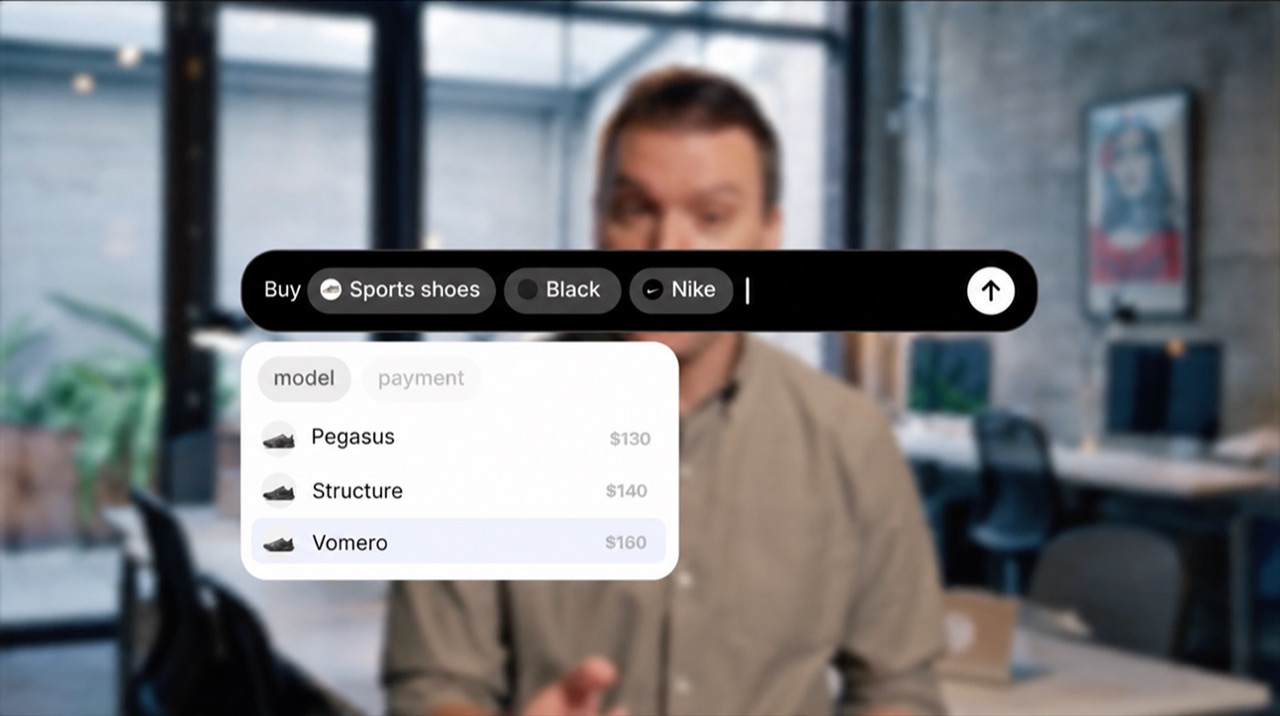
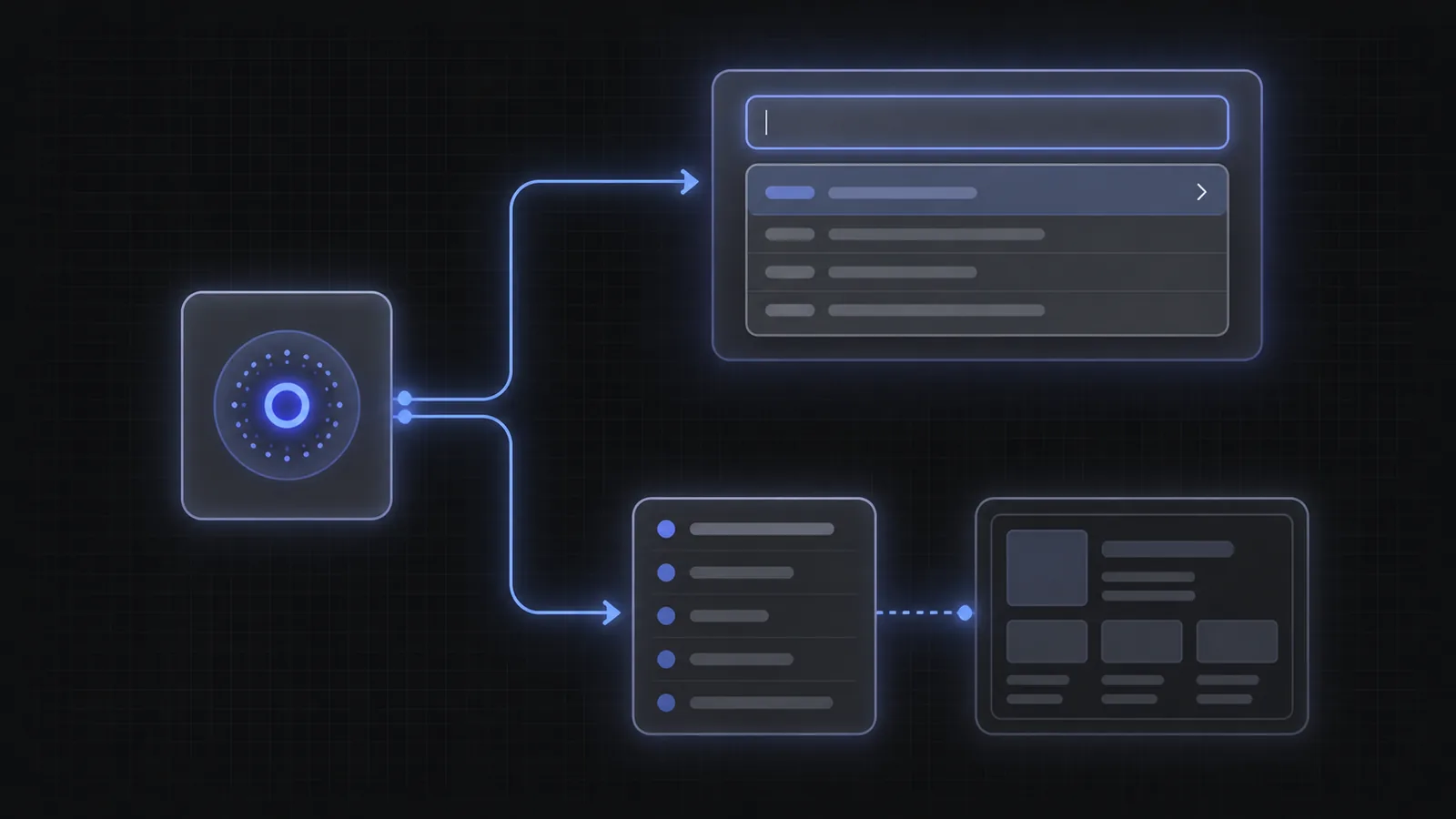

`, }) export class SearchComponent implements OnInit, OnDestroy { ac!: AIAutocompleteController; ngOnInit(): void { this.ac = new AIAutocompleteController({ apiConfig: { apiKey: "pk_v1_your_public_key" }, }); } submit(): void { sendToBackend(this.ac.getState().text, this.ac.getState().completedParams); this.ac.reset(); // start a new session } ngOnDestroy(): void { this.ac.destroy(); // release subscriptions + core } } ``` The [aiaInput] directive wires your input's events into the controller and mirrors state into ARIA attributes. renders the pills + options from the same controller. It's absolutely positioned, so place it inside a position: relative element. ### Color mode & position Pass [mode] ("light", "dark", or "auto") to style a standalone dropdown β€” it scopes the design tokens to its own root, so no .magicx-aia wrapper is needed. "auto" follows the OS theme. To open it above the input, set optionsPosition: "above" in the controller options β€” the dropdown reads it from the controller automatically, and arrow-key direction matches since it's the same option. Leave mode unset inside Tier 1, which themes for you. ### Custom & rich-text inputs [aiaInput] is for a
  • {{ option.text }}
`, }) export class SearchComponent implements OnInit, OnDestroy { ac!: AIAutocompleteController; ngOnInit(): void { this.ac = new AIAutocompleteController({ apiConfig: { apiKey: "pk_v1_your_public_key" }, }); } pick(event: MouseEvent, option: SuggestionOption): void { event.preventDefault(); // keep focus in the input this.ac.selectOption(option); } ngOnDestroy(): void { this.ac.destroy(); } } ``` You still feed the input the same way ([aiaInput] for a textarea, or the controller methods for a custom editor), and you still call destroy() in ngOnDestroy and reset() after submit. Tier 3 only changes who renders the suggestions. --- # API Reference | Angular AI Autocomplete Docs > For the complete documentation index, see [llms.txt](https://ai-autocomplete.com/llms.txt). A markdown version of any page on this site is available by appending `.md` to its URL path β€” the homepage is at `/index.md`. API Reference guide for integrating the AI Autocomplete SDK with Angular. Code examples, setup, and API reference. Source: https://ai-autocomplete.com/docs/angular/api-reference --- Every input, output, observable, and method β€” distilled. ## The full drop-in standalone component. Owns the contentEditable editor, inline pills, dropdown, and all state. Implements ControlValueAccessor for Reactive Forms. ### Inputs | Prop | Type | Default | Description | | --- | --- | --- | --- | | `apiConfig` | `APIConfig` | β€” | Runtime API configuration (public key or access token). | | `additionalContext` | `Record` | β€” | Optional user context. Include whatever you know about the user (a profile, preferences, workspace, anything) to personalize suggested parameters and options to them. | | `pillPlacement` | `"inline" \| "dropdown" \| "hidden"` | `"dropdown"` | Where unfilled pills render. inline lives in the input; dropdown places them with the options; hidden shows none. | | `mode` | `"light" \| "dark" \| "auto"` | `"auto"` | Color mode. auto follows prefers-color-scheme. | | `optionsPosition` | `"above" \| "below"` | `"below"` | Where the dropdown opens relative to the input. | | `animations` | `boolean` | `true` | Enable the selection streak + new-param shimmer. | | `dropdownTrigger` | `"auto" \| "manual" \| "hidden"` | `"auto"` | When the dropdown appears. auto = when options are available; manual = only on pill tap; hidden = never. | | `closeDropdownOnBlur` | `boolean` | `true` | When false, the dropdown stays open even when the editor loses focus. | | `showNonTappableOptions` | `boolean` | `true` | Render non-tappable options alongside tappable ones. | | `columns` | `number` | `2` | Number of columns in the dropdown grid. | | `maskCompletedText` | `boolean` | `false` | Strip completed-param text from network requests (PII masking). | | `optionOverrides` | `OptionOverrides` | β€” | Inject or compute option lists per suggestion type. | | `autoFocus` | `boolean` | `true` | Focus the editor on mount. Set false to leave focus to the consumer. | | `value` | `string` | β€” | Controlled text value. Pair with (valueChange). | | `completedParams` | `CompletedParamState[]` | β€” | Controlled completed params. Pair with (completedParamsChange). | | `submitButton` | `TemplateRef \| null` | β€” | A to replace the default arrow button. Pass null to render no button. | | `products` | `ProductsConfig` | β€” | Opt-in product strip. When set, the dropdown renders a row of product cards below the options grid, fed by your own search endpoint on the SDK's existing fetch cadence. Takes { fetch, transform }: fetch runs your search and must honour the AbortSignal it's handed, transform maps the raw payload to Product[]. Omit it and nothing changes β€” no request, no markup, no layout shift. | ### Outputs | Prop | Type | Default | Description | | --- | --- | --- | --- | | `submitted` | `EventEmitter` | β€” | Emits on Enter or submit-button click. Carries an AutocompleteResult. | | `errored` | `EventEmitter` | β€” | Emits when a fetch fails. | | `valueChange` | `EventEmitter` | β€” | Emits when text changes (controlled mode). | | `completedParamsChange` | `EventEmitter` | β€” | Emits when completed params change (controlled mode). | | `focused` | `EventEmitter` | β€” | Emits when the editor gains focus. | | `blurred` | `EventEmitter` | β€” | Emits when the editor loses focus. | | `productSelect` | `EventEmitter` | β€” | Emits when the user activates a product card. The SDK never navigates β€” you decide what a selection means. Modifier and middle clicks are left to the browser and don't emit. | ### Imperative methods Call these on the component instance via a template reference variable + @ViewChild. | Prop | Type | Default | Description | | --- | --- | --- | --- | | `focus()` | `() => void` | β€” | Focus the editor. | | `blur()` | `() => void` | β€” | Blur the editor. | | `reset()` | `() => void` | β€” | Clear all state, rotate the session, and re-fetch. | | `setMode()` | `(mode: AppearanceMode) => void` | β€” | Switch color mode at runtime. | ## AIAutocompleteController A plain TypeScript class β€” no DI. Create it with new in ngOnInit, hold the reference, and call destroy() in ngOnDestroy. Exposes the SDK's reactive state as RxJS observables plus action methods. ### Constructor options Pass these to the constructor. Event callbacks (onSubmit, onError, …) are registered once at construction β€” for dynamic reactivity, subscribe to the observables instead. | Prop | Type | Default | Description | | --- | --- | --- | --- | | `apiConfig` | `APIConfig` | β€” | Runtime API configuration (key or token). | | `additionalContext` | `Record` | β€” | Optional user context. Include whatever you know about the user (a profile, preferences, workspace, anything) to personalize suggested parameters and options to them. | | `optionsPosition` | `"above" \| "below"` | `"below"` | Where the dropdown opens. Read by the keyboard controller to pick the open key. | | `dropdownTrigger` | `"auto" \| "manual" \| "hidden"` | `"auto"` | When the dropdown appears. | | `closeDropdownOnBlur` | `boolean` | `true` | When false, the dropdown stays open even when the input loses focus. | | `showNonTappableOptions` | `boolean` | `true` | Render non-tappable options alongside tappable ones. | | `columns` | `number` | `2` | Number of columns in the dropdown grid. | | `maskCompletedText` | `boolean` | `false` | Strip completed-param text from network requests (PII masking). | | `optionOverrides` | `OptionOverrides` | β€” | Override option lists per suggestion type. | | `value` | `string` | β€” | Initial controlled text value. | | `completedParams` | `CompletedParamState[]` | β€” | Initial controlled completed params. | | `onSubmit / onError / onChange` | `(...) => void` | β€” | onSubmit, onError, onChange, onParamsChange, onFocus, onBlur β€” registered once at construction. | | `products` | `ProductsConfig` | β€” | Opt-in product strip config, same shape as the Tier 1 input. Feeds products$ and the dropdown component's strip. | | `onProductSelect` | `(product: Product) => void` | β€” | Called when the user activates a product card. Registered once at construction, like the other callbacks. The SDK never navigates. | ### Observables Each field is exposed as a stand-alone observable plus a composite state$. All run through distinctUntilChanged + shareReplay, so multiple async pipes share one subscription. | Prop | Type | Default | Description | | --- | --- | --- | --- | | `state$` | `Observable` | β€” | Snapshot of every public field in one object β€” convenient for *ngIf="ctrl.state$ \| async as state". | | `dropdown$` | `Observable` | β€” | Composite stream for the dropdown view (suggestions, activeIndex, isOpen, pills, …) β€” bound to via [controller], or subscribe to it directly to render your own dropdown in Tier 3. | | `text$` | `Observable` | β€” | Current editor text. | | `completedParams$` | `Observable` | β€” | Filled parameters. | | `suggestionPills$` | `Observable` | β€” | Actionable suggestion pills. The first item is the active pill. | | `segments$` | `Observable` | β€” | Input text split into typed text vs completed-param segments. | | `isLoading$` | `Observable` | β€” | Whether a fetch is in progress (UI-visible). | | `isDropdownOpen$` | `Observable` | β€” | Whether the dropdown should be visible. | | `isReady$` | `Observable` | β€” | Server indicates the query is complete. | | `error$` | `Observable` | β€” | Last fetch error, or null. | | `activeIndex$` | `Observable` | β€” | Highlighted dropdown option index. -1 = none. | | `suggestions$` | `Observable` | β€” | Every suggestion from the last response, including the placeholder-type one. suggestionPills$ is this list minus the placeholder. | | `skippedParams$` | `Observable` | β€” | Suggestions the user dismissed with the skip key (β†’). Nothing renders them; they're folded into the wire completed_params array on every request and submit result. | | `placeholderText$` | `Observable` | β€” | Resolved placeholder text for the current step. | | `newParamId$` | `Observable` | β€” | ID of the most recently added param, for driving the shimmer animation. Clear it with clearNewParamId(). | | `isFocused$` | `Observable` | β€” | Whether the editor currently has focus, as last reported through the input binder or setFocused(). | | `isActivePillSelected$` | `Observable` | β€” | Whether the leading pill should render selected (full opacity) rather than de-emphasized β€” true while a tappable option is highlighted. | | `products$` | `Observable` | β€” | Results of the latest product search. Always empty unless products is configured. | ### Actions Thin pass-throughs to the headless core. After destroy() they no-op safely. | Prop | Type | Default | Description | | --- | --- | --- | --- | | `handleTextChange()` | `(value: string) => void` | β€” | Call when the user types. Handles capitalization, param reconciliation, and filtering. | | `handleKeyDown()` | `(e: KeyboardEvent) => void` | β€” | Forward keyboard events from your input. Handles arrow nav, Enter, Tab, Escape. | | `setFocused()` | `(focused: boolean) => void` | β€” | Notify the controller the input gained or lost focus. Custom inputs only β€” [aiaInput] does this for you. | | `handleCaretMove()` | `(offset: number \| null) => void` | β€” | Report the caret position (plain-text offset) so arrow keys can move into the dropdown. Custom inputs only. | | `selectOption()` | `(option: SuggestionOption) => void` | β€” | Select a dropdown option β€” updates text, creates a completed param, triggers shimmer. | | `selectProduct()` | `(product: Product) => void` | β€” | Announce a product-card activation, emitting productSelect / calling onProductSelect. The built-in dropdown calls this for you; call it yourself only when rendering your own strip from products$. | | `setActiveDropdownIndex()` | `(index: number) => void` | β€” | Highlight a dropdown option by index (-1 = none). Use it to wire hover/keyboard highlighting when rendering your own dropdown. | | `setActivePill()` | `(index: number) => void` | β€” | Move the pill at index to the front (active). | | `removeLastParam()` | `() => void` | β€” | Remove the last completed param and restore it as a pill. | | `setValue()` | `(text: string) => void` | β€” | Set the editor text (controlled mode). | | `setCompletedParams()` | `(params: CompletedParamState[]) => void` | β€” | Set completed params (controlled mode). | | `reset()` | `() => void` | β€” | Clear all state, rotate the session, and re-fetch. Call after submit. | | `update()` | `(opts: AIAutocompleteControllerUpdate) => void` | β€” | Apply runtime option changes (e.g. dropdownTrigger, optionsPosition). Event callbacks can't be swapped β€” subscribe to the observables instead. | | `getState()` | `() => AIAutocompleteControllerState` | β€” | Synchronous snapshot of the current state (for use inside event handlers). | | `destroy()` | `() => void` | β€” | Release subscriptions and the underlying core. Call in ngOnDestroy. | ## Tier 2 dropdown component. Pass it the same controller β€” it renders the pillbar, options grid, and loading skeleton, and forwards actions back to the controller. | Prop | Type | Default | Description | | --- | --- | --- | --- | | `controller` Required | `AIAutocompleteController` | β€” | The controller that owns the autocomplete state. | | `showPills` | `boolean` | `true` | Whether to render the pillbar inside the dropdown. | | `mode` | `"light" \| "dark" \| "auto"` | β€” | Color mode for a standalone dropdown β€” self-scopes the SDK tokens so no .magicx-aia wrapper is needed. "auto" follows prefers-color-scheme. Leave unset when nested inside a .magicx-aia ancestor (e.g. Tier 1). | | `className` | `string` | β€” | CSS class applied to the dropdown root. | ## [aiaInput] directive Attach [aiaInput]="controller" to your own