How do Shopify search filters work?
Shopify search filters are set up in the free Shopify Search & Discovery app and appear on the search results page (Shopify Help Center: Filters). Shoppers search first, then find the filter panel and click through it. On mobile, that takes extra taps.
AI Autocomplete by MagicX adds a second layer: filter choices inside the search box, before shoppers press Enter.
| Shopify Search & Discovery filters | AI Autocomplete by MagicX | |
|---|---|---|
| When shoppers filter | After the results load | While typing in the search box |
| Where | Filter panel on the results page | Choices under the search box |
| Setup | Free app, filters set up by hand | Install, link, switch on (about 4 minutes) |
| Works together | Yes | Yes, it sends its query to your existing search |
What do shoppers see with AI Autocomplete?
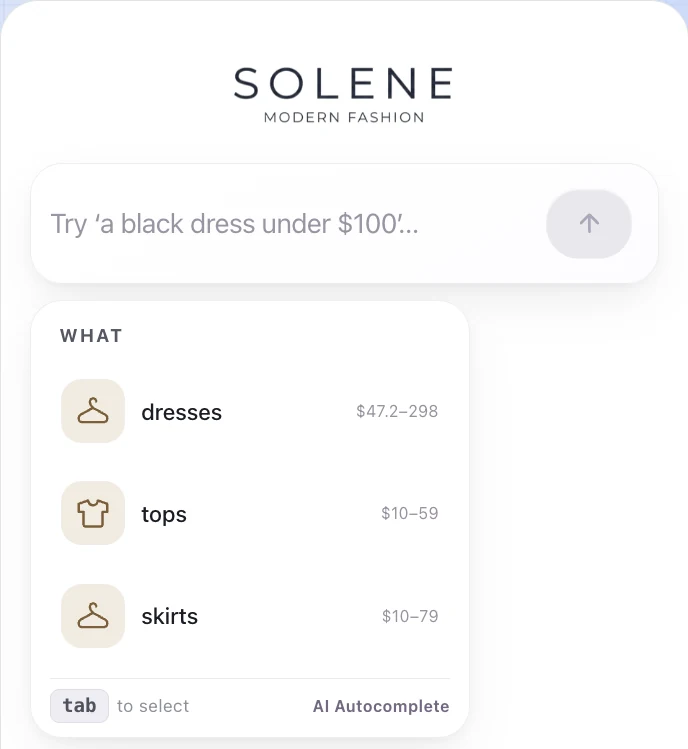
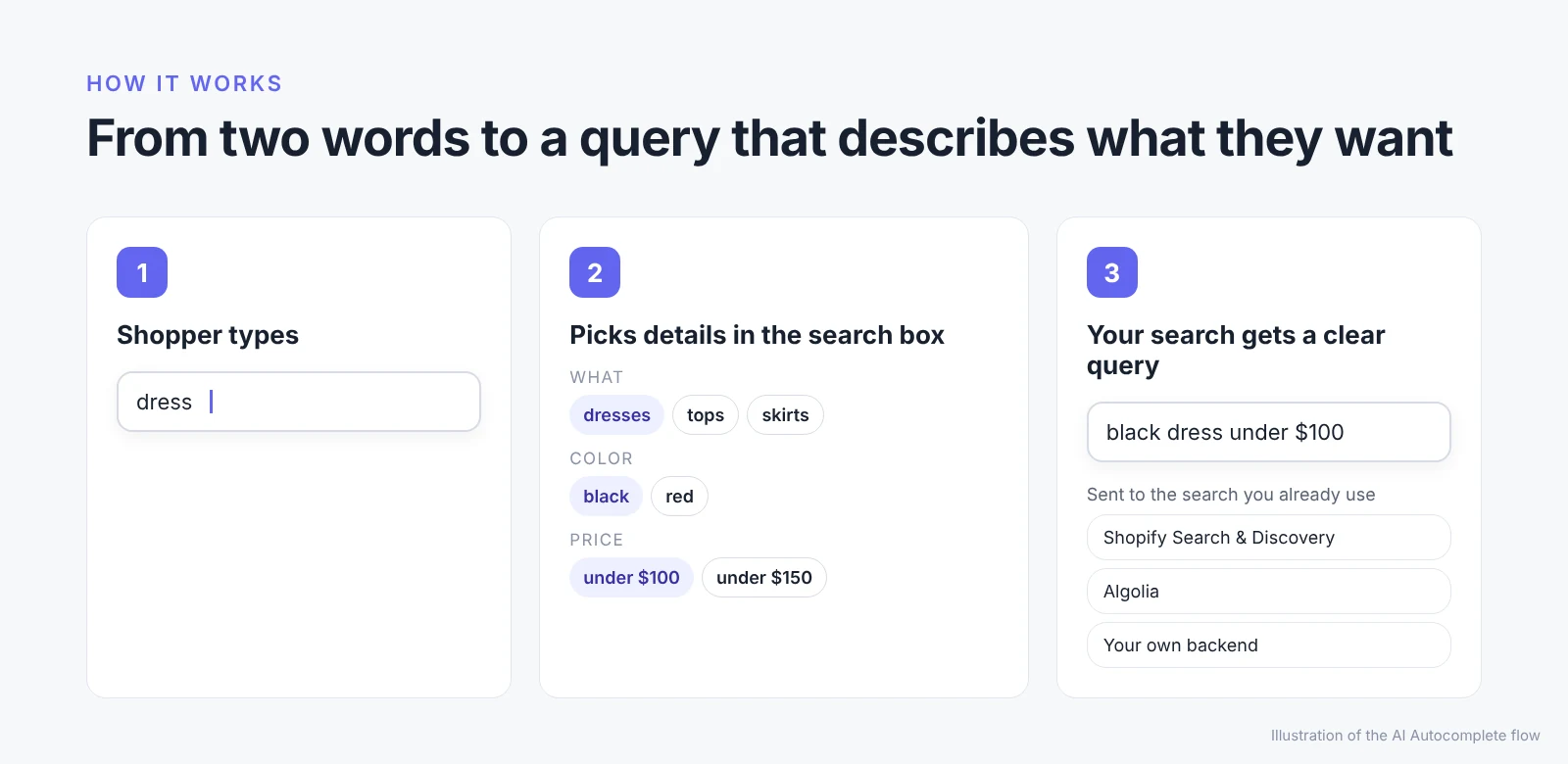
When a shopper types a broad word like "dress," AI Autocomplete shows choices right under the search box:
- What: product types from your catalog, such as dresses, tops or skirts, with their price ranges
- Details: attributes like color, based on your products
- Price: ranges such as under $100 or under $150
- Best match: a product with its photo and price
Shoppers press Tab or tap to pick a choice. Instead of "dress," the store's search receives a query like "black dress under $100."
Does AI Autocomplete replace your Shopify search?
No. AI Autocomplete hands the finished query to the search a store already runs, including Shopify Search & Discovery, Algolia or a custom backend. If you already use Search & Discovery filters on your results page, keep them. They still help shoppers narrow results after the search. To see how AI Autocomplete fits other ecommerce search setups, visit the AI Autocomplete ecommerce search page.
How do you set up AI Autocomplete on Shopify?
Setting up AI Autocomplete on Shopify takes about 4 minutes and needs no theme code.
Step 1. Install the app
Open AI Autocomplete by MagicX in the Shopify App Store and click Install. Review the access the app needs and confirm.
Step 2. Link your AI Autocomplete account
In the app, click Link your AI Autocomplete account, then Link store in the window that opens.
Step 3. Choose a plan
Pick the Starter or Standard plan. Both include a 30-day free trial.
Step 4. Let AI Autocomplete import your catalog
AI Autocomplete imports your products, variants and collections from Shopify. This takes a few minutes, and you can leave the page while it runs.
Step 5. Switch it on in your theme
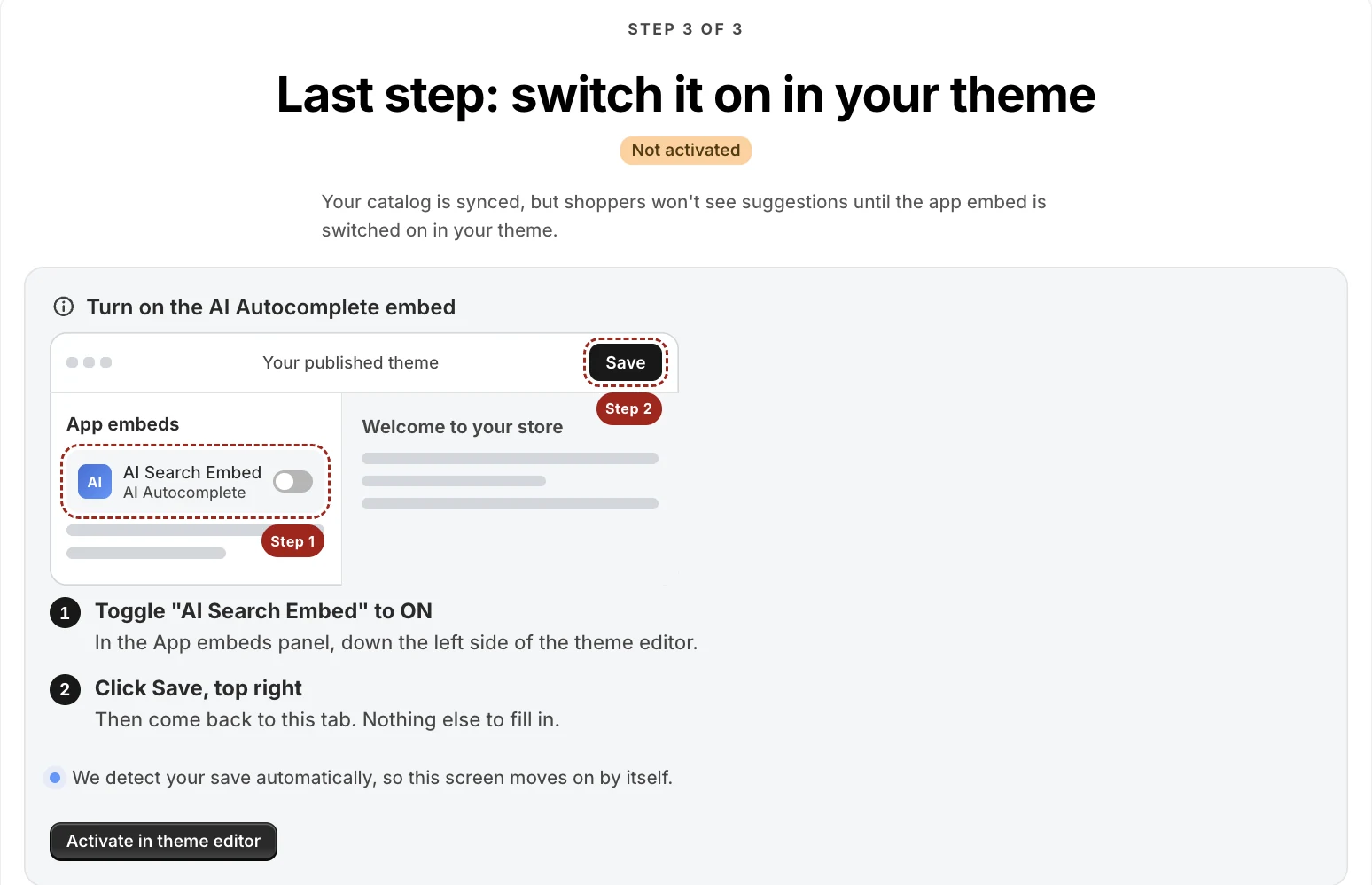
Click Activate in theme editor. In the App embeds panel, turn on AI Search Embed, then click Save. Your existing Shopify search box now shows AI Autocomplete suggestions.
Optional: to add a separate AI search bar to a landing or collection page, add the AI Search Bar block in the theme editor.
How much does AI Autocomplete cost?
| Plan | Monthly price | Predictions included | Each extra prediction |
|---|---|---|---|
| Starter | $10 | 20,000 per month | $0.0005 |
| Standard | $30 | 100,000 per month | $0.0003 |
Both AI Autocomplete plans include a 30-day free trial. Prices as of October 2026. See the Shopify App Store for current pricing.
FAQ
Do I need to edit my theme code to add AI Autocomplete?
No. You switch on the AI Search Embed in the Shopify theme editor and click Save.
Do I still need Shopify Search & Discovery filters?
They're not required for AI Autocomplete, but they're worth keeping. AI Autocomplete works before the search, and Search & Discovery filters work on the results page.
Which search engines does AI Autocomplete work with?
Shopify Search & Discovery, Algolia and custom search backends. AI Autocomplete sends its finished query to the search you already use.
Is there a free trial?
Yes. Both the Starter and Standard plans include a 30-day free trial.
Try it on your store: start the 30-day free trial and type one of your best-selling product types into your search box.