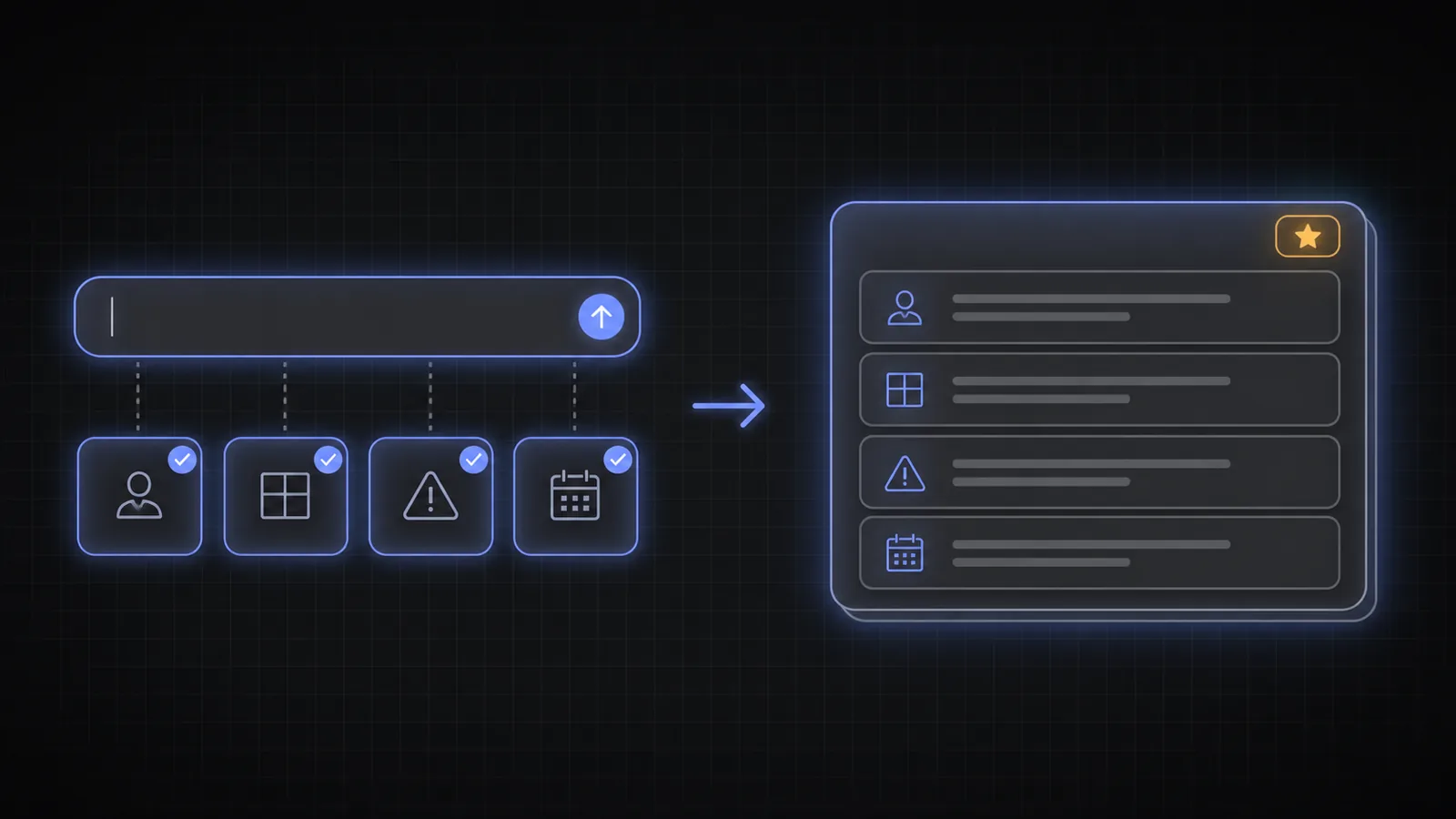
A customer writes “my order isn't here.” Support still needs to know which order, the expected date, the carrier status, the address, and whether the package is late or marked as delivered. A blank message field captures frustration well and operational detail poorly.
A rigid form captures fields, but it makes the customer translate the problem into the company's workflow before anyone has offered help. AI Autocomplete keeps the natural message and introduces the missing facts while the customer types.
Good support intake feels like a message to the customer and arrives like a form to the support system.
A useful ticket needs facts the first message rarely includes
Support teams know the questions that recur for each issue. Billing needs the charge and date. Delivery needs the order and carrier state. A technical incident needs the environment, steps, expected behavior, actual behavior, and recent changes.
Most cases depend on four categories of detail:
- Who and what: account, order, subscription, device, plan, or product.
- What happened: symptom, error, status, amount, or unexpected result.
- When and where: time, region, browser, operating system, channel, or location.
- What has been tried: prior steps, previous contacts, workarounds, and urgency.
The useful fields vary by intent. A cancellation request does not need a browser version. A login failure does not need a tracking number. The interface should reveal the next relevant fact, not dump every possible field into one intake form.
Guide the message without turning support into a questionnaire
The customer should be able to begin with the words they already have. As the issue becomes clear, AI Autocomplete can offer the details that will change the answer or route: the affected order, the platform, the error state, the deadline, or the preferred resolution.
Selections can come from live application context. If the customer is signed in, the interface can offer recent orders, active subscriptions, registered devices, or open cases. That is faster and less error-prone than asking the customer to copy identifiers from another screen.
“It doesn't work” becomes “Exports fail with a timeout in Chrome on the Pro workspace; it started this morning and affects every CSV.”
The message remains readable. The system also receives structured fields for issue type, product, environment, urgency, and the selected records. A human agent no longer has to extract every field manually before work can begin.
Better intake improves routing, automation, and the human handoff
A complete ticket can enter the right queue sooner. Known billing issues can reach billing. Account access problems can enter an identity-safe flow. A suspected outage can be grouped with similar reports. Self-service can answer the straightforward case before a ticket is created.
Automation should be proportional to confidence and risk. Structured intent can support routing or retrieve a relevant help article, but it should not make irreversible account changes merely because a suggestion was selected. The support system still owns authentication, authorization, and confirmation.
For human agents, the gain is practical: less copy-and-paste, fewer opening questions, clearer summaries, and more time spent solving the case. For customers, the first reply is more likely to move the issue forward rather than request information they could have supplied at the start.
Build the field model from real ticket history
Review the first two exchanges in resolved cases. Which questions appear repeatedly? Which missing detail changes the queue, answer, or severity? Which identifiers do agents search for manually? Those are candidates for intent fields.
Do not optimize only for deflection. Measure first-response resolution, time to correct queue, reassignment, messages per case, agent handling time, customer effort, reopened cases, and satisfaction. A ticket that disappears because the customer gave up is not a success.
Start with one high-volume issue family where the required facts are known. Keep an escape hatch for free text and accessibility. Then expand only when the structured intake makes that journey measurably easier. The SDK documentation includes keyboard and ARIA behavior for the input and dropdown.
What changes when the ticket starts complete
- Customers keep natural language; the system gains consistent fields.
- Relevant questions appear in context instead of as one long generic form.
- Live account data reduces effort and errors when selecting orders, subscriptions, devices, or cases.
- Routing and self-service improve, while the support system retains authority over sensitive actions.
- Success is a faster, better resolution, not deflection at any cost.
Frequently asked questions
What is AI autocomplete for customer support?
It is an intent layer in the support message box. It helps customers add the issue-specific facts that support needs while preserving a natural-language description.
How is this different from a chatbot?
A chatbot usually asks and answers after the first message is submitted. AI autocomplete works before submit, helping complete that first message. The two can be used together.
Can it use account or order data?
Yes. The application can inject relevant options such as recent orders, active plans, products, or devices at runtime, subject to the application's existing permissions.
Will structured intake feel like a form?
It should not. The user begins with free text, and only relevant options appear. Poor implementations expose too many fields; good ones ask for the smallest set that changes resolution.
Which support workflows should start first?
Choose a high-volume issue with a stable set of required facts and measurable back-and-forth: delivery problems, billing questions, account access, cancellations, returns, or a common technical error.
Start the case with the information needed to solve it
One better message can remove the least useful exchange in support.
Review the API and SDK options or start in the documentation.